Google, a global internet giant, offers a wide range of digital products and services such as cloud computing, online search, advertising, and various software solutions. As of December 2023, Google attracts over 83.8 billion monthly visits, making it the largest search engine worldwide. Popular Google subscription services include YouTube Premium, Google Drive storage plans, and Google Pay, which provide users with additional features and storage for a fee.
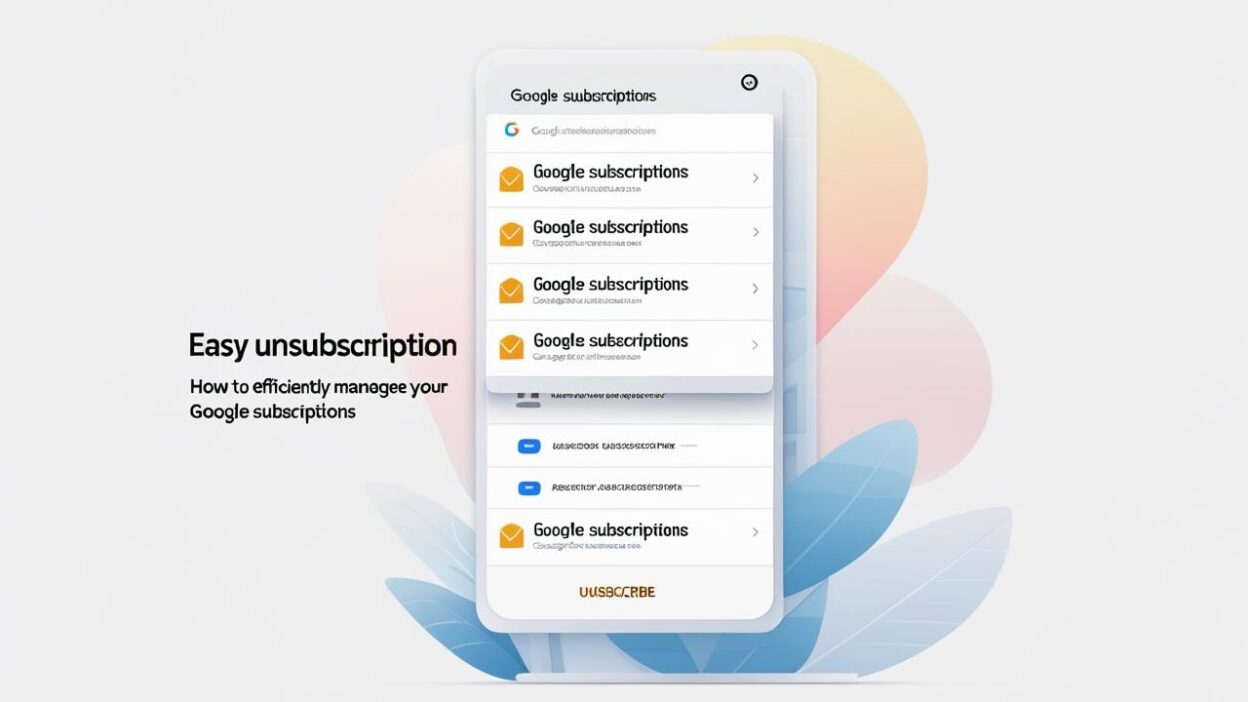
With the rise of subscription services, many users lose track of their active subscriptions, leading to unnecessary recurring charges. This guide will walk you through how to efficiently manage your Google subscriptions and unsubscribe with ease. You’ll learn how to locate, cancel, pause, modify, and resubscribe to various Google services, along with practical tips to avoid unexpected charges in the future.
How to Find Your Google Subscriptions
Before managing your subscriptions, you need to know which Google services you are subscribed to. Whether you're using an Android device, iOS device, or a computer, here’s how to find your subscriptions:
-
On Android:
Open the Settings app → Tap Google → Select Manage your Google Account → Navigate to Payments & Subscriptions → Tap Manage subscriptions, Manage purchases, or Manage reservations. -
On iOS and Computer:
Open your Google Account and sign in → Click Payments & Subscriptions on the left → Select Manage subscriptions, Manage purchases, or Manage reservations.
If you are a parent using Family Link, you can also view purchases made by other family members via Google Play billing by opening the Google Play Store app → tapping your profile icon → Payments & subscriptions → Budget & history → Purchase history.
How to Cancel Google Subscriptions
- Open the Google Play Store and tap your profile picture on the top right of the screen.
- Select Payments & subscriptions. If you have multiple Google Accounts on your Android, tap the email address at the top and pick the correct account.
- Tap Subscriptions.
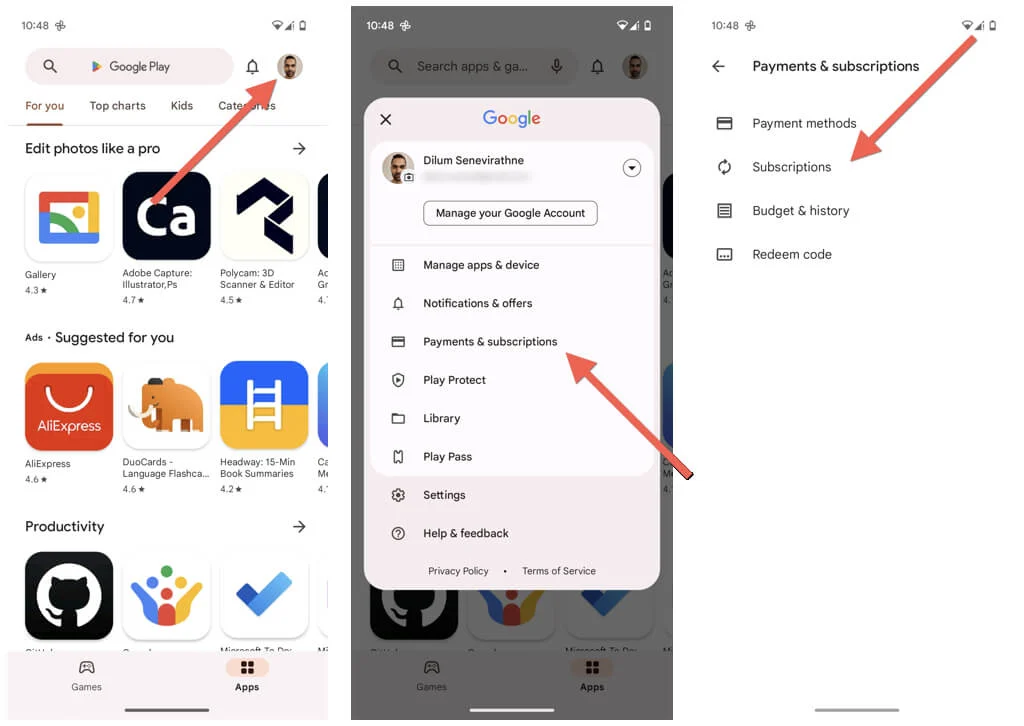
- Tap the subscription you want to cancel under the Active section.
- Tap Cancel subscription.
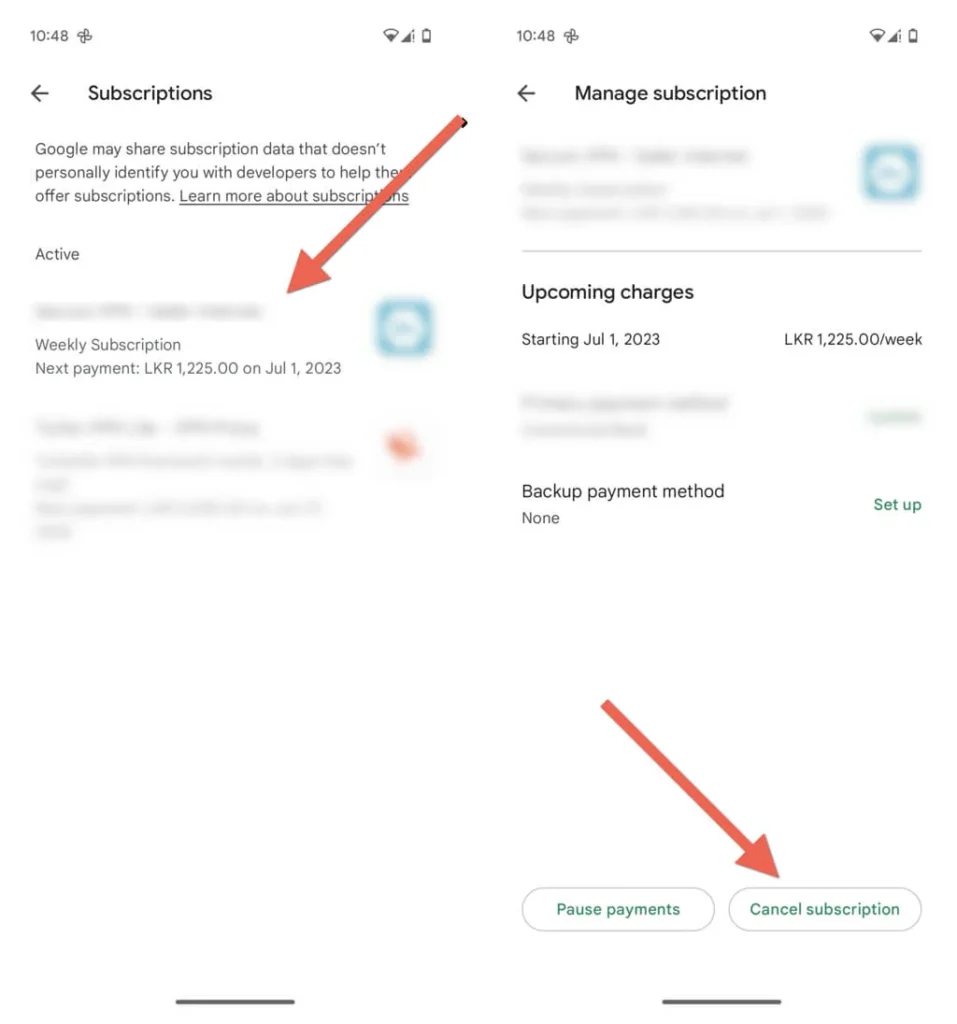
- Provide a reason and tap Continue.
- Tap Cancel subscription again as confirmation.
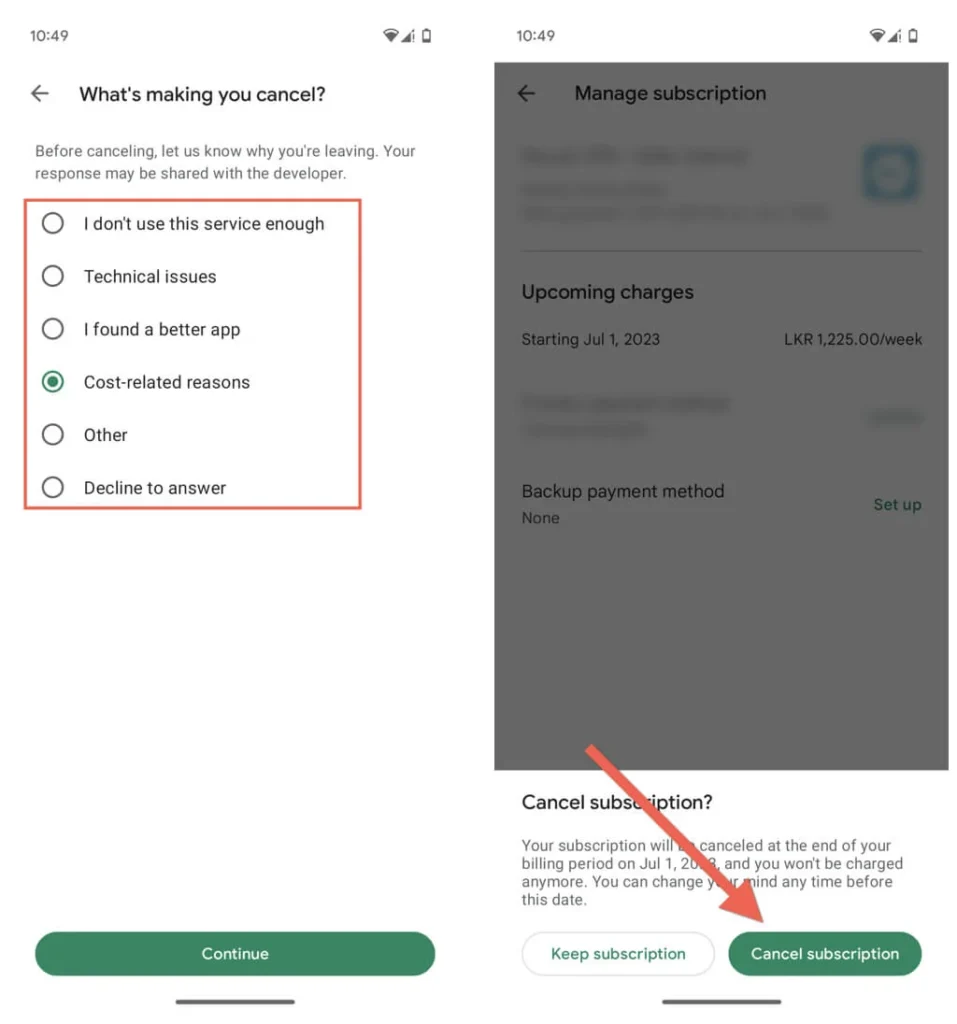
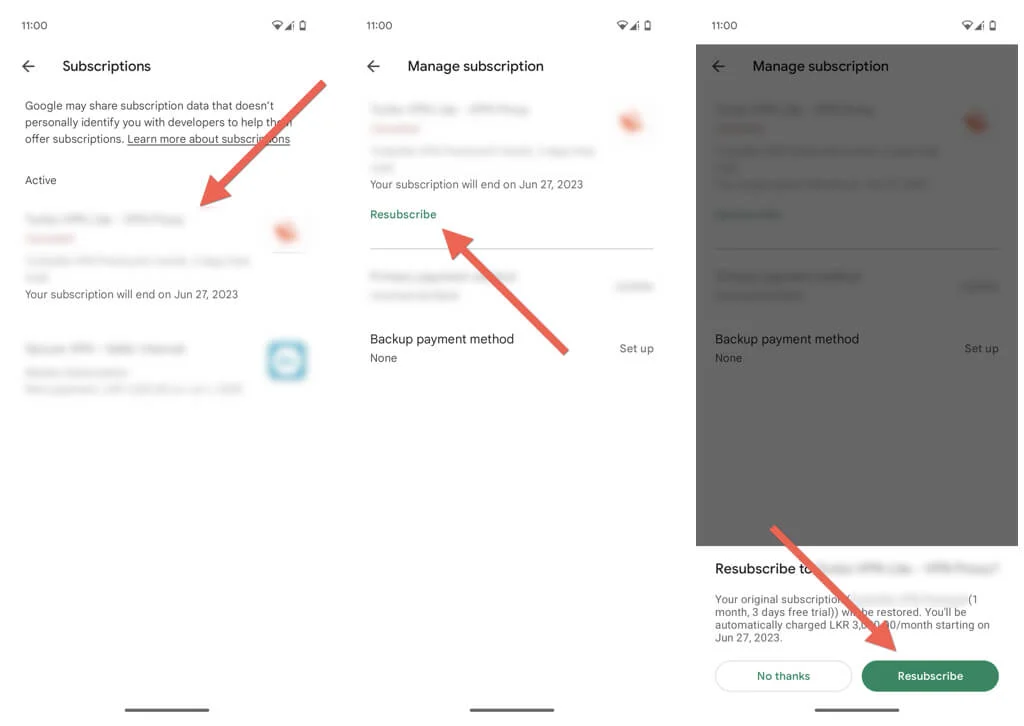
If you change your mind and want to re-subscribe before or after the subscription expires:
- Re-visit the Subscriptions management console and tap the subscription you want to re-subscribe.
- Tap Resubscribe.
- Review the subscription information and tap Resubscribe again to confirm.
The cancellation steps vary depending on your device. Keep in mind that uninstalling an app does not automatically cancel your subscription—you must follow Google’s official cancellation process. Common obstacles include:
-
Difficult-to-find cancellation buttons due to website design
-
Requirement to contact customer support
-
Requests for written cancellation letters
Missing a step or forgetting to cancel properly can result in unexpected renewal charges. To minimize these risks, consider using virtual credit cards for your subscription payments.
Protect Your Subscription Payments with Buvei Virtual Cards
Buvei is a leading virtual card provider offering robust security solutions tailored for the payments industry. Virtual cards are linked to your real funding source but display unique, randomly generated card numbers during checkout, effectively masking your true financial information.
With Buvei virtual cards, you can:
-
Set spending limits to control how much can be charged per transaction or monthly
-
Restrict usage to specific merchants to prevent unauthorized charges
-
Use one-time card numbers for temporary subscriptions or trials to avoid automatic renewals
This not only gives you more control over your subscription payments but also greatly reduces financial risks caused by data breaches or fraud.
If you want a safer way to manage your Google subscriptions and other online services, Buvei virtual cards are an ideal choice in today’s digital payment landscape. Visit the Buvei website to learn more about the benefits of virtual cards.