


Introduction
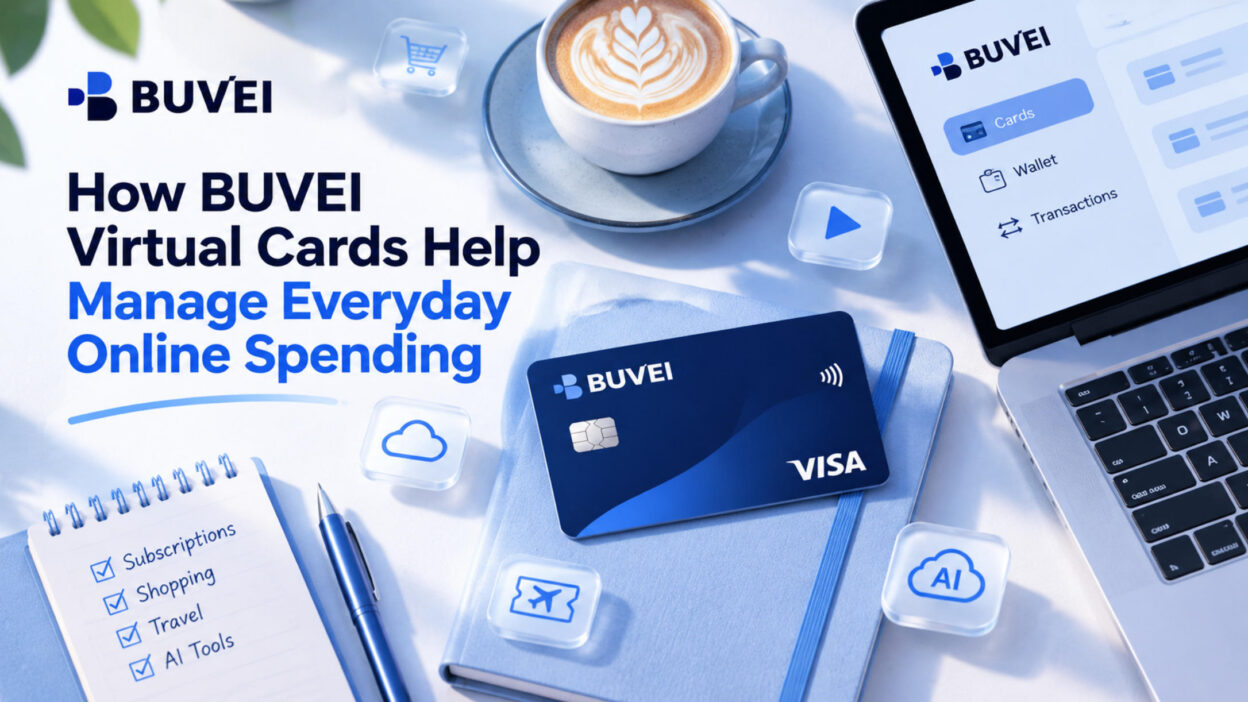
BUVEI virtual cards can help keep everyday online payments organized. Between AI subscriptions, design software, streaming services, and online shopping, it's easy to end up paying for several services every month. When all those charges go through the same bank card, figuring out where your money is going can become a hassle.
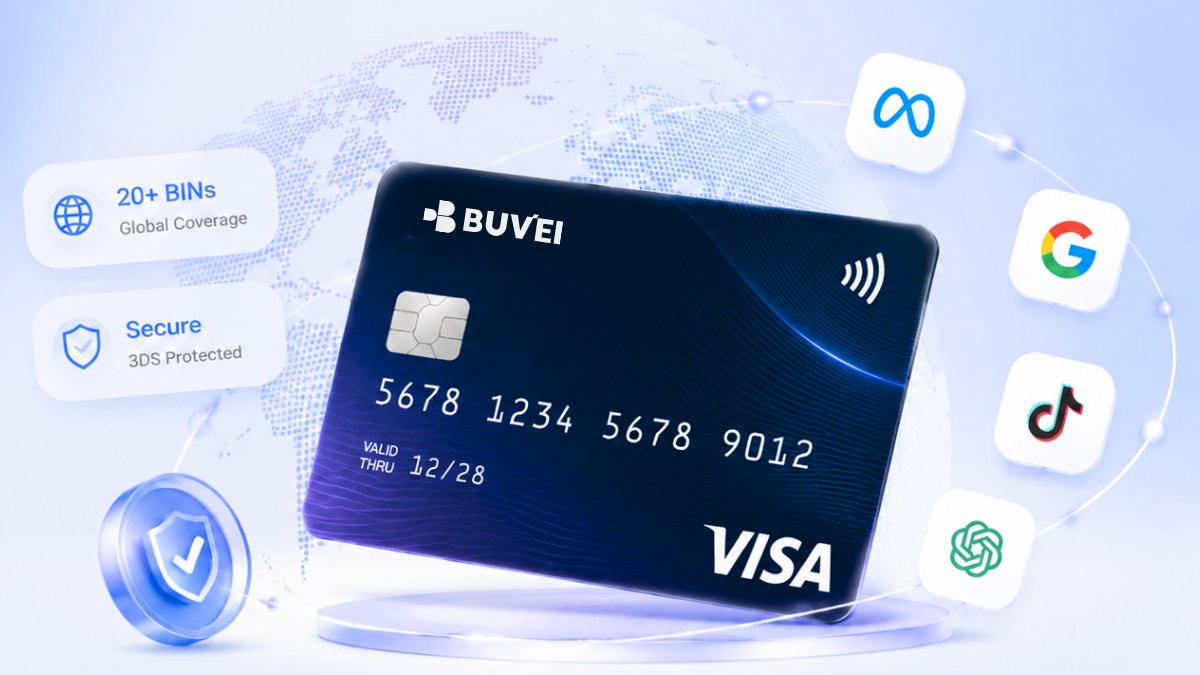
Instead of using one card for every purchase, users can issue separate virtual cards for different services and spending needs. BUVEI supports Visa and Mastercard, offers multiple BIN options, and provides individual card controls through a single account. Cards can also be issued instantly, making it easier to set up payment methods as new needs come up.
What Is a BUVEI Virtual Card?
A BUVEI virtual card is a digital payment card with its own card number, expiration date, and CVV. It can be used for online transactions at merchants that accept the selected card.
BUVEI supports Visa and Mastercard virtual cards, with multiple BIN options available for different payment requirements. Cards can be issued and managed directly through your BUVEI account.
Here are some of the main features:
- Instant Card Issuance: Create virtual cards through your account without waiting for physical card delivery.
- Multiple BIN Options: Choose from available BIN regions and card types according to your payment needs.
- Multiple Card Management: Create separate cards for subscriptions, shopping, travel, and other purposes.
- Individual Spending Limits: Set spending limits for individual cards to manage different budgets.
- Card Controls: Freeze, unfreeze, or close cards when your payment needs change.
- USDT Wallet Funding: Add funds to your wallet through supported USDT networks, including TRC20 and ERC20.
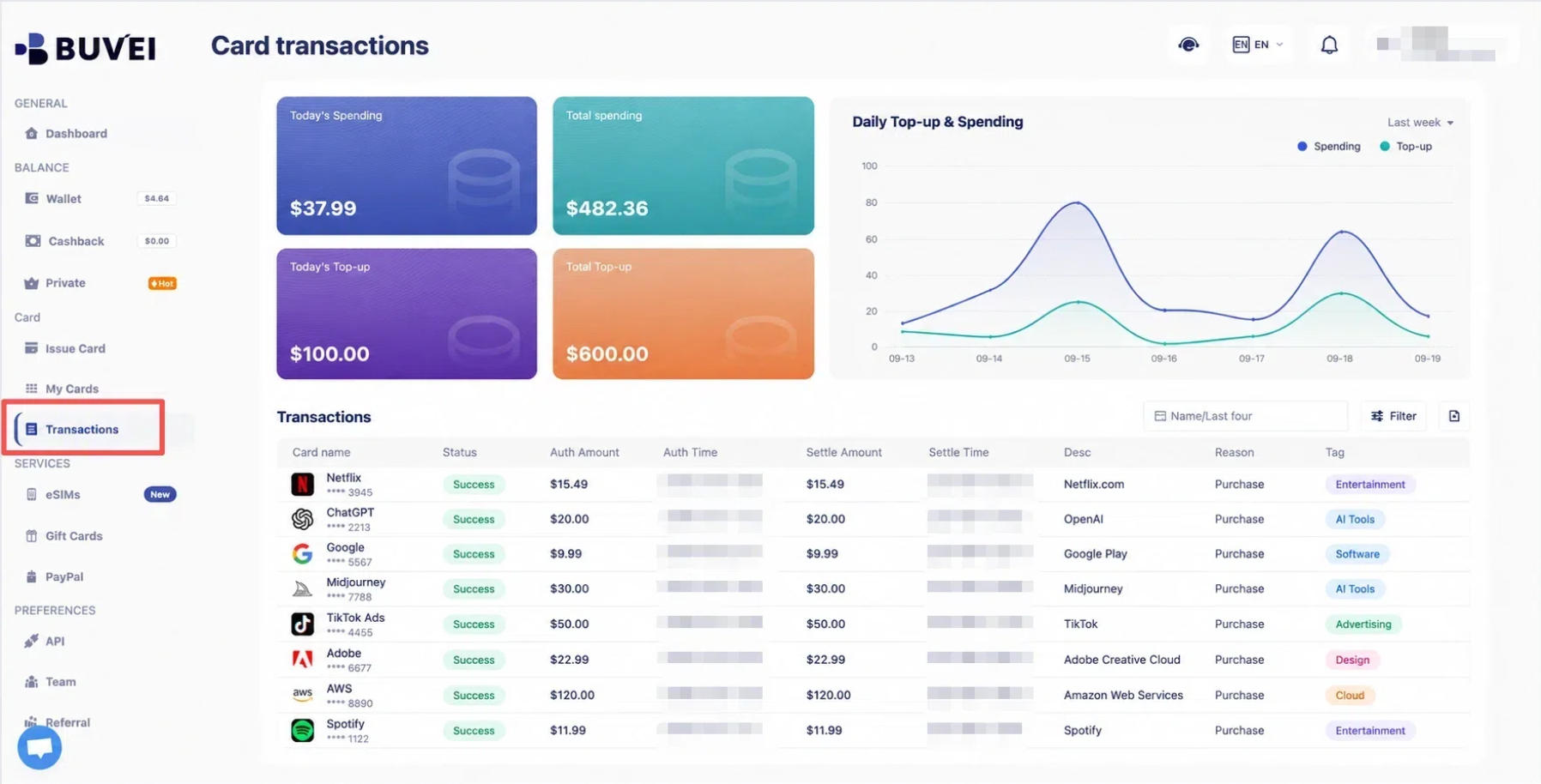
- Transaction Monitoring: Review individual card activity and transaction details through your account.
These features are particularly useful when you regularly pay for several online services and want to keep their payment methods separate.
When to Use BUVEI Virtual Cards
Online spending covers much more than shopping. Subscriptions, digital services, and travel bookings all involve different payment needs. Here are some everyday situations where BUVEI virtual cards can be useful.
AI Tools and SaaS Subscriptions
If you use several online tools, you probably know how quickly subscription payments can add up. ChatGPT might be part of your daily writing routine, Claude might help with research, while Canva and Notion are used for design and project management.
Rather than linking every subscription to the same payment card, you can assign separate BUVEI virtual cards to different services.
For example:
- AI tools: ChatGPT, Claude, and other AI services.
- Design platforms: Canva and other creative software.
- Productivity tools: Notion and similar work applications.
Suppose you decide to stop using one of your design subscriptions. You can review the card associated with that service and manage it without changing the payment details for your other subscriptions.
For freelancers and remote workers who pay for several digital tools, keeping these expenses separate can make monthly payment reviews much easier.

Online Shopping
Shopping across different websites often means dealing with multiple merchants and payment arrangements. You might regularly buy from international marketplaces, independent stores, and local e-commerce platforms.
You can assign different virtual cards to particular shopping activities or merchants rather than using the same card everywhere.
For example, one card could be reserved for regular online purchases, while another is used for selected international shopping websites.
If you need to stop using a particular card, you can manage it separately instead of updating payment details across all your shopping accounts.
Entertainment and Digital Services
Streaming platforms, gaming services, and digital content subscriptions are another source of recurring online expenses.
You could use one card for streaming subscriptions, another for gaming services, and a separate card for other digital purchases.
When you decide to stop using a service, check the card associated with it and decide whether to freeze or close it. Remember to review any active subscriptions and pending payments before making changes.
Keeping these payment methods separate also makes it easier to recognize entertainment-related charges when reviewing your transaction history.
Travel and International Payments
Travel often involves payments to merchants in different countries. Hotel reservations, transportation bookings, and other travel services may all require online payments.
BUVEI supports Visa and Mastercard virtual cards with multiple BIN options. You can choose from available card options according to your payment needs and the merchant's requirements.
For example, you might keep a separate card for hotel bookings and other travel-related online expenses rather than mixing them with your regular subscriptions.
How to Organize Everyday Spending with BUVEI
Having several virtual cards is useful, but deciding what each card is for makes the setup more practical.
A simple arrangement might look like this:
| Virtual Card | Spending Purpose |
|---|---|
| Card 1 | AI and SaaS subscriptions |
| Card 2 | Online shopping |
| Card 3 | Entertainment services |
| Card 4 | Travel expenses |
There is no need to create a card for every transaction. Start with the payment categories you use most often and give each card a clear purpose.
This approach has a few practical advantages:
- Easier payment identification: Know which card is associated with each spending category.
- Separate budgets: Set different spending limits for individual cards.
- Simpler card management: Manage or pause one payment method without changing the others.
For example, you could set a spending limit for a card used for monthly software subscriptions based on their expected costs, while keeping a separate budget for online shopping.
As your payment habits change, you can adjust your card setup instead of managing every expense through one payment method.
How to Create and Use a BUVEI Virtual Card
Step 1: Register and Fund Your Wallet
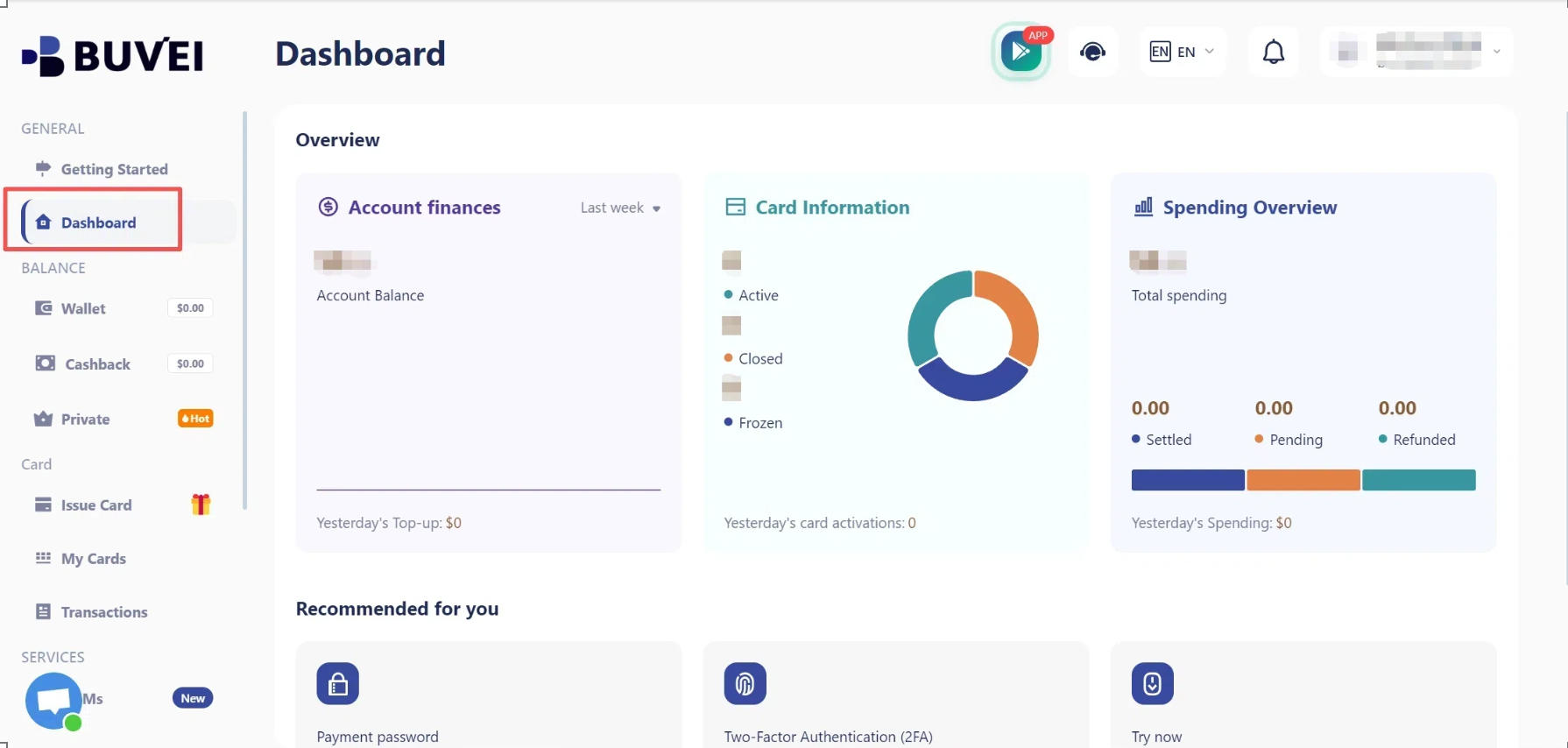
Visit buvei.com and create an account using your email address. Complete email verification and log in to access your dashboard.
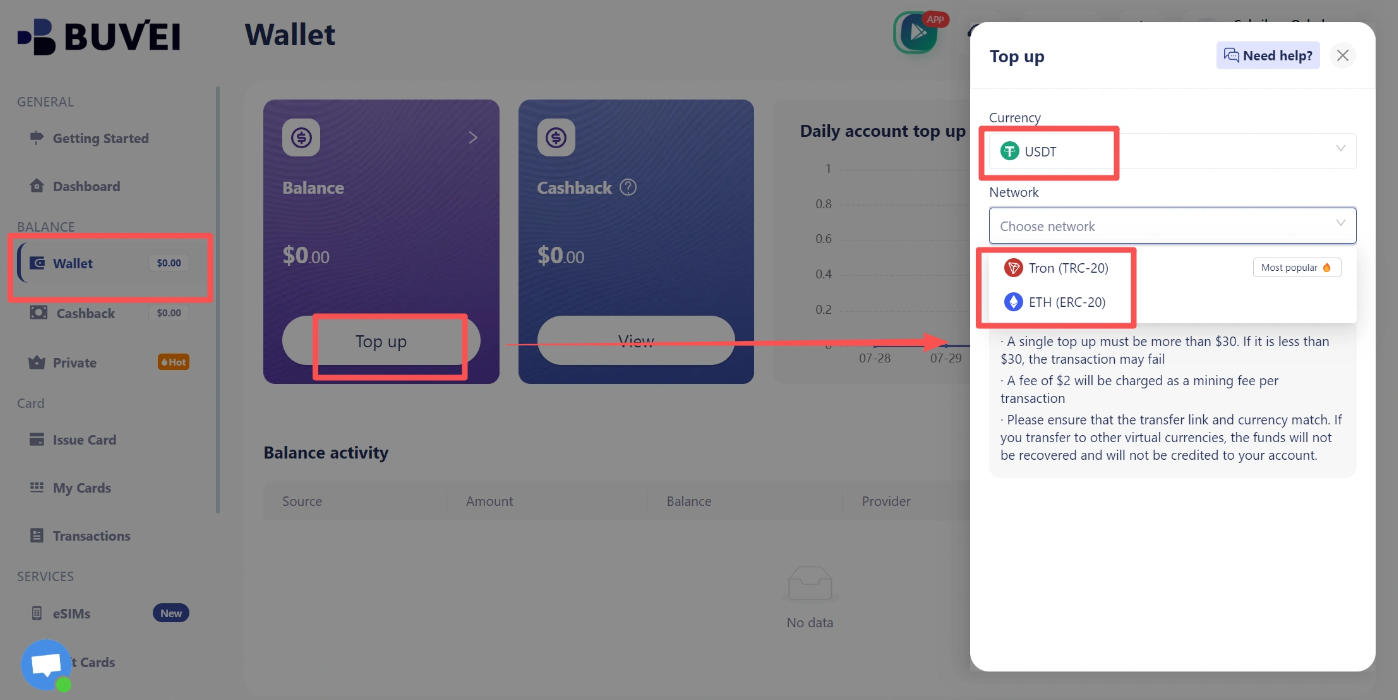
Next, open the Wallet section and select a supported USDT deposit network:
- TRC20: USDT transfers through the TRON network.
- ERC20: USDT transfers through the Ethereum network.
Copy the corresponding deposit address and send USDT using the matching network. Double-check the network and address before confirming the transfer.
Once the transaction receives the required confirmations, your available balance will appear in your wallet.
Step 2: Choose a BIN and Issue Your Card
Go to the Cards section to create a virtual card.
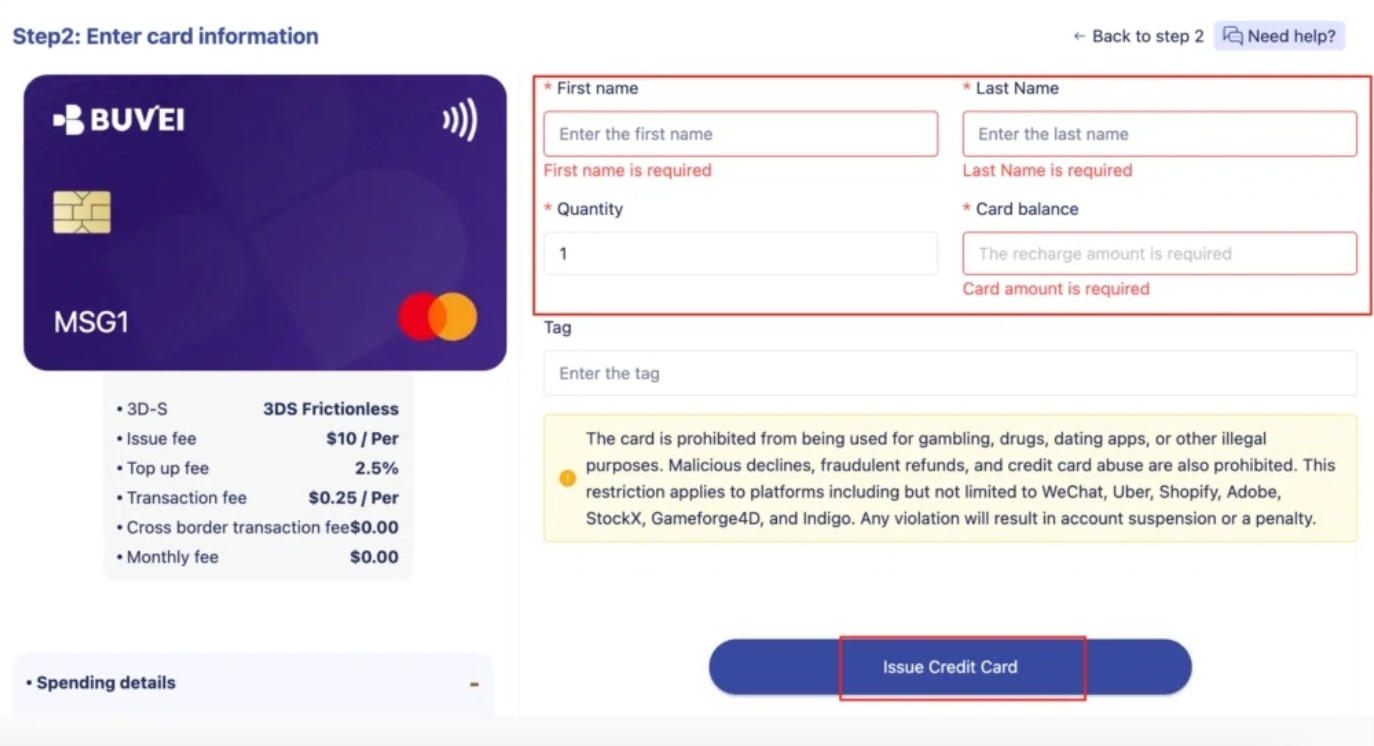
The process involves a few choices:
- Choose an available BIN region.
- Select a card type, such as Visa or Mastercard.
- Enter the card name.
- Specify the amount and number of cards.
Choose the amount according to your intended spending and available wallet balance. After checking the details, click Issue Card to complete the process.
Step 3: View Your Card Details and Transactions
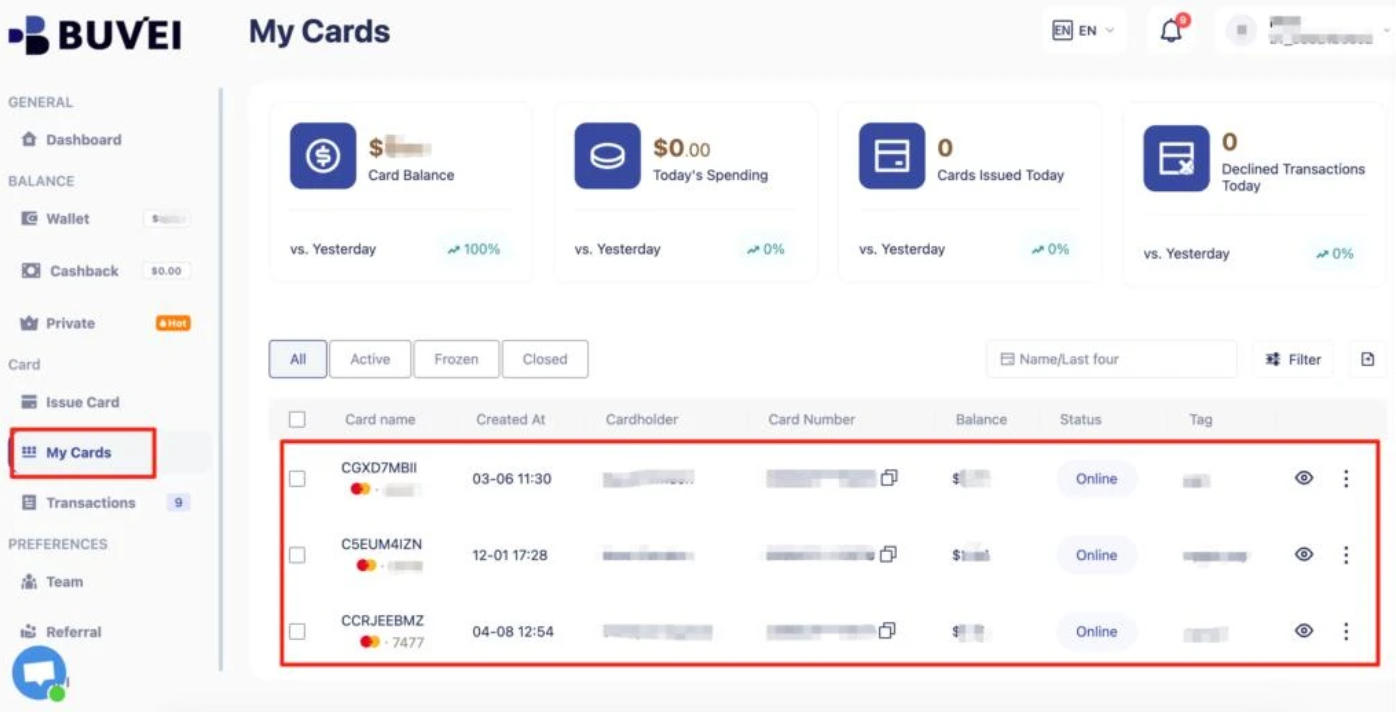
Once your card has been issued, open My Cards to access its details:
- Card number.
- Expiration date.
- CVV.
You can also review card balances, spending activity, and transaction details through the platform.
If you use several cards, checking their individual activity helps you identify which payments belong to which spending category. It is a useful habit when reviewing subscriptions or checking recent purchases.
Managing Your BUVEI Virtual Cards
Creating cards is only part of managing online spending. As subscriptions change and spending habits evolve, you may need to adjust how individual cards are used.
BUVEI provides several controls for this.
Set Spending Limits
Different expenses do not always need the same budget. A card used for software subscriptions may have predictable monthly costs, while online shopping expenses can vary.
BUVEI lets users set spending limits for individual cards. You can allocate different amounts according to the intended use of each card rather than managing every expense under one shared limit.
Freeze and Unfreeze Cards
Sometimes you need to pause a card without permanently closing it.
BUVEI allows users to freeze and unfreeze virtual cards through their accounts. For example, if you temporarily stop using a particular service or want to pause a card while reviewing a payment issue, you can freeze it and unfreeze it when needed.
Close Cards You No Longer Need
Not every virtual card needs to stay active indefinitely. You might create one for a particular service and later decide to stop using it.
BUVEI allows users to close individual cards that are no longer needed. Before doing so, check whether any active subscriptions or pending transactions are still connected to the card.
Review Card Transactions
When you use multiple cards, keeping an eye on transaction activity becomes important.
BUVEI provides access to individual card activity and transaction details through your account. You can use these records to:
- Check recent purchases and charges.
- Review payments associated with different cards.
- Keep track of subscription expenses.
- Identify transactions that need further attention.
This is particularly useful when several services charge you throughout the month. Instead of relying on memory, you can refer to your transaction records when reviewing your spending.
Frequently Asked Questions
Can I use BUVEI virtual cards for online subscriptions?
Yes. BUVEI virtual cards can be used for supported online subscription services, including AI tools, productivity software, and other digital services. Acceptance depends on the merchant, card type, BIN, and payment requirements.
Can I create multiple virtual cards with BUVEI?
Yes. BUVEI supports multiple virtual cards, allowing users to organize payment methods for subscriptions, shopping, travel, and other purposes. Available issuance options and limits depend on your account and card availability.
Can I set spending limits for individual BUVEI cards?
Yes. BUVEI supports individual card spending limits, allowing you to allocate budgets to different payment purposes.
Can I check my BUVEI virtual card transaction history?
Yes. You can review individual card activity, balances, and transaction details through your BUVEI account. This helps you keep track of recent purchases, subscription charges, and other online payments.
Can I freeze or close a BUVEI virtual card?
Yes. You can freeze or unfreeze cards to temporarily control their use, or close cards that you no longer need. Check for active subscriptions and pending transactions before making changes.
Final Thoughts
Online payments tend to accumulate quietly. A few software subscriptions, regular shopping, and occasional travel bookings can quickly turn into a long list of transactions to keep track of.
Using separate virtual cards gives you another way to organize those payments. With BUVEI, you can assign cards to different spending purposes, review their transaction activity, set individual limits, and manage each card as your needs change.
The idea is simple: give your online payments a little more structure, so you have a clearer picture of where your money is going.