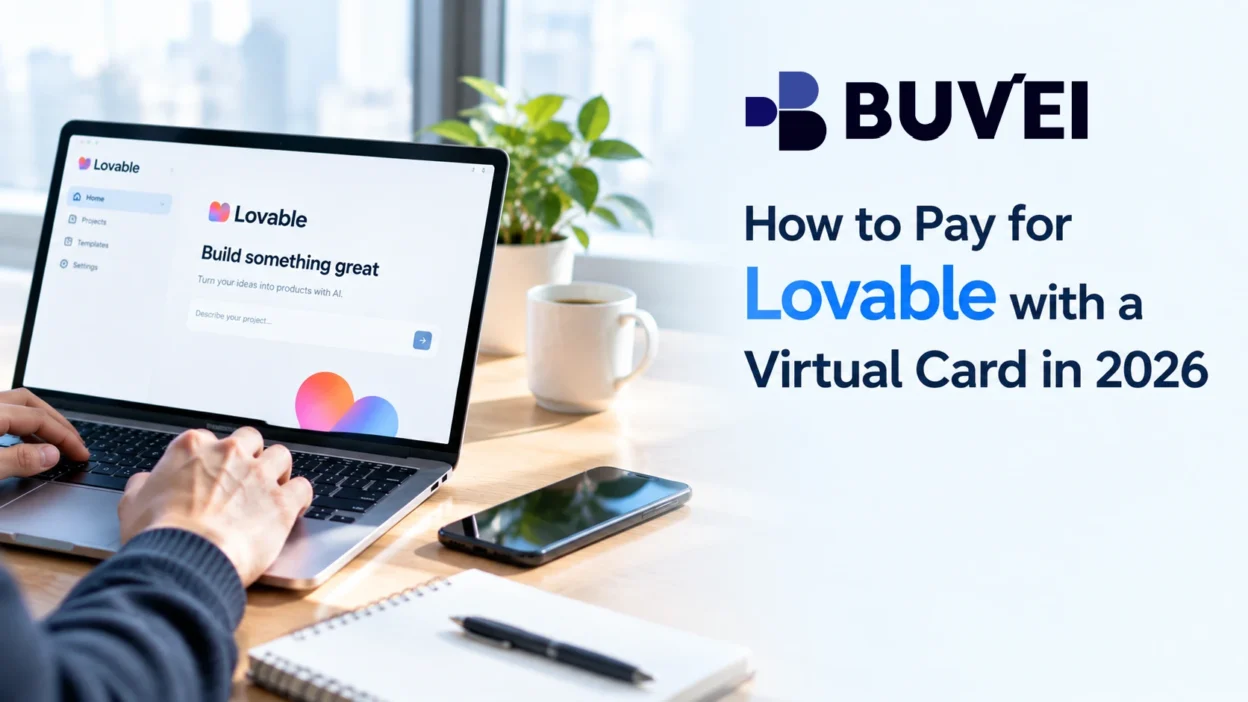
Lovable makes it possible to build websites and web apps with AI, but some projects eventually require a paid plan. When it comes time to upgrade, you may prefer not to use your primary bank card for another recurring online subscription. A Lovable virtual card can be an alternative when you want to manage this type of payment separately.
A virtual card can be used for this type of payment when it is accepted at checkout and supports the transaction. It also gives you a separate card for managing an individual online subscription.
The initial payment is only part of the process. Your card needs to have enough available funds, the billing information needs to match where required, and the card must remain valid if the subscription renews automatically.
This article covers how to pay for Lovable with a virtual card, what to check if the payment is declined, and what to know about recurring payments and Lovable credits.
Can You Pay for Lovable with a Virtual Card?
Whether a virtual card works for Lovable depends on the card and the payment transaction. If the card is eligible for online subscription payments and is accepted at checkout, you can use it to pay for a Lovable plan.
However, not every virtual card will necessarily work. Payment acceptance can depend on the card issuer, card type, transaction requirements, and the billing information entered during checkout.
Before opening the payment page, have your virtual card details ready and make sure there is enough available balance to cover the payment.
How to Pay for Lovable with a Virtual Card
Step 1: Choose a Lovable Plan
Start by opening Lovable’s pricing or upgrade page and selecting the plan you need.
Lovable currently offers Free, Pro, Business, and Enterprise plans. Paid plans can be billed monthly or annually, with annual billing available at a discount.
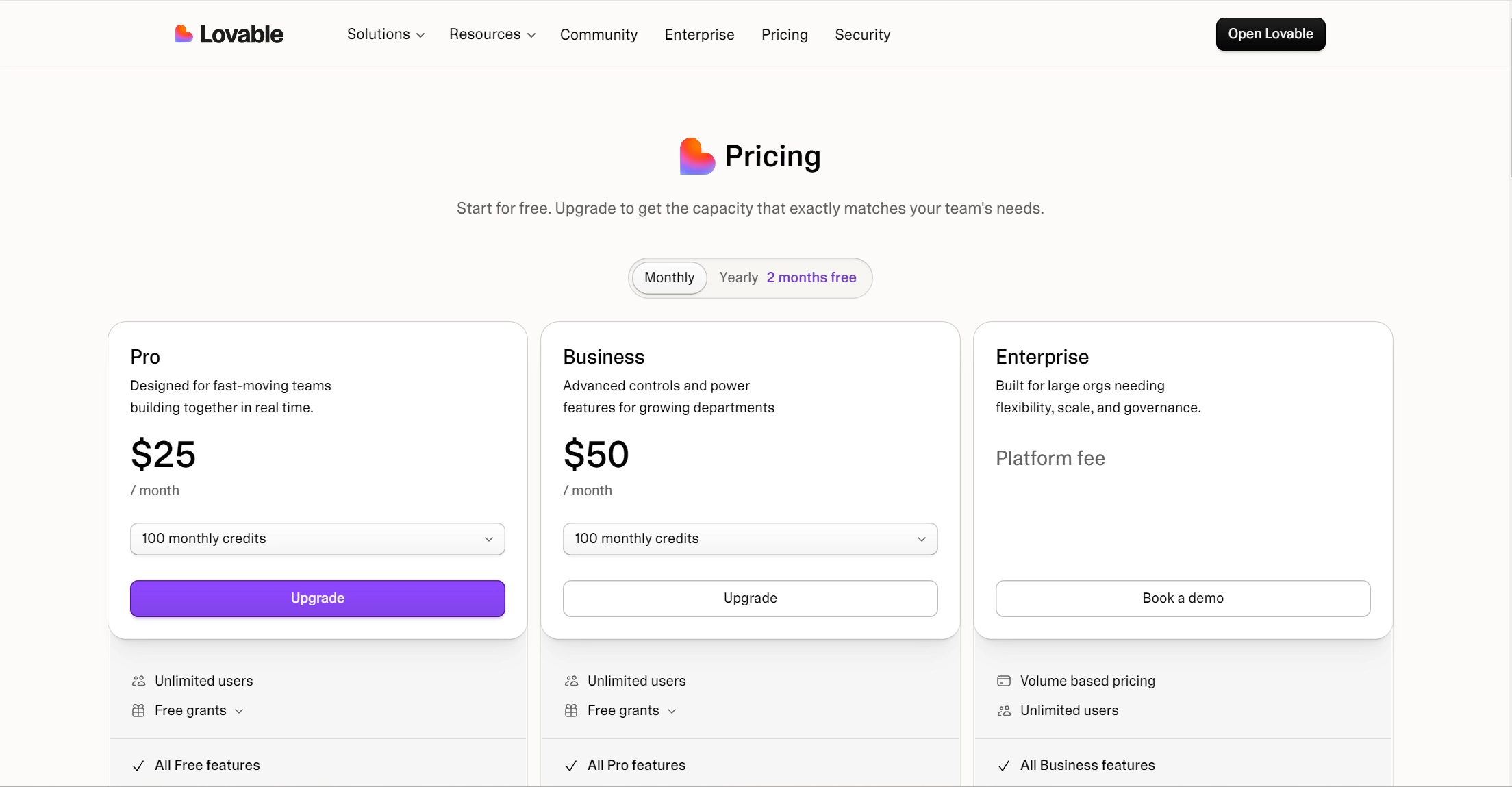
For a personal project, an individual paid plan may be enough. For team use, review the available workspace options before choosing your billing cycle.
Step 2: Open the Lovable Checkout
After selecting your plan, continue to checkout. The payment page shows the amount being charged and the information required to complete the purchase.
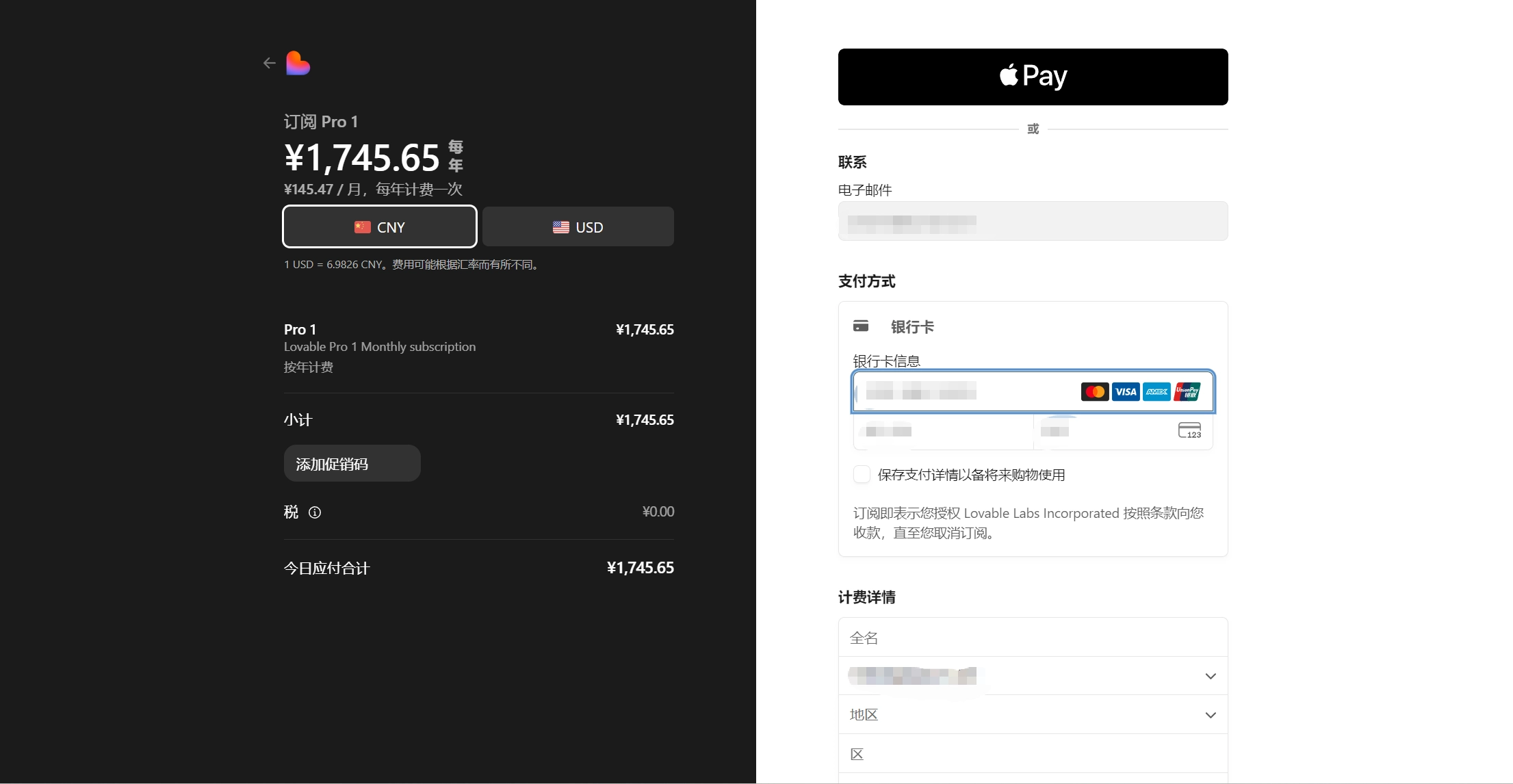
Take a moment to confirm the billing cycle before submitting the payment. Monthly and annual plans follow different renewal schedules.
Step 3: Enter Your Virtual Card Details
Enter the virtual card information requested by the checkout form.
This normally includes the card number, expiration date, and CVC or CVV. If Lovable asks for your name or billing address, enter the information associated with the card where applicable.
Billing information deserves a quick check before you submit the form. An incorrect address or other mismatch can sometimes cause an otherwise valid transaction to be declined.
Step 4: Complete the Payment
Once the card details are entered, submit the payment.
Depending on the transaction and the card issuer, additional authentication may be required. If a verification window or security prompt appears, complete it before trying the payment again.
If the transaction is approved, the selected Lovable plan should become active.
Step 5: Confirm Your Lovable Subscription
After payment, open your Lovable account and confirm that the new plan is active. You can also check the Plans & credit usage page to see your available credits and usage. This gives you a quick confirmation that the subscription and its available usage are set up as expected.
Paying for Lovable with BUVEI
If you manage several AI or SaaS subscriptions, using a separate virtual card can make those payments easier to keep apart from your primary card. With BUVEI, you can create a virtual card, fund it, and use the card details at the Lovable checkout.
Create a BUVEI Virtual Card
visit https://buvei.com, then click 'Start Free' to register quickly with your email.
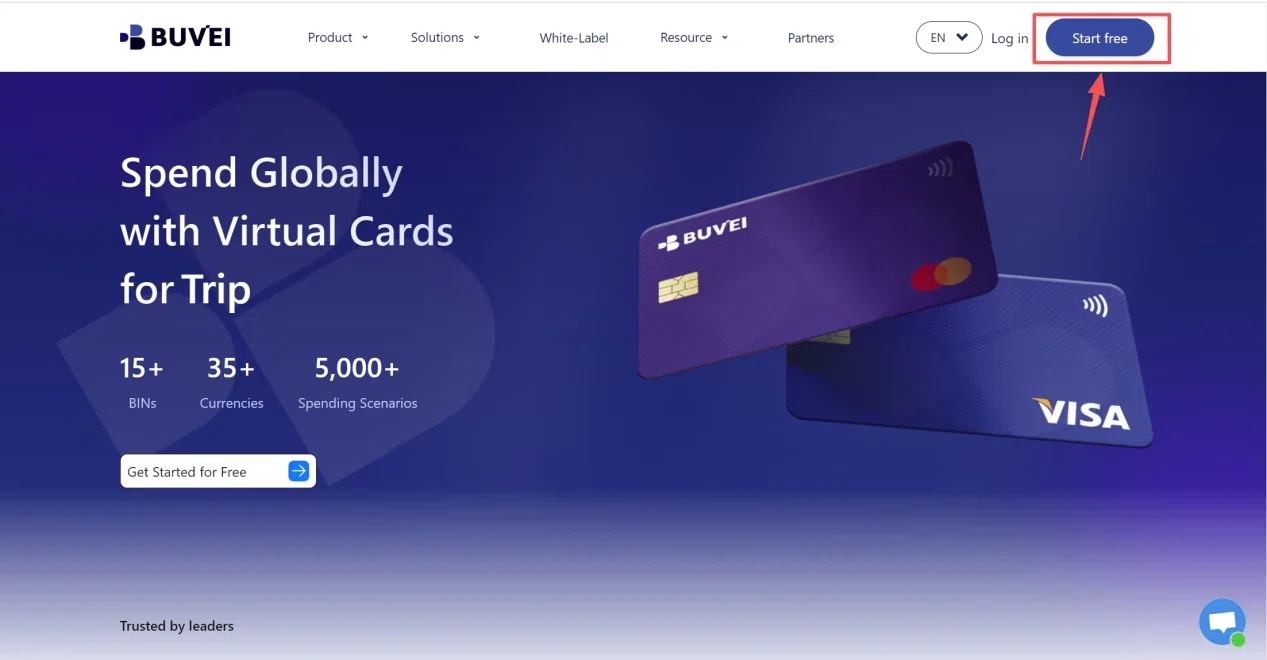
Sign in to your BUVEI account and open the dashboard. From there, go to the card section where you can create and manage your virtual cards.
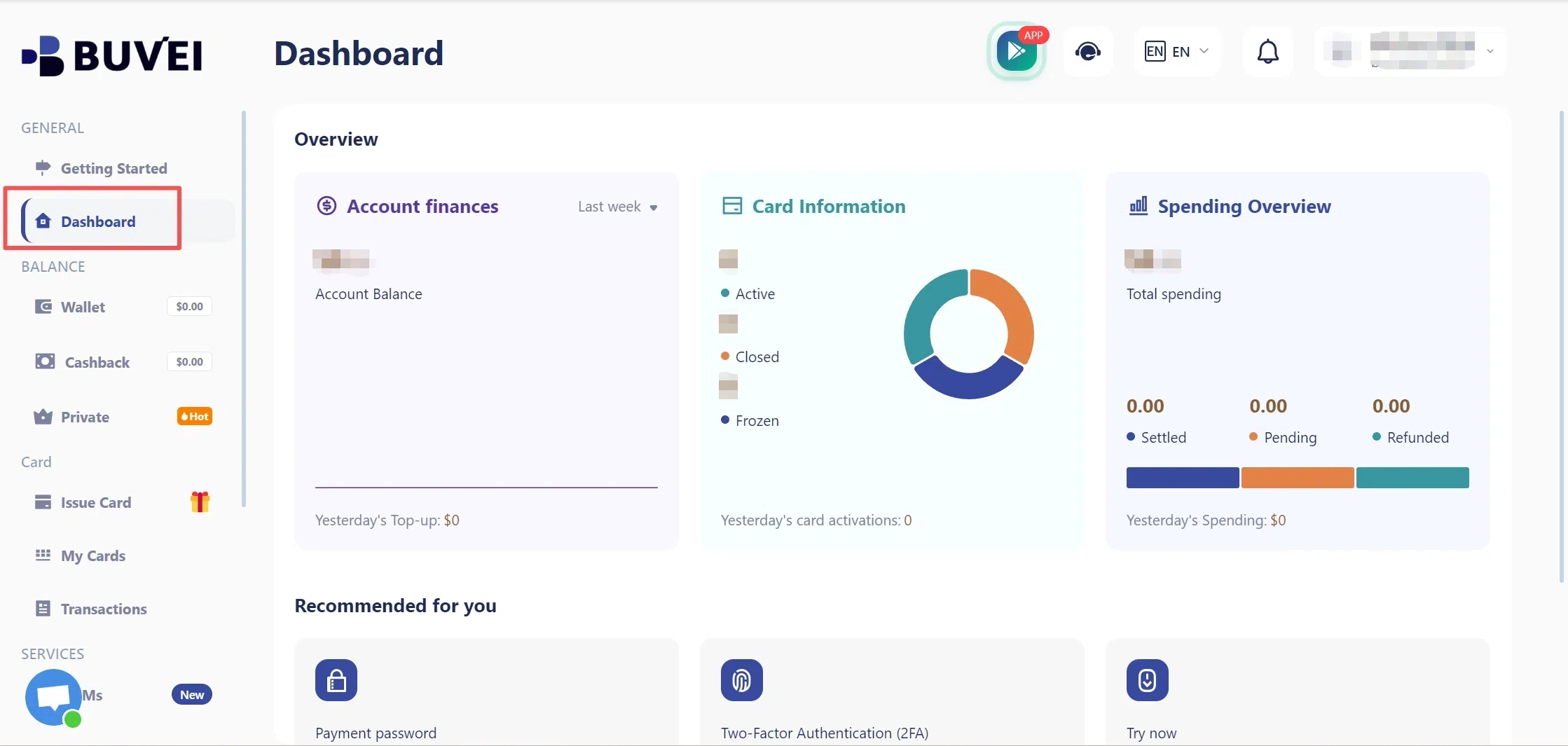
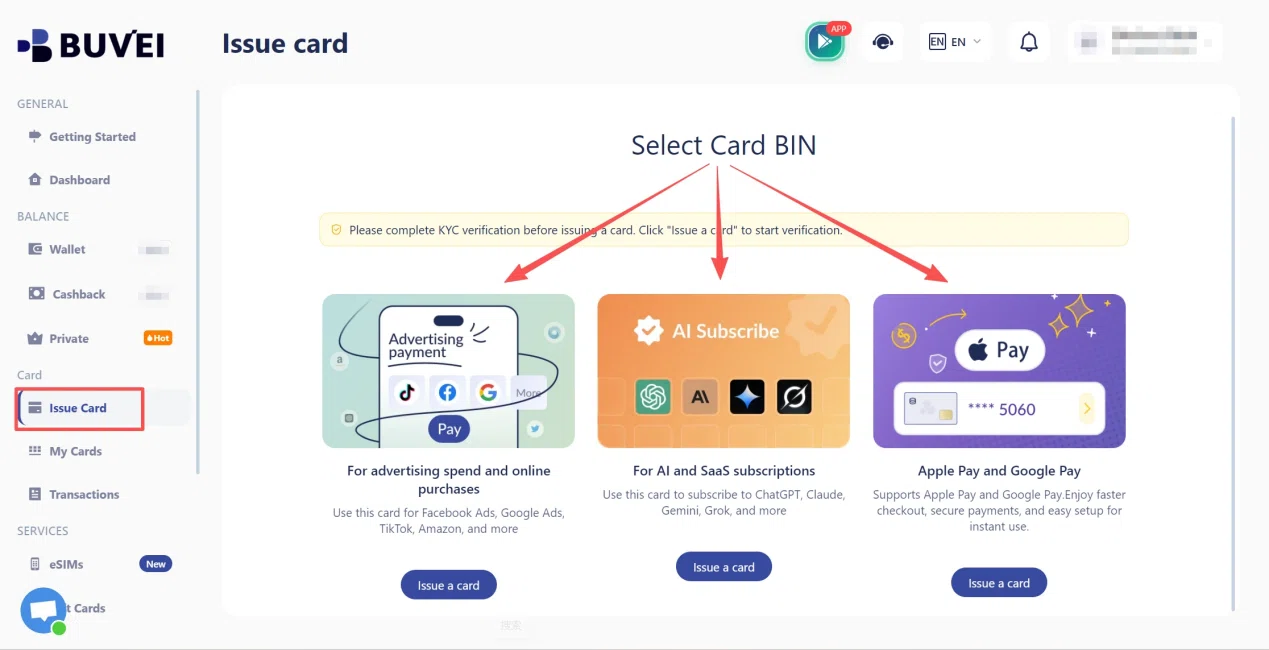
Go to the Card tab, choose your preferred BIN region (a US BIN is recommended), select your card type, and click Issue to create your virtual card.
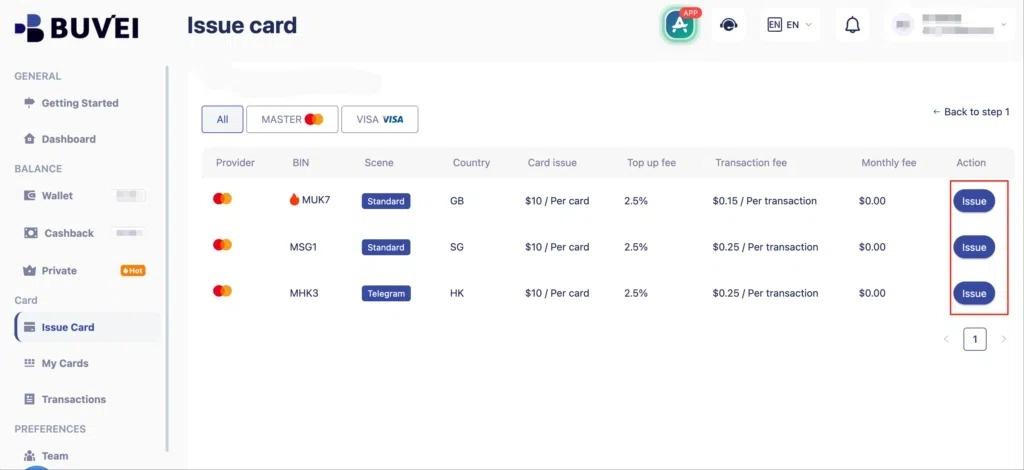
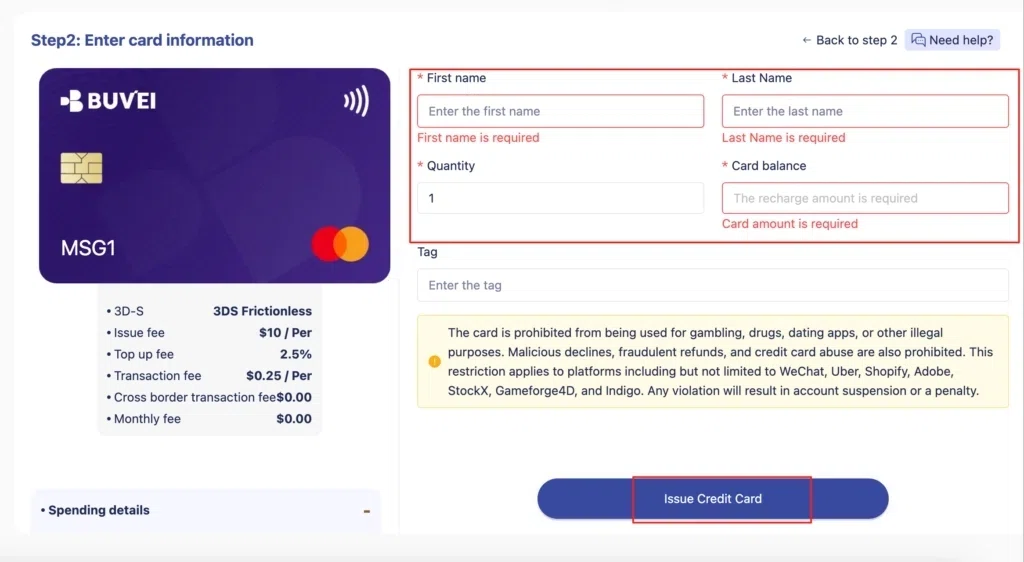
Fill in the virtual card details, including name, amount, and number of cards, then click Issue Card.
Once the card is issued, you can access its payment details from the card management area.
Fund Your Virtual Card
Before returning to Lovable, check the available balance on the card and make sure it is sufficient for the payment.
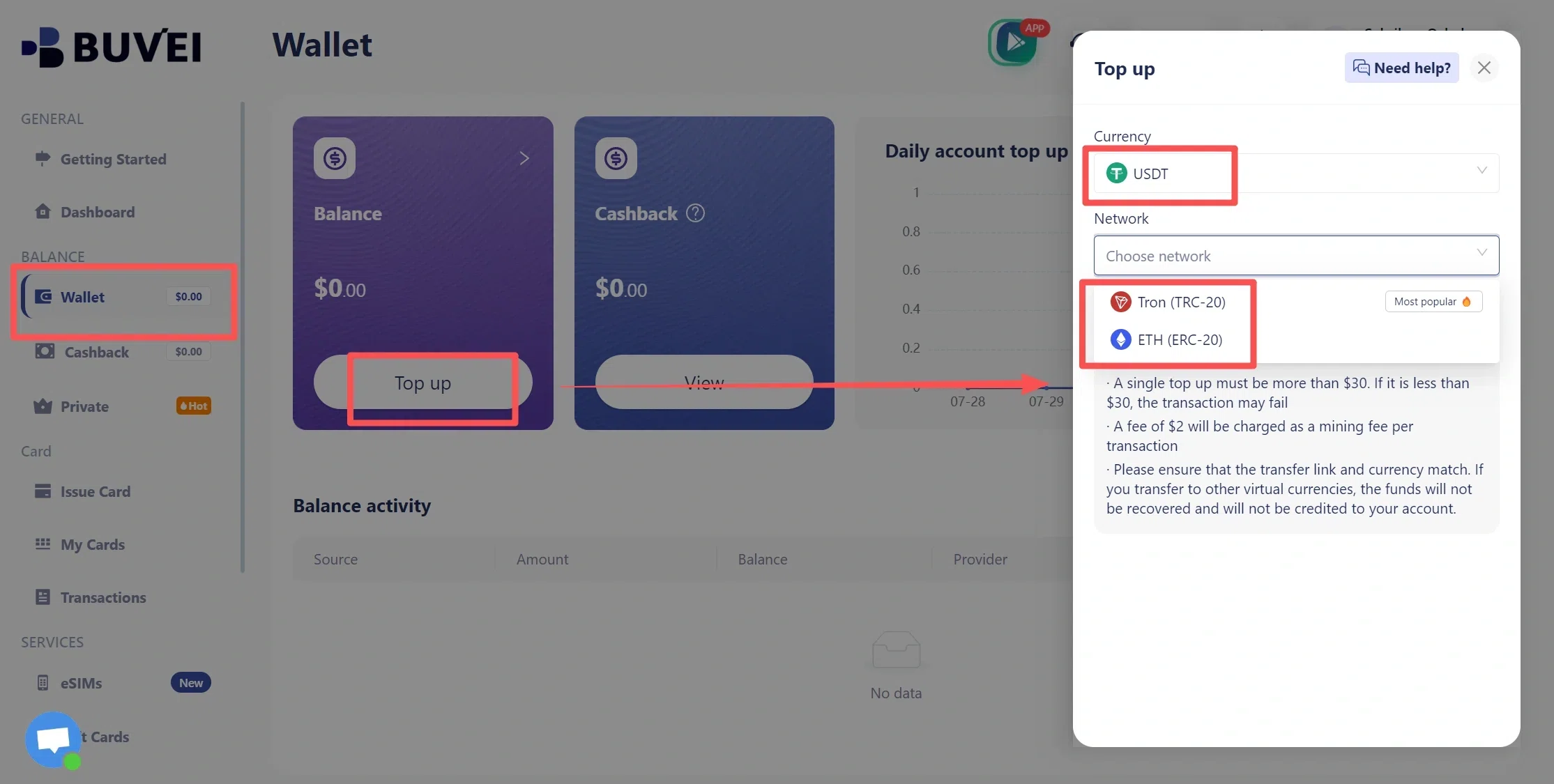
- Navigate to the Wallet tab and top up using supported stablecoins like USDT (TRC20/ERC20). You’ll receive a unique address—copy it and send your funds.
- Once confirmed, your balance will appear in the wallet for immediate use.
Enter Your BUVEI Card Details at Lovable Checkout
Return to the Lovable checkout and enter the BUVEI card number, expiration date, and CVV. If Lovable asks for billing information, enter the information associated with the card where applicable. Once the payment is approved, the subscription follows the billing schedule selected at checkout.
Manage Your Card and Payment Activity
A virtual card can also make recurring software expenses easier to keep separate from other online purchases. BUVEI allows users to manage multiple virtual cards and review transaction activity.
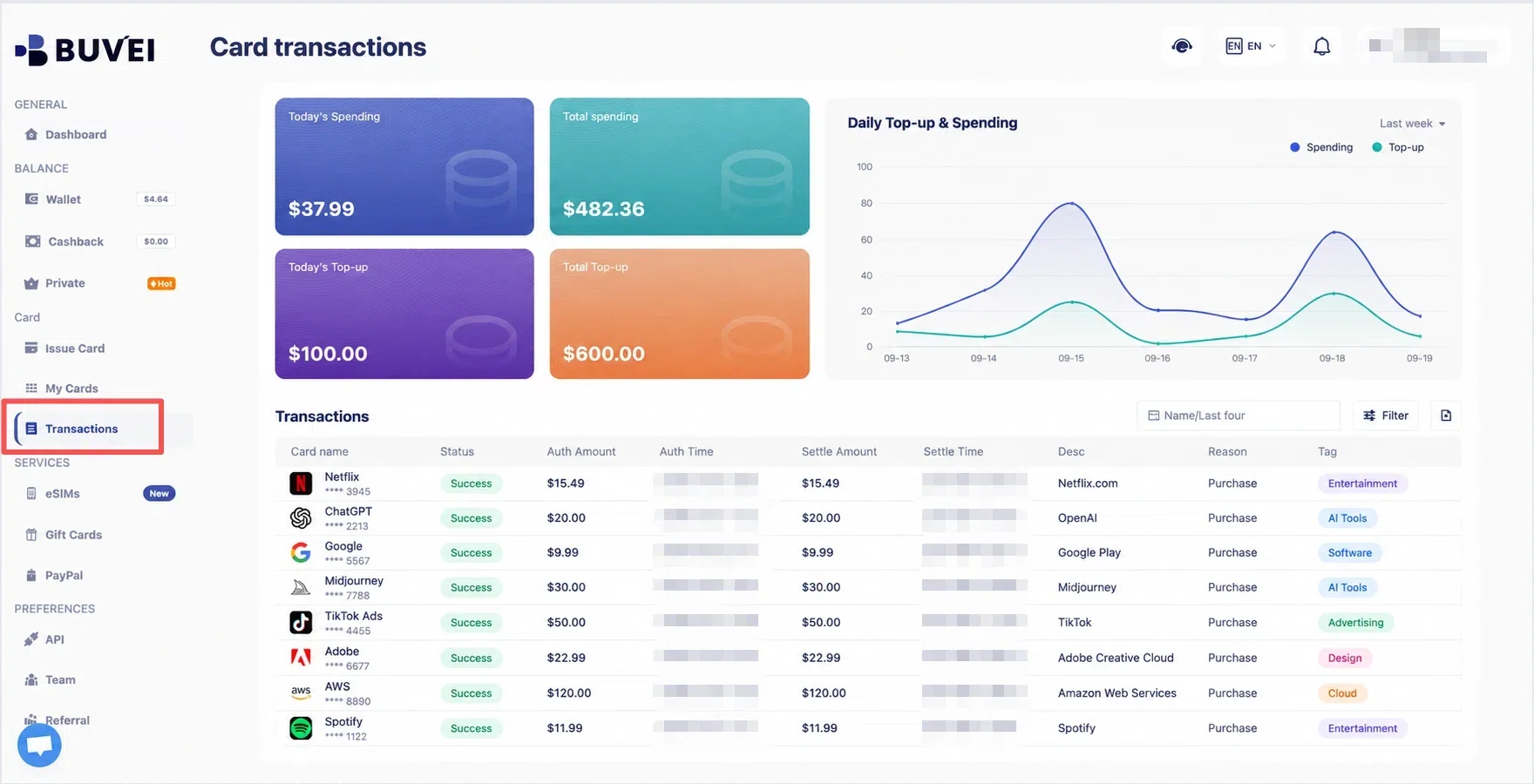
The BUVEI App also provides card management and payment activity views, which can be useful when keeping track of several AI and SaaS subscriptions.
Can a Virtual Card Be Used for Lovable Recurring Payments?
Yes, a virtual card can be used for a recurring Lovable subscription when the card supports recurring transactions and the payment is accepted.
This matters because Lovable’s paid plans are not one-time purchases. Paid plans are billed in advance on a monthly or annual basis and automatically renew unless you cancel before the renewal date in your account settings.
For a virtual card to keep working, it needs to remain valid when the next billing date arrives. The card should also have enough available funds and remain eligible for recurring transactions.
A successful first payment does not guarantee that every future renewal will succeed. A card can work for the initial purchase and still fail later if it expires, becomes restricted, or does not have enough available funds.
What If Your Lovable Payment Is Declined?
A declined payment does not necessarily mean that Lovable does not accept virtual cards. Before switching to another payment method, check the most common causes.
Check Your Card Balance and Details
Start with the available balance, then verify the card number, expiration date, and CVC or CVV.
The amount charged may differ from the base subscription price if applicable charges are added, so the available balance should be sufficient for the final transaction.
Verify Your Billing Information
If the checkout asks for billing information, review it carefully and use the information associated with the card where required.
Pay particular attention to the billing country and postal code if those fields appear.
Complete Any Required Verification
Some transactions require additional authentication before they can be approved.
If a verification prompt appears, complete the required step rather than repeatedly submitting the same transaction.
Check Card and Merchant Compatibility
Virtual cards can have different restrictions depending on the issuer and card type.
For a Lovable subscription, check whether your card supports online and recurring transactions and whether any geographic or merchant restrictions apply.
If the card details, balance, billing information, and authentication are all correct but the payment still fails, the transaction may be affected by an issuer-side or payment-processor restriction. In that case, another eligible payment method may be necessary.
What Happens When You Run Out of Lovable Credits?
Running out of credits is different from your subscription ending.
Lovable currently uses a unified credit balance for building, Cloud, and AI-related usage. Paid subscribers receive credits through their plans, while additional credit options may be available depending on the account and plan.
Lovable also supports auto-reload for credits. Users can enable automatic replenishment when their balance falls below a selected threshold.
If you’re managing AI development costs, it is worth monitoring both subscription billing and credit usage rather than looking only at the monthly plan price.
Frequently Asked Questions
Can I pay for Lovable with a virtual card?
A virtual card can be used when it is accepted for the transaction and supports the payment requirements. Acceptance can vary depending on the card issuer, card type, and transaction.
Can I use a virtual card for recurring Lovable payments?
A virtual card can be used for a recurring subscription if it supports recurring transactions and remains valid and funded when the next payment is due. Lovable’s paid plans automatically renew unless canceled before the renewal date.
What happens when I run out of Lovable credits?
It depends on your plan and the credit options available to your account. Lovable currently uses a unified credit balance for building, Cloud, and AI-related usage, and additional credit options may be available depending on your plan.
Why was my virtual card declined on Lovable?
Start by checking the card balance, card details, billing information, and any required payment authentication. If everything looks correct, the transaction may still be affected by card issuer or payment processor restrictions.
Conclusion
Paying for Lovable with a virtual card is relatively straightforward when the card supports the transaction and the billing information is entered correctly. Since paid Lovable plans renew automatically, keeping the card valid and funded is also important if you want the subscription to continue without interruption.
For developers managing several AI and SaaS subscriptions, BUVEI virtual cards provide another way to separate online payments and manage card activity. Users can create and manage virtual cards through BUVEI and review payment activity while keeping track of recurring digital expenses.