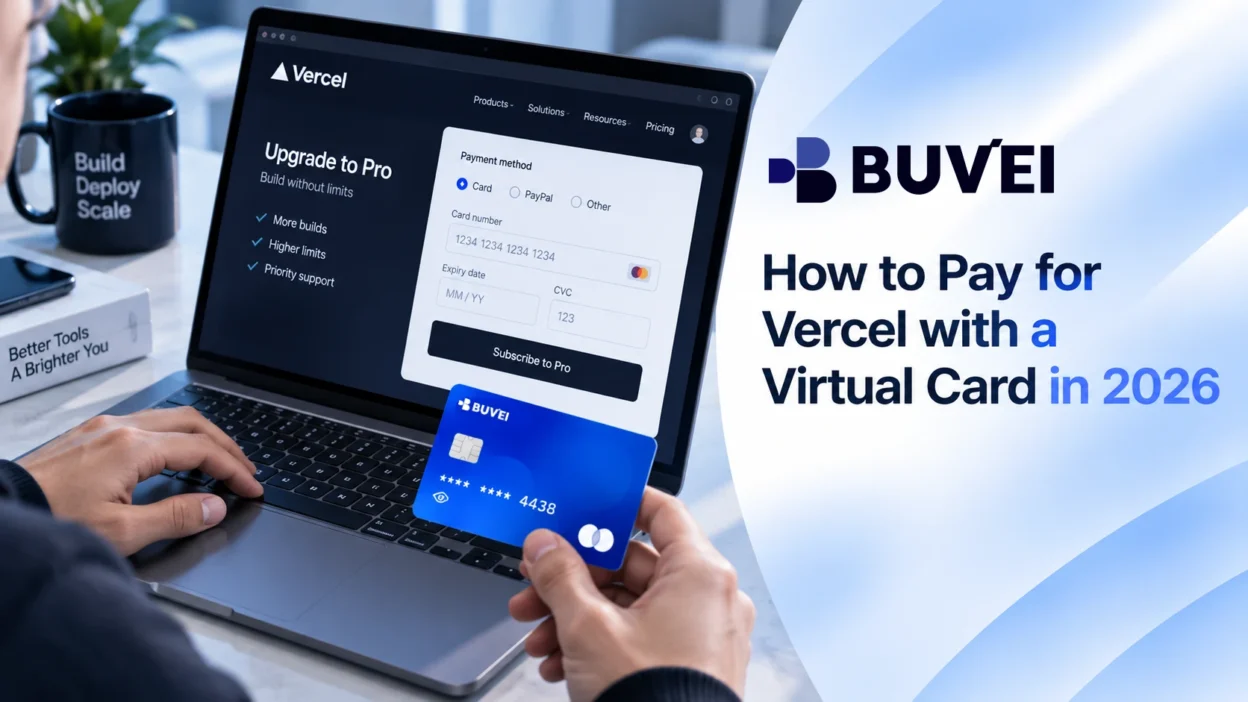
Many developers use Vercel for individual projects, but paid plans can quickly become part of a broader stack of developer tools and SaaS subscriptions. Vercel virtual card payment can be a practical option for managing these recurring software expenses when the card is supported by Vercel's payment system.
For freelancers, startups, and development teams, keeping software expenses separate from a primary payment method can make monthly costs easier to review. A dedicated payment method can also help separate project-related expenses from personal spending.
A virtual card can be useful for online subscription payments, but several details matter before adding one to Vercel. The card should support recurring billing, the billing information should match the required payment details, and the available balance should cover future charges.
This article covers how to add a virtual card to Vercel billing, what to check before completing payment, and how BUVEI can help developers manage online subscription expenses.
Why Developers Use Virtual Cards for Vercel Payments
Separate Development Expenses
Modern development workflows often involve several paid services. A developer may use Vercel alongside GitHub, cloud platforms, AI tools, analytics services, and other SaaS products.
When every subscription is connected to the same payment method, reviewing individual expenses can become difficult. This can be a challenge for freelancers managing multiple clients, startups tracking project costs, or teams working with different budgets.
Using separate payment methods can make it easier to keep software subscriptions organized and understand where recurring charges are coming from.
Manage Recurring Developer Tool Subscriptions
Vercel paid plans are subscription-based, which means the payment method needs to support future renewal charges instead of only the initial transaction.
This matters for developers who rely on several online tools at the same time. A card that works for a one-time purchase may not always support recurring payments, depending on the card provider and payment settings.
Before adding a virtual card to Vercel, check that it can handle online payments and ongoing subscription charges.
Improve Payment Tracking
As the number of developer tools increases, keeping track of recurring software costs becomes more important.
A separate virtual card can make subscription charges easier to identify and review over time. Instead of sorting through unrelated transactions on a primary card, developers can maintain a clearer view of their software spending.
Using Virtual Cards for Vercel Subscription Payments
Vercel uses online card payments for paid plans. A virtual card may work when it is accepted by the payment system and supported by the card provider.
Adding card details is only one part of completing a subscription payment. The card should support recurring billing, and the billing information entered during checkout should match the required payment details.
For developers using virtual cards, checking these details before upgrading can help avoid common payment problems.
How to Add a Virtual Card to Vercel Billing
The exact interface may change over time, but the general process remains similar when upgrading a Vercel account and adding a payment method.
Step 1: Open Vercel Billing Settings
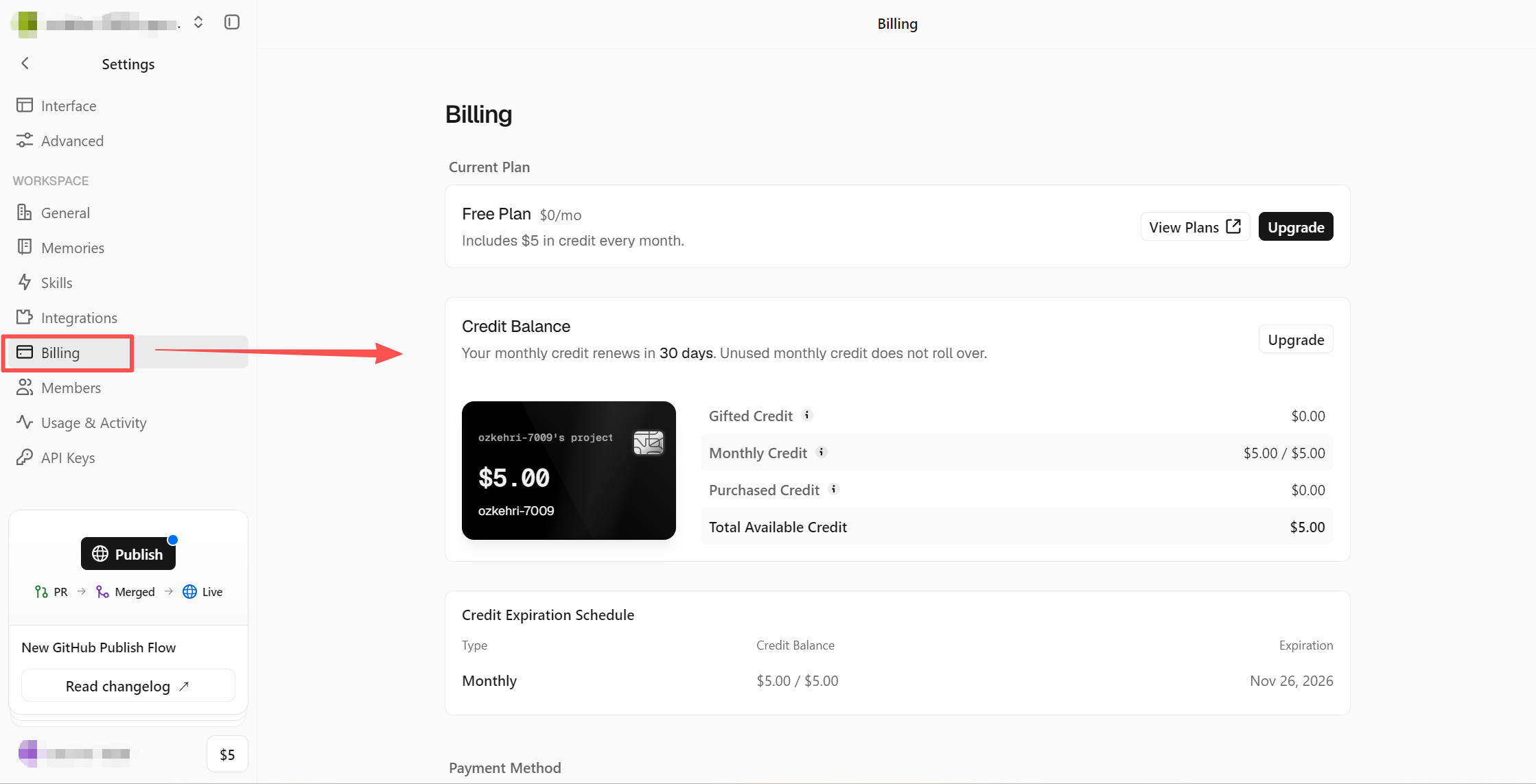
After signing in to your Vercel account, open the billing section from your account settings. From this page, you can review your current plan, available upgrades, and payment settings.
Step 2: Choose a Paid Vercel Plan
If you are moving from the free plan to a paid option, Vercel will require a payment method before completing the upgrade.
Review the selected plan and expected billing amount before continuing.
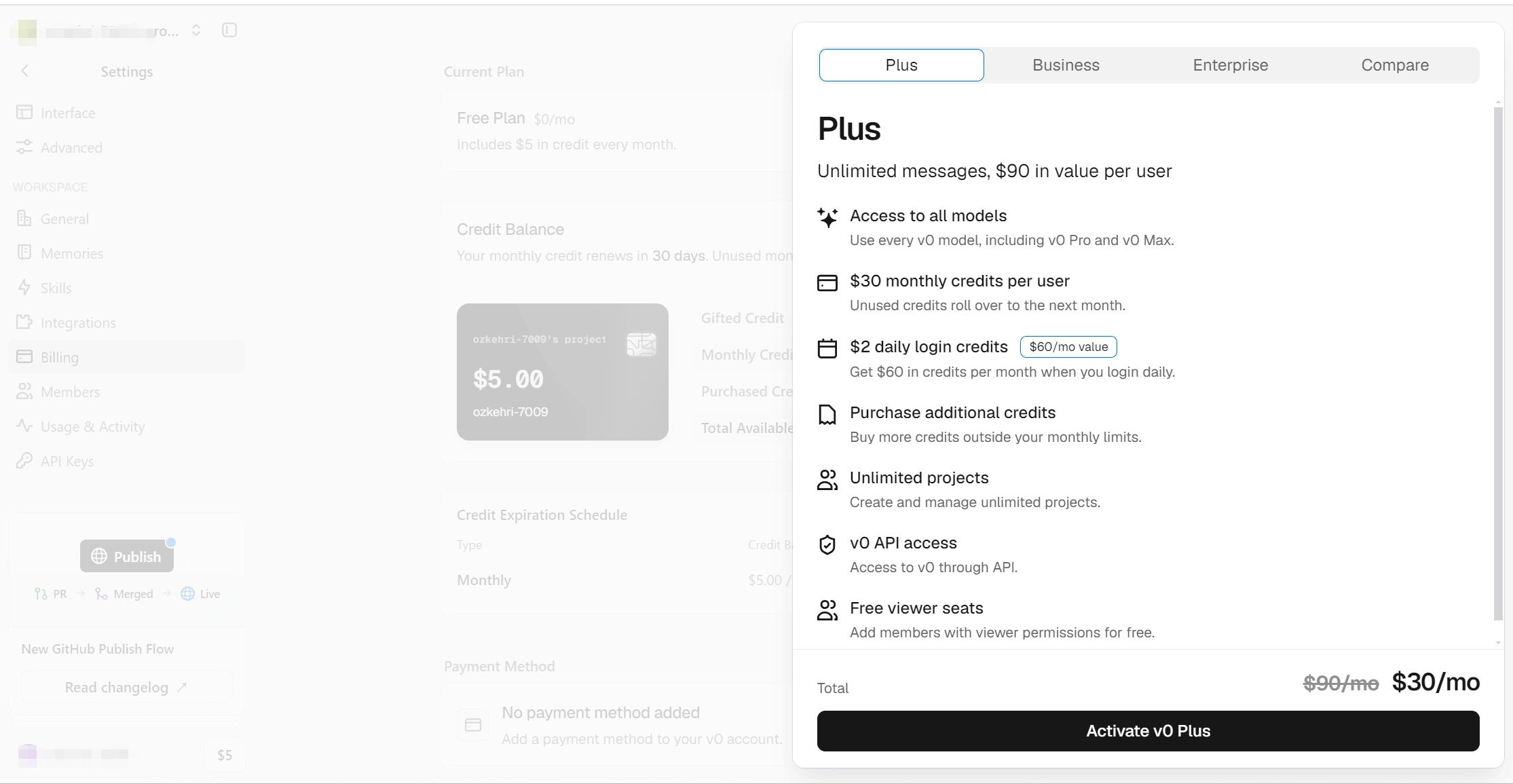
Step 3: Add Your Virtual Card and Billing Information
Enter your virtual card details, including:
- card number
- expiration date
- security code
- billing information
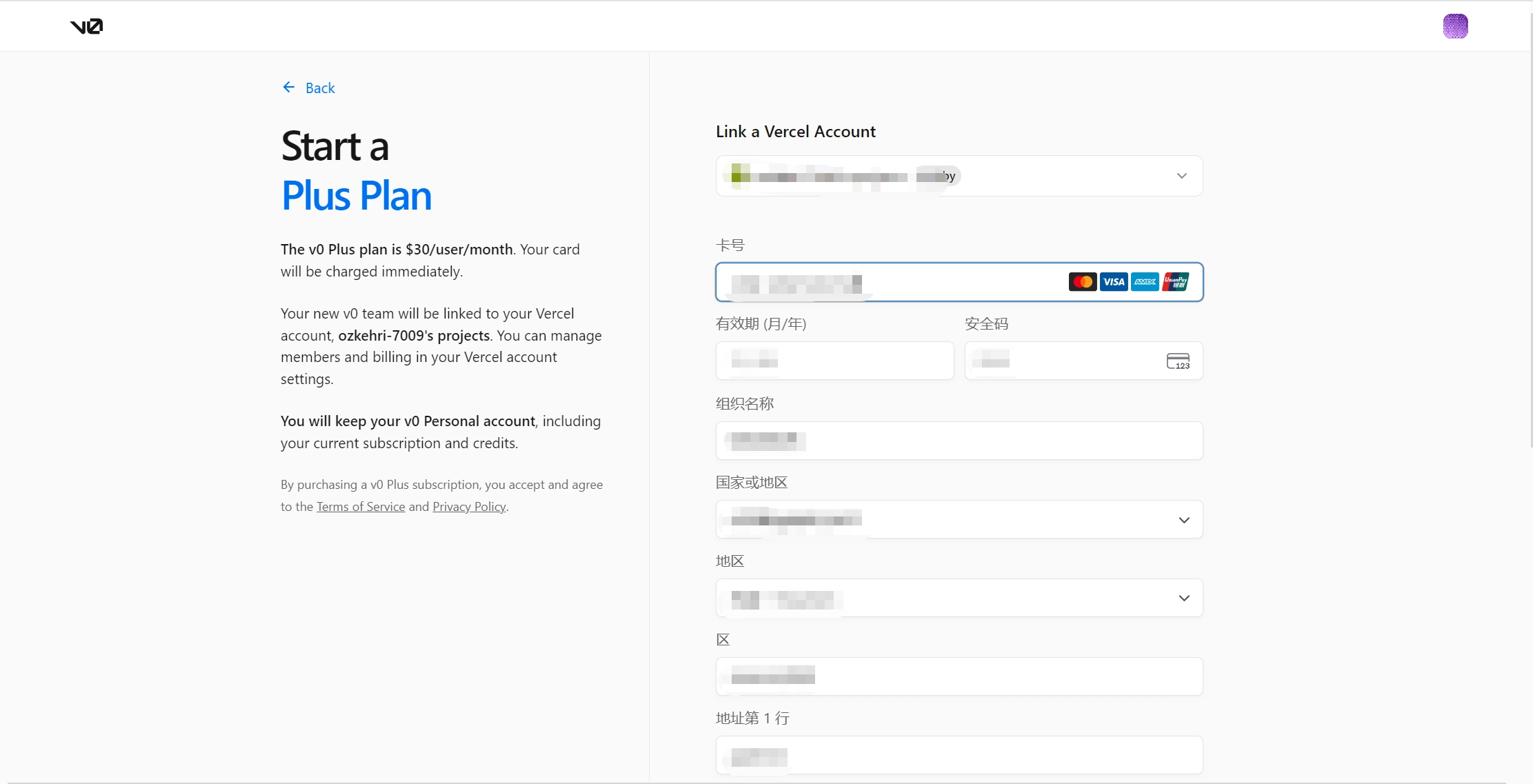
Make sure the billing details match the information required by the payment system. Incorrect billing information can cause verification issues during checkout.
For subscription services like Vercel, also confirm that the virtual card supports future recurring charges.
Step 4: Confirm Payment and Renewal Details
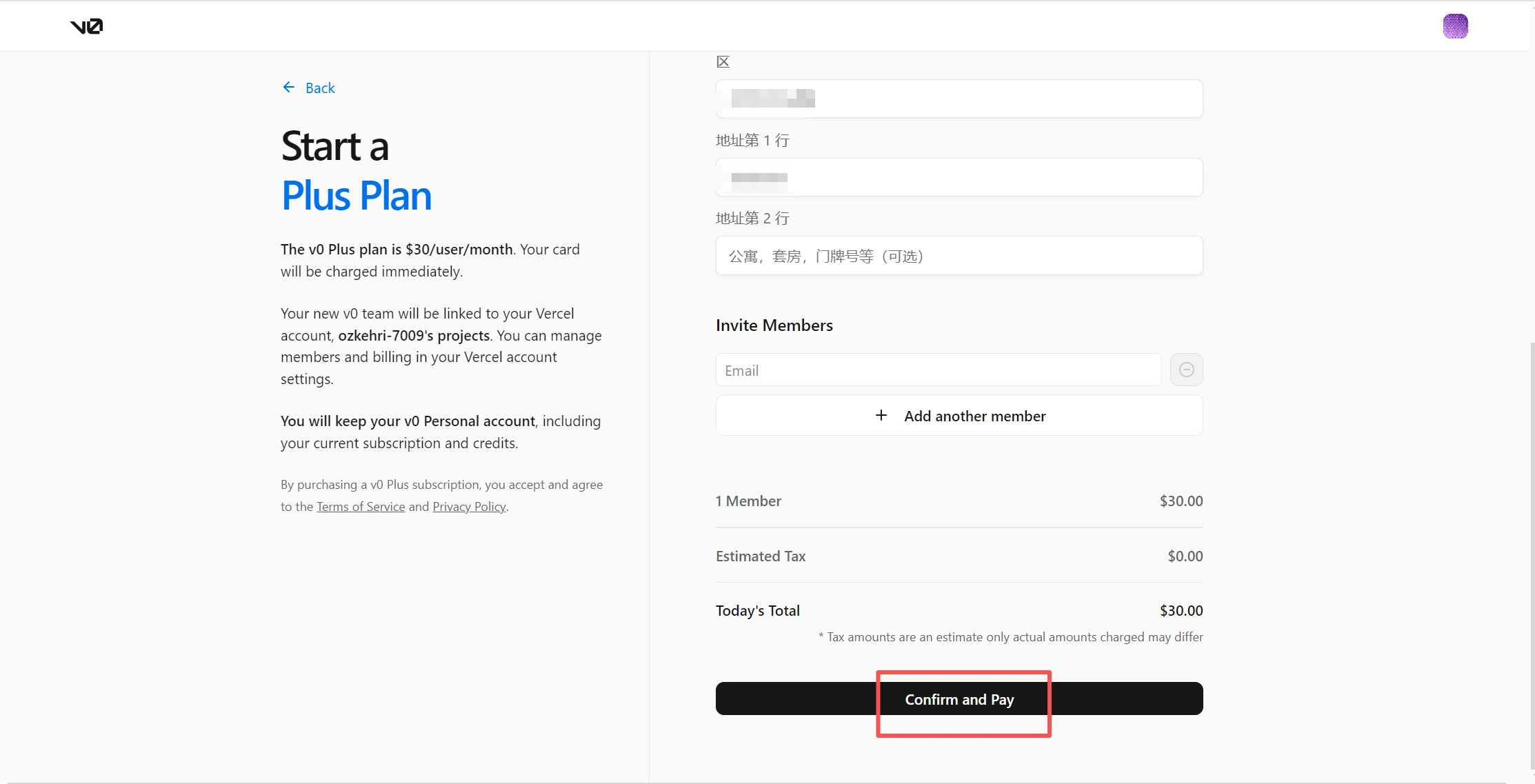
Before completing the upgrade, review the selected plan, payment amount, payment status, and future renewal settings to make sure everything is correct.
After confirmation, the payment method will be used for future subscription charges based on the selected plan.
How BUVEI Helps Manage Vercel and Developer Tool Payments
For developers using multiple online services, separating payment methods can make recurring charges easier to follow.
BUVEI allows users to create and manage virtual cards for online payments while reviewing card activity and transaction history through the platform.
Create Virtual Cards for Developer Subscriptions
If you haven’t created a Buvei virtual card, please follow these steps.
1.Sign up/Sign in at buvei.com
- If you haven’t signed up yet, simply click 'Start Free' to register quickly with your email.
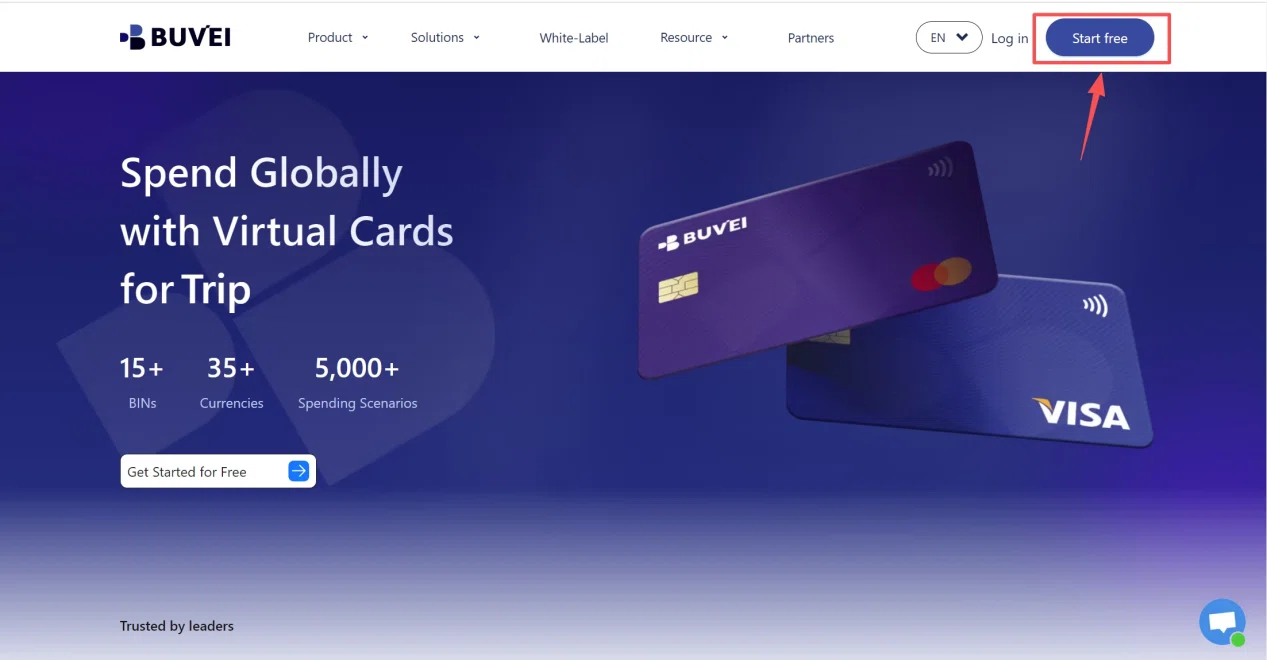
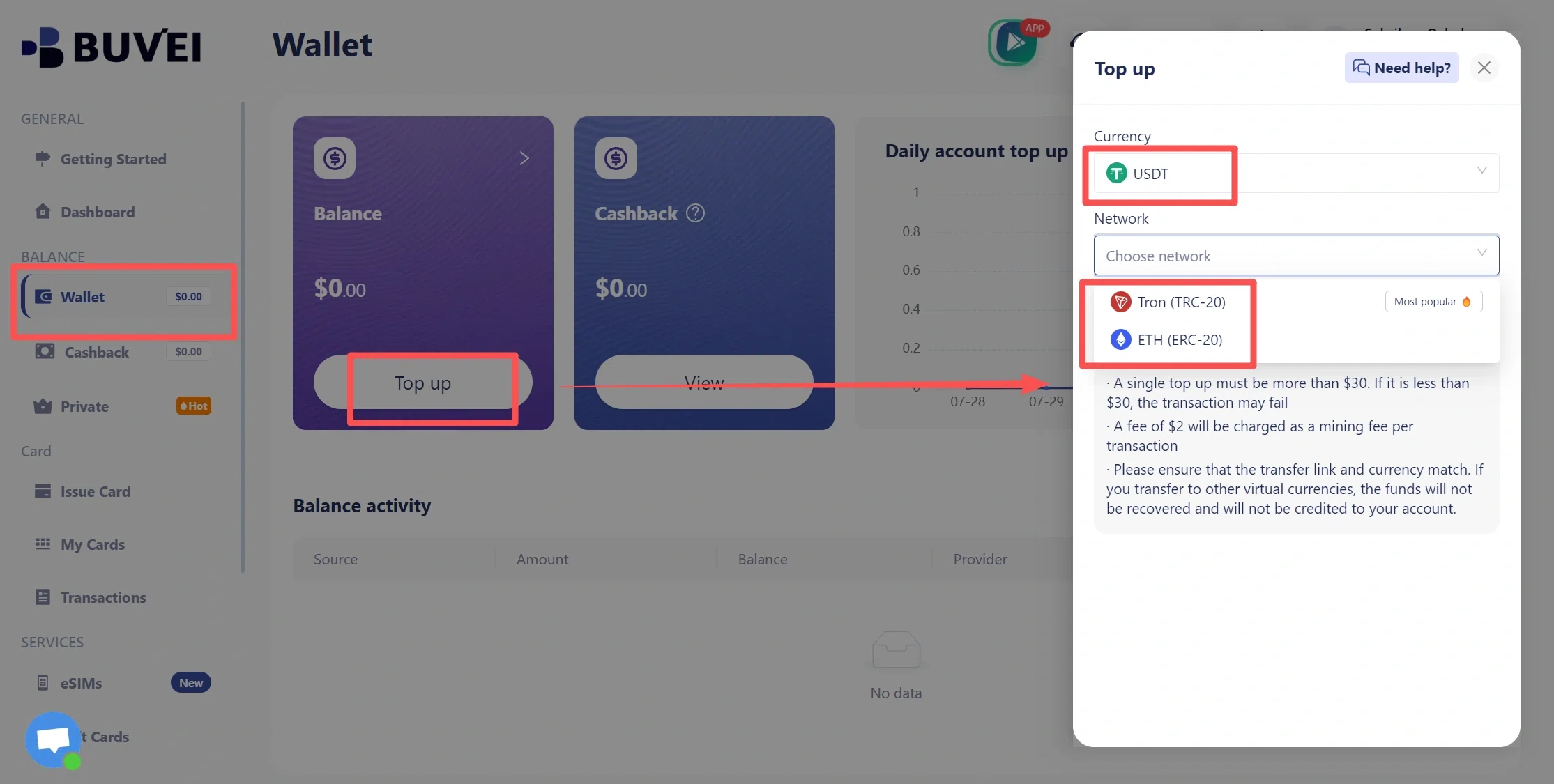
- Navigate to the Wallet tab and top up using supported stablecoins like USDT (TRC20/ERC20). You’ll receive a unique address—copy it and send your funds.
- Once confirmed, your balance will appear in the wallet for immediate use.
2.Create a Virtual Card
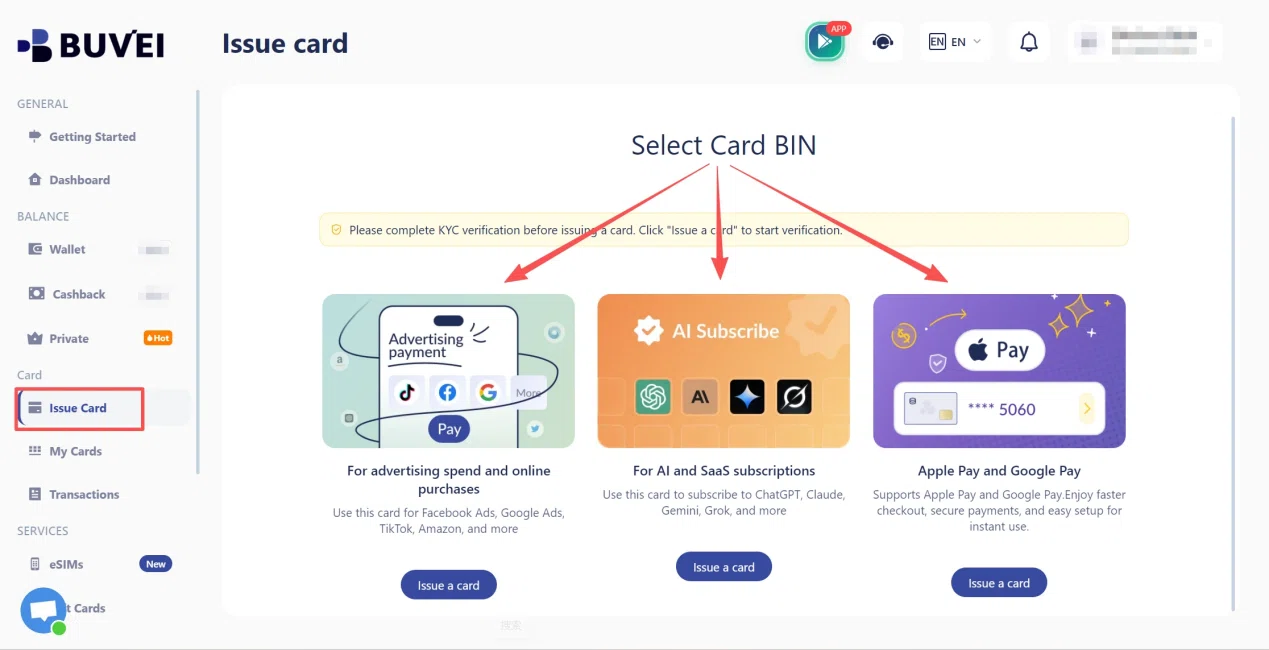
- Go to the Card tab
- Choose your preferred BIN region , (recommends using US BIN)
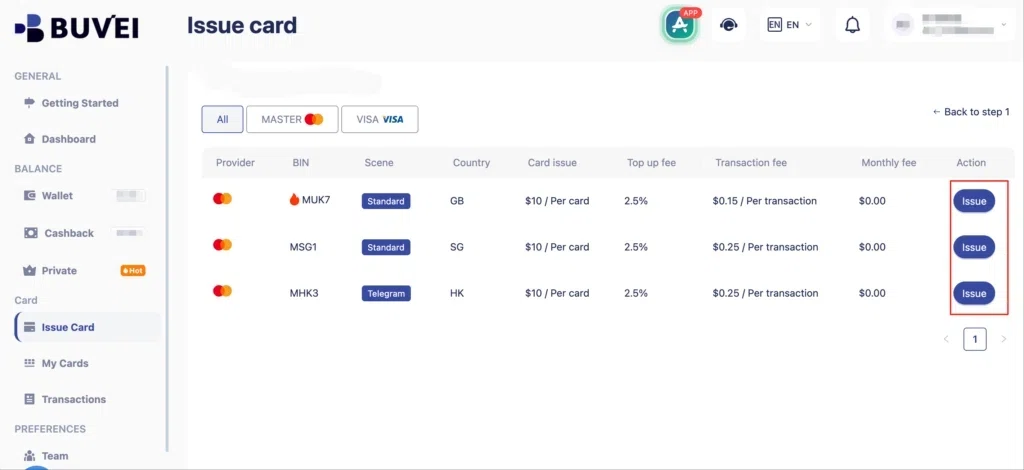
- Select your card type
- Click Issue
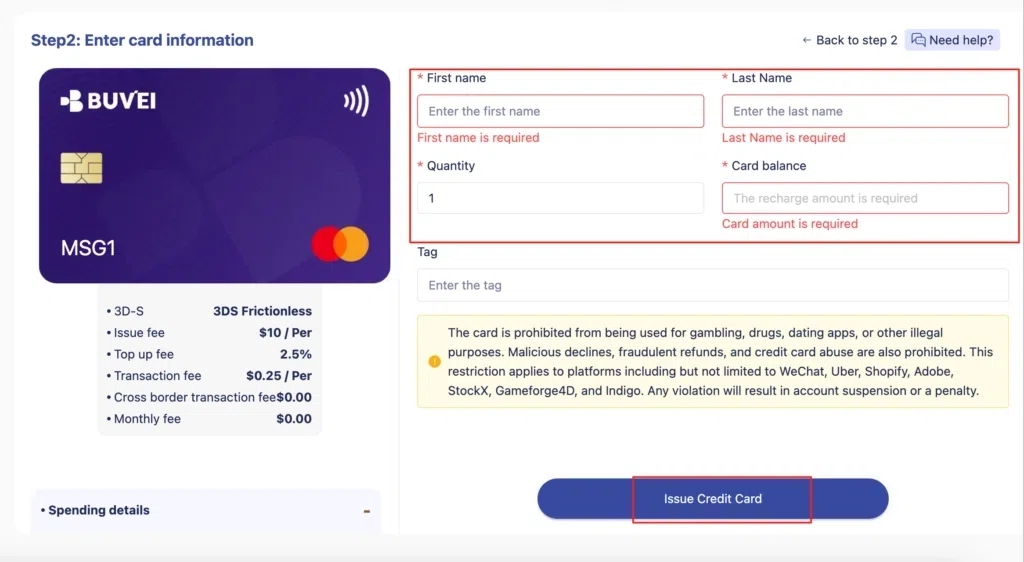
- Fill in the virtual card details, including name, amount, and number of cards.
- Click Issue Card
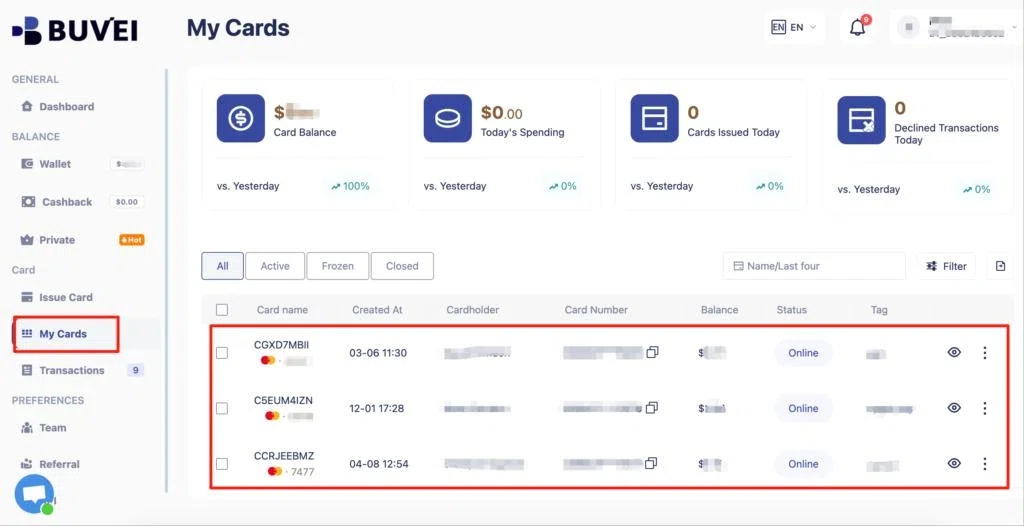
Once created, navigate to My Cards to access your card details:
- Card Number
- Expiration Date
- CVV
Manage Multiple Developer Expenses
Developers often pay for several tools at the same time.
A single project may involve hosting services, code platforms, AI tools, and SaaS subscriptions. Using different virtual cards for different expenses can make it easier to separate payments by project or purpose.
This can be especially useful for freelancers, agencies, and teams managing multiple projects with different budgets.
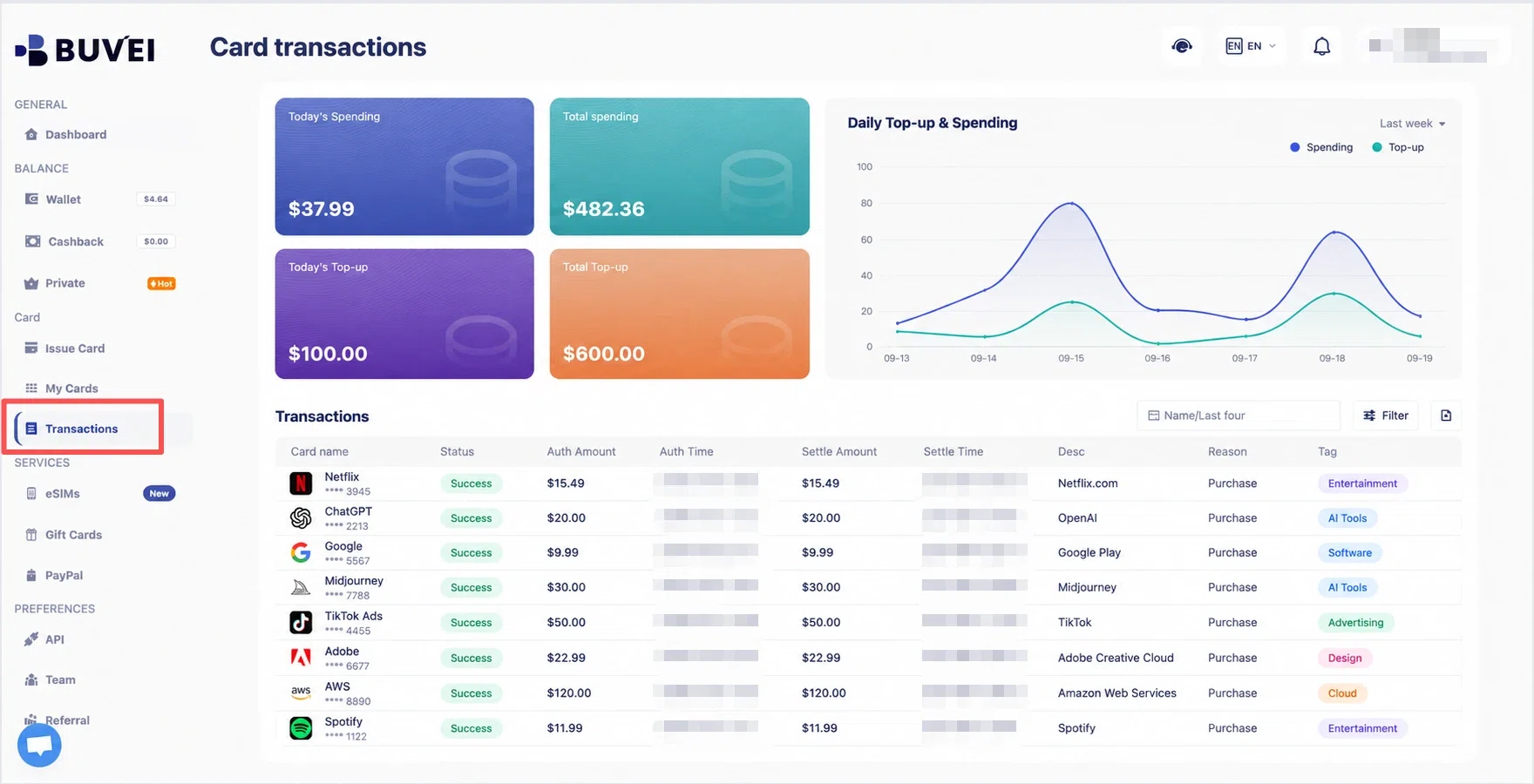
Review Payment Activity
Keeping track of previous transactions helps developers understand recurring software costs and identify unexpected charges.
BUVEI lets users review card activity and transaction history through its platform. The BUVEI App also provides a convenient way to check card activity and manage virtual cards while on the go.
Common Issues When Paying Vercel with a Virtual Card
Before troubleshooting payment errors, make sure the card has enough available balance for the current charge and future renewals. Other issues may relate to billing details, recurring payment settings, or additional verification requirements.
Billing Information Does Not Match
Incorrect billing details may cause verification problems when adding a payment method. When adding a virtual card, check that the billing information entered during checkout matches the required payment details. Subscription services may apply additional verification checks, making accurate billing information more important.
The Card Does Not Support Recurring Payments
Vercel subscriptions require ongoing billing rather than a single payment. If a virtual card supports one-time online purchases but restricts recurring transactions, future renewal payments may fail. Before subscribing, confirm that the card can handle recurring charges.
Payment Verification Is Required
Some transactions may require additional verification before completion. This can happen when using a new payment method, making international transactions, or when the payment system detects unusual spending activity. A verification request does not necessarily indicate a payment failure. Additional confirmation may be required before the transaction can proceed.

Frequently Asked Questions
Can I use a virtual card for Vercel Pro?
A virtual card may work for Vercel Pro when it is accepted by the payment system and supports recurring subscription charges. Before upgrading, check that the card supports the type of payment required by the subscription.
Will Vercel charge my virtual card automatically?
Paid Vercel plans generally use recurring billing. Make sure your payment method remains available for future charges.
Can I use different virtual cards for developer tools?
Developers may choose separate virtual cards for different tools to keep project and subscription expenses easier to track.
Why was my Vercel payment method rejected?
A payment method may be rejected because of billing information issues, card restrictions, insufficient balance, or verification requirements. Checking payment details and card settings is usually the first step when troubleshooting the issue.
Conclusion
For many developers, recurring software subscriptions are now part of everyday project costs. Keeping payment methods separate can make monthly software expenses easier to review.
Paying for Vercel with a virtual card can provide another option for handling subscription payments when the card is accepted and supports recurring billing.
BUVEI helps users create and manage virtual cards while reviewing transaction activity for online payments, making it easier to keep track of digital expenses.