Using a Telegram Premium virtual card can be a convenient way to pay for your subscription when the available payment route accepts card payments. You can choose a Premium plan, enter your virtual card details, and complete any payment verification required by the checkout.
If you don’t have a virtual card yet, you can create one with BUVEI before returning to Telegram. This guide covers the full process, from choosing a Premium plan and setting up your virtual card to completing payment, checking your subscription, and handling common renewal issues.
How to Use a Virtual Card for Telegram Premium
Before entering any card details, open Telegram and access the Premium subscription page. The exact payment screen can vary by device, region, and payment channel, so use the payment options shown in your current checkout.
1. Open Telegram Premium
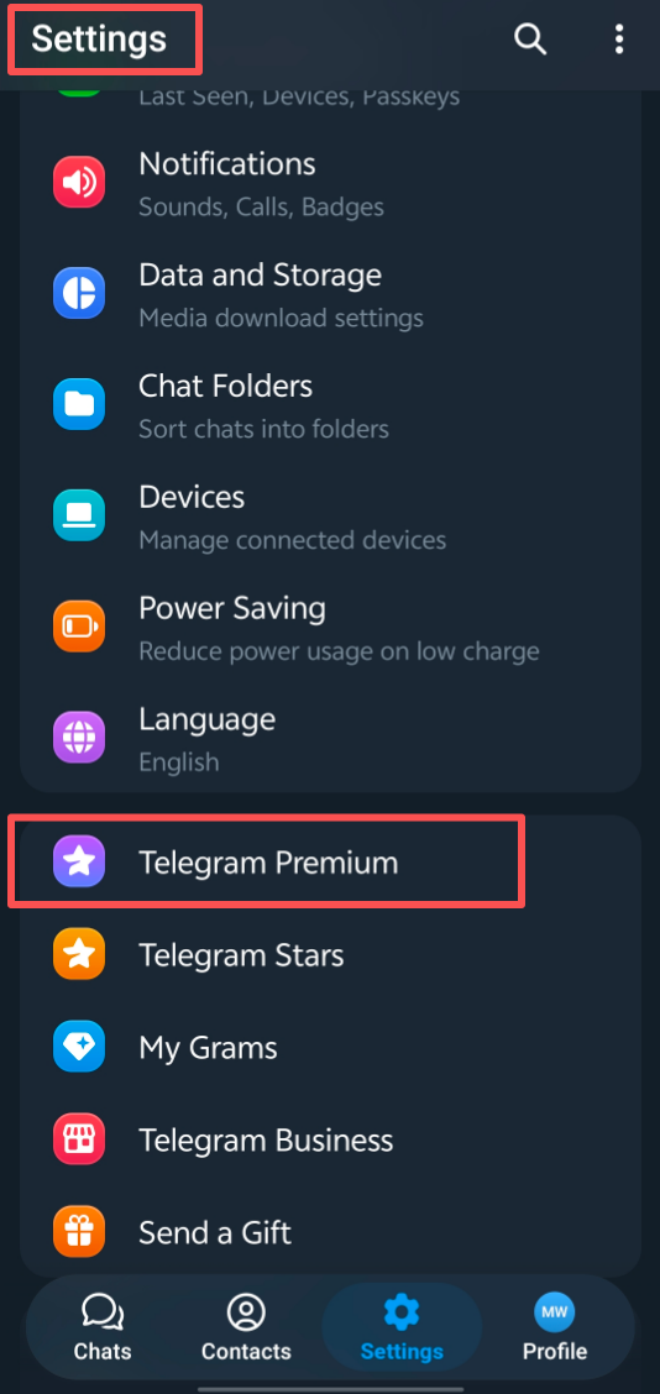
Open Telegram and go to Settings. From there, open Telegram Premium to view the subscription options available for your account.
2. Choose Your Premium Plan
Select the Premium plan you want to purchase.
Depending on the payment route and your account, you may see monthly or annual subscription options. Check the billing period and total price before continuing.
The currency and final price can also vary depending on the purchase channel, region, taxes, or other charges shown at checkout.
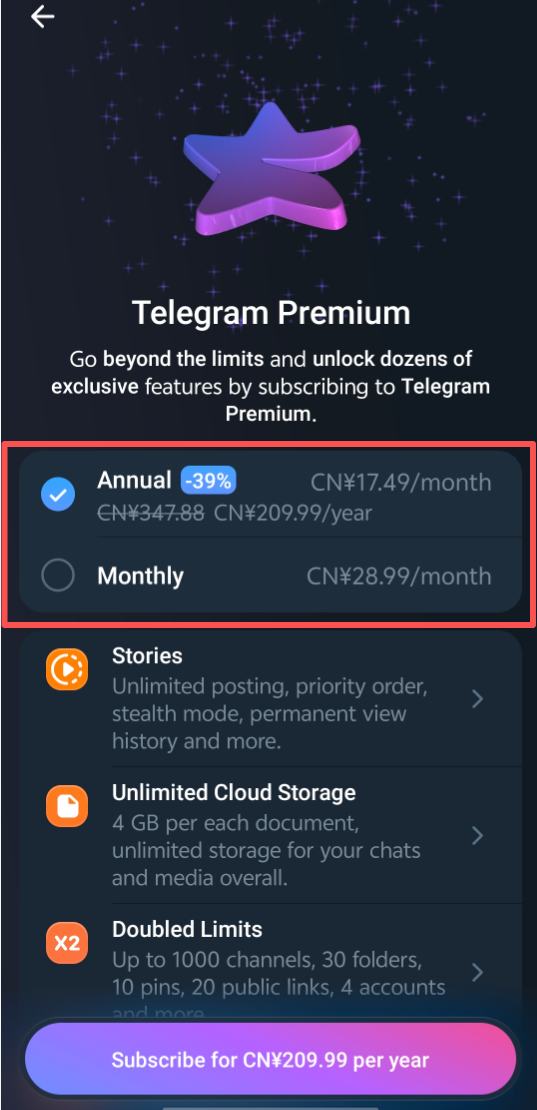
Once you’ve selected a plan, continue to the payment options provided by Telegram.
3. Select a Card Payment Option
If your Telegram Premium checkout provides a card payment option, select it and continue to the card details page.
A virtual card is generally entered like a standard payment card. You don’t need to look for a payment method specifically labeled “Virtual Card.” If the checkout accepts card payments, you can enter the card number, expiration date, CVV, and any billing information requested.
If you already have a suitable virtual card, you can continue with the payment. If not, create your BUVEI virtual card before completing the checkout.
Haven’t Created a BUVEI Virtual Card Yet? Follow These Steps:
If you need a virtual card for the Telegram Premium payment, you can create one in BUVEI before returning to Telegram.
Step 1: Log In to Your BUVEI Account
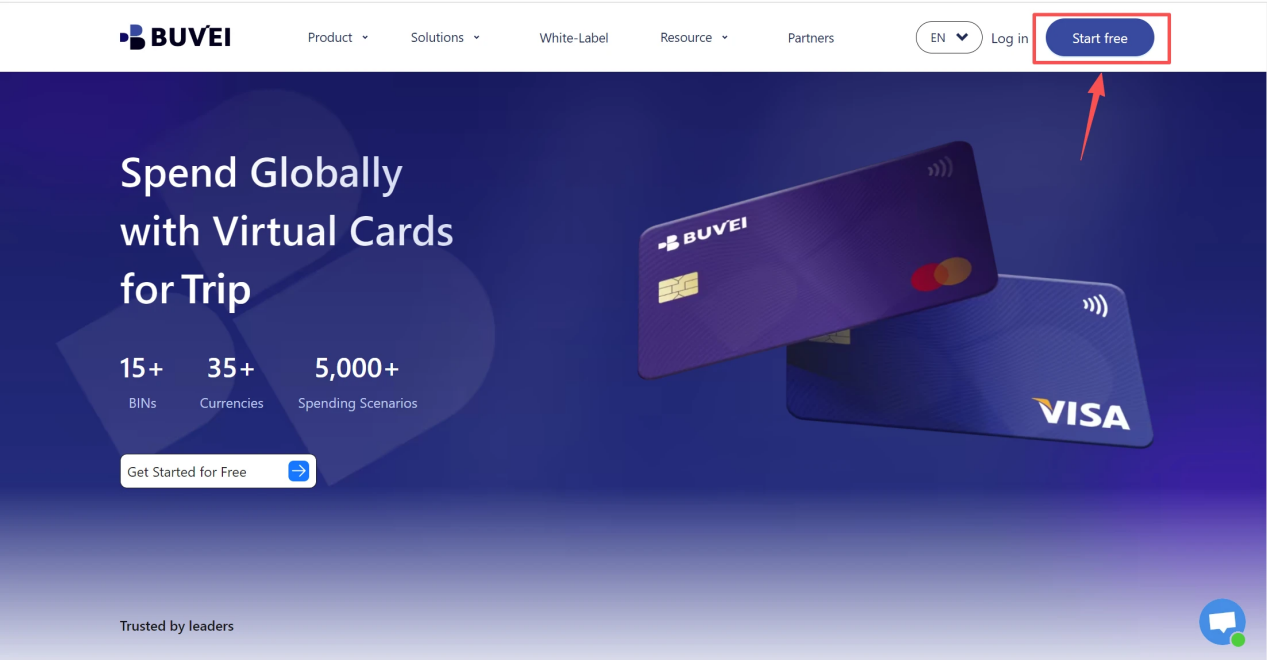
If you haven’t signed up yet, simply click 'Start Free' to register quickly with your email.
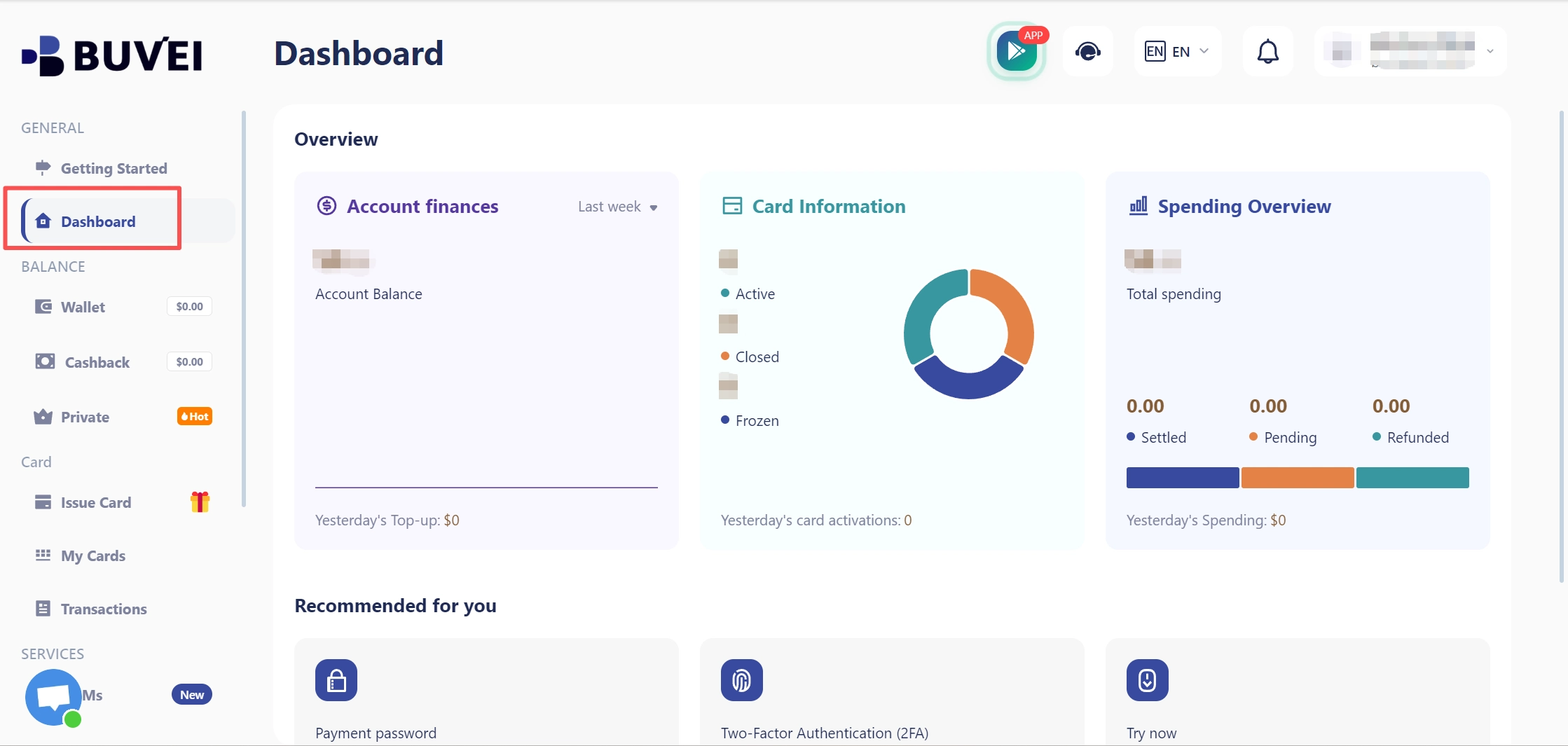
Sign in to your BUVEI account and open the dashboard. From there, go to the card section where you can create and manage your virtual cards.
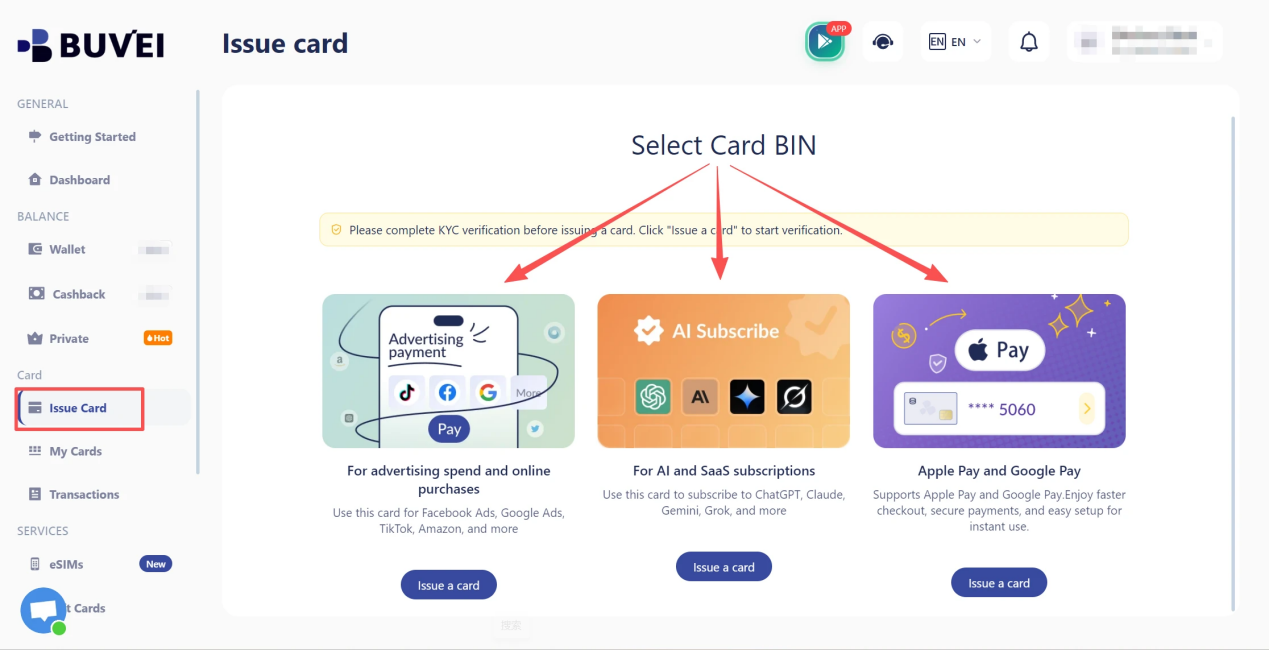
Step 2: Create a Virtual Card
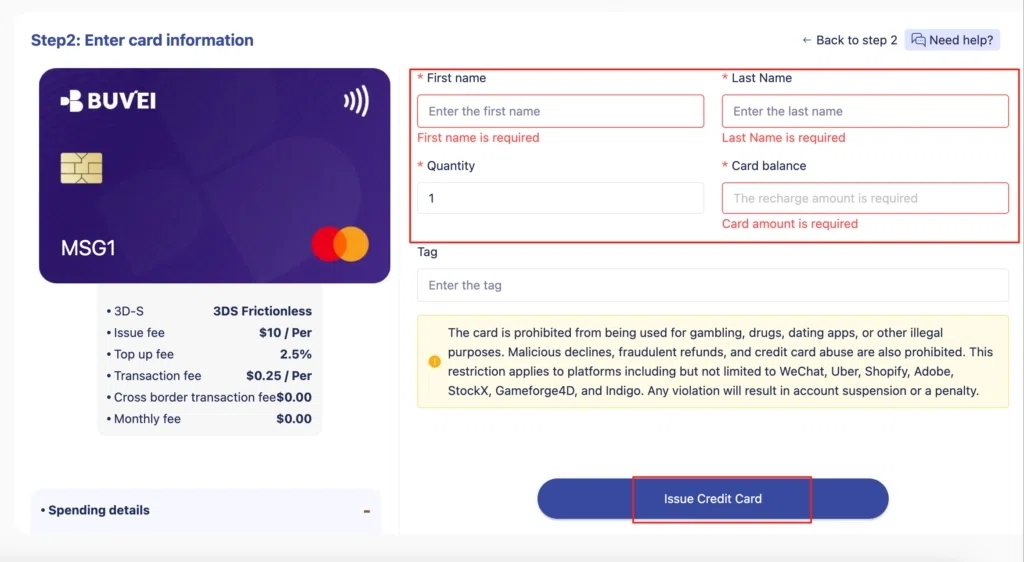
Go to the Card tab, choose your preferred BIN region (a US BIN is recommended), select your card type, and click Issue to create your virtual card.
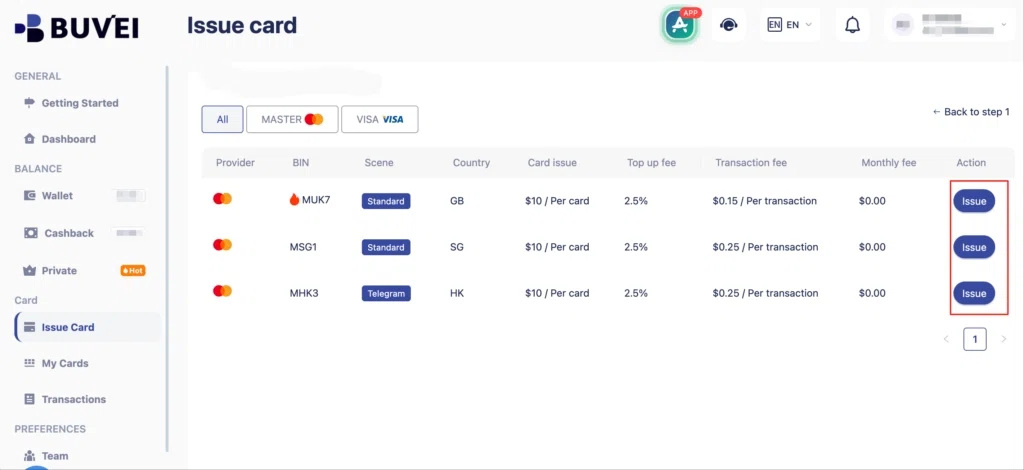
Fill in the virtual card details, including name, amount, and number of cards, then click Issue Card.
Step 3: Fund the Card Before Payment
Before using it for Telegram Premium, make sure the card is active and has enough available balance for the subscription charge. If you use spending controls, make sure the card’s available limit is sufficient as well.
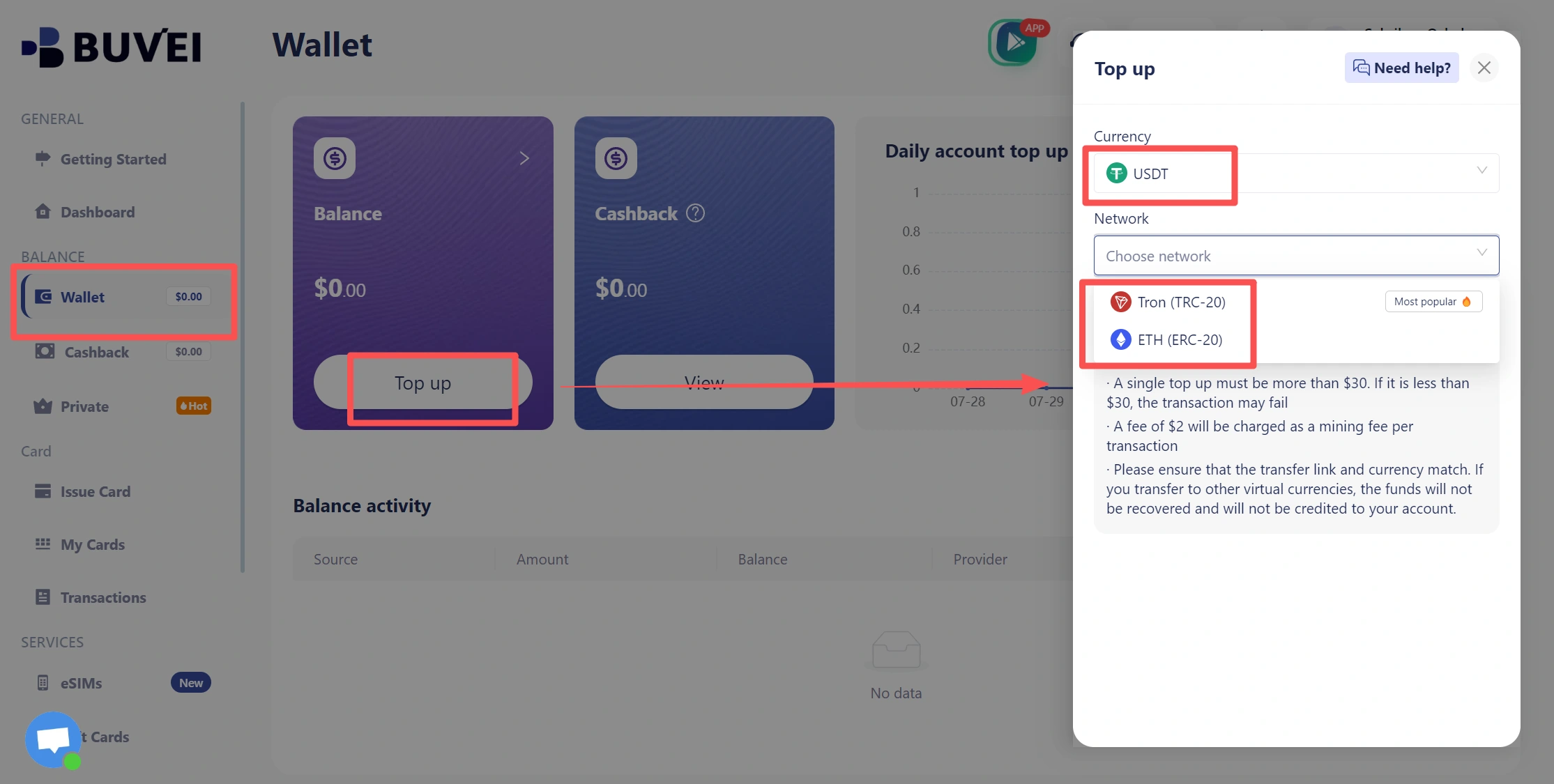
- Navigate to the Wallet tab and top up using supported stablecoins like USDT (TRC20/ERC20). You’ll receive a unique address—copy it and send your funds.
- Once confirmed, your balance will appear in the wallet for immediate use.
Once the card is ready, open its details before returning to Telegram.
Step 4: Check Your Card Details
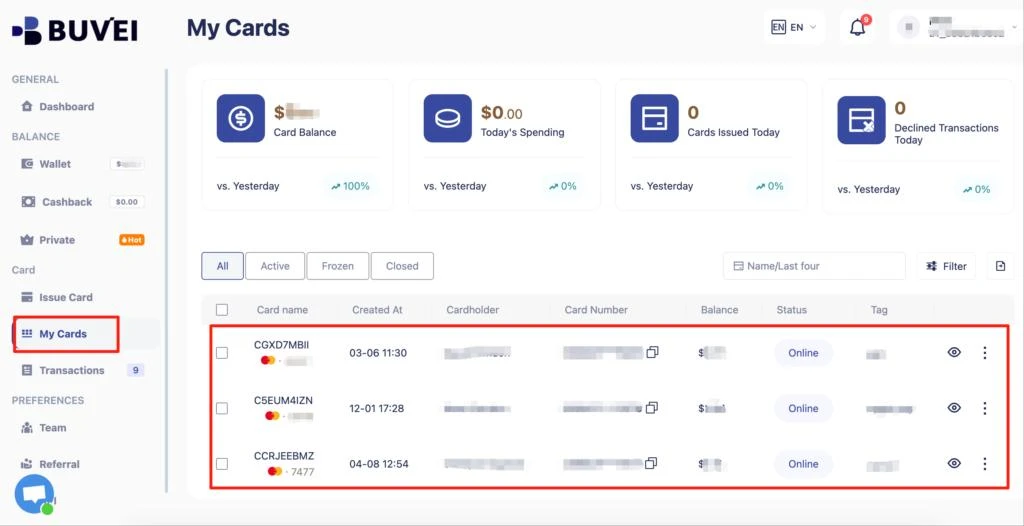
Open My Cards and review the information you will need at checkout. Check the card status, available balance, expiration date, and spending limit. Keep the card details available when you return to the Telegram Premium payment page.
With the card active and ready for use, return to the Telegram Premium checkout.
Complete Your Telegram Premium Payment
Once your virtual card is ready, return to the Telegram Premium payment page and continue the checkout.
1. Enter Your BUVEI Virtual Card Details
Enter the information from your BUVEI virtual card into the Telegram payment form.
Use the correct card number, expiration date, and CVV. If the checkout asks for billing information, enter the details associated with the card.
If a ZIP code or billing address is required, don’t guess. Use the billing information associated with the card.
Before submitting the payment, check the card’s available balance as well. An active card can still be declined if the available balance or spending limit isn’t enough for the charge.
2. Review the Subscription and Complete Payment
Before submitting the payment, review the main checkout details: Premium plan, billing period, price, currency, and card information.
If the payment flow requests additional authentication or verification, complete it before leaving the checkout. After the payment is approved, return to the Premium section and confirm that your subscription has been activated.
How to Confirm Your Telegram Premium Subscription
After completing the payment, check the Telegram Premium section to make sure the subscription is active.
Review the subscription period and renewal information shown for your account. This confirms that the payment was applied to the correct Premium plan.
It’s also useful to know which payment channel you used. Telegram Premium can be purchased through different channels, and subscription management, renewal, and cancellation can depend on the provider handling the payment.
If the payment appears successful but Premium hasn’t been activated yet, check the transaction status before submitting another payment. A second attempt could create an unnecessary duplicate charge if the first transaction is still processing.

What If Your Virtual Card Is Declined?
A declined Telegram Premium payment doesn’t necessarily mean that the virtual card cannot be used. Check the payment channel and card details before trying the transaction again.
Check the Payment Channel
The available payment methods can vary depending on how you purchase Telegram Premium. If the subscription is processed through an app store or another payment provider rather than a direct card checkout, the supported payment methods and troubleshooting steps may be different. If you are using a card checkout, continue by checking the card details and status below.
Insufficient Available Balance
Check the card’s available balance, rather than only the amount originally added to it. A pending transaction, spending limit, or other card activity can reduce the amount available for a new payment. Make sure enough balance is available to cover the full Premium charge.
Incorrect Billing Information
Review the card number, expiration date, CVV, and any billing information entered during checkout. If Telegram’s payment form asks for a ZIP code or billing address, use the information associated with the card. Incorrect billing details can cause a card payment to fail even when the card itself is active.
Card Restrictions
Check that the virtual card:
- Is active and not expired
- Supports online payments
- Has enough available spending capacity
- Allows recurring subscription charges
If a card restriction or issuer rule prevents the transaction, repeatedly submitting the same payment is unlikely to fix the problem.
Payment Authentication Failed
Some card payments require additional verification before they can be completed. If Telegram’s checkout requests authentication and the verification fails, complete the required verification and try again only after the issue has been resolved. If the payment continues to fail after you’ve checked the payment channel, card details, balance, billing information, and authentication requirements, review the transaction details in BUVEI and contact the relevant payment or card provider.
Managing Telegram Premium Renewals With a Virtual Card
Telegram Premium is a recurring subscription, so getting the first payment through is only part of the process.
Before a renewal, check that the virtual card is still active, hasn’t expired, and has enough available balance for the upcoming charge. If you’ve set a spending limit, make sure it leaves enough room for the recurring payment.
Using a dedicated virtual card for a subscription can also make recurring expenses easier to monitor. Telegram Premium charges can remain separate from other online purchases, while the card’s transaction activity and spending controls can be managed through BUVEI.
If you need to replace the card or change its payment details, update the subscription payment method before the next renewal rather than waiting for the recurring charge to fail.
Conclusion
Paying for Telegram Premium with a virtual card is straightforward when the card is active, funded, and supported by the payment route you’re using. For recurring subscriptions, a dedicated virtual card can also make ongoing charges easier to monitor and manage.
With BUVEI, you can create virtual cards, manage spending controls, and monitor transaction activity from one dashboard.