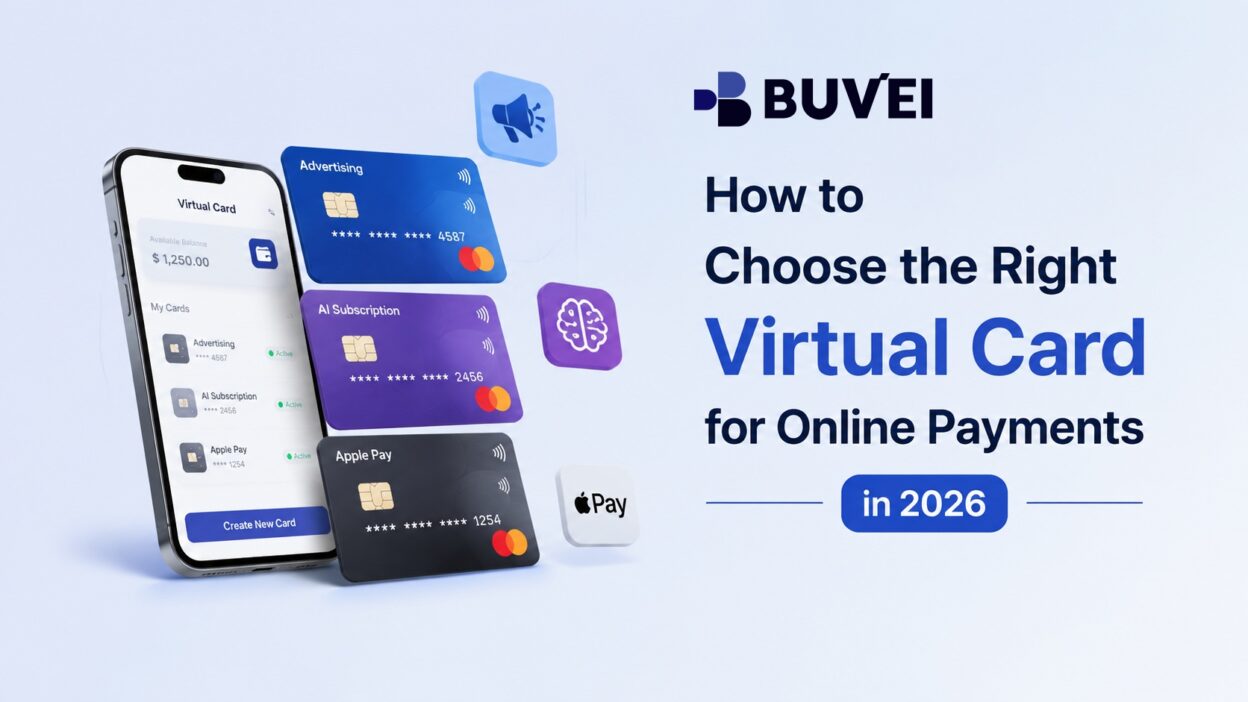
If you want to choose a virtual card for online payments, the right option depends on how you plan to use it. SaaS subscriptions, digital advertising, e-commerce, and business expenses may require different card types, spending limits, and recurring payment settings.
In this guide, we’ll explain how to choose a virtual card based on your payment type, card settings, and merchant requirements. You’ll also learn how to create, use, and monitor a virtual card for different online payment scenarios.
Step 1: Identify Your Payment Type
Before choosing a virtual card, first determine what you plan to pay for and how often you expect to make the payment. Different payment scenarios can call for different card configurations.
One-Time Online Purchases
If you only need to make a single payment, such as purchasing a digital product, software license, or online service, a disposable or limited-use virtual card may be suitable.
This type of card can help limit the reuse of card details after the transaction. It may be particularly useful when you do not expect to make additional payments to the same merchant.
Recurring Subscriptions
SaaS platforms, cloud services, streaming services, and other subscription-based products typically charge the same payment method on a recurring basis.
For these payments, a reusable virtual card is generally more practical. The card needs to remain available for future charges rather than being used only once.
When choosing a card for a subscription, consider not only the initial payment but also future recurring charges.
Online Advertising
Advertising platforms can generate multiple charges as campaigns run. For advertising expenses, a dedicated virtual card can make it easier to separate advertising spending from other business expenses. Spending limits and transaction monitoring can also help you keep track of campaign-related payments.
Business and Team Expenses
Businesses may use virtual cards for software, travel, marketing, cloud services, and other operational expenses.
Using dedicated cards for different spending purposes can make expenses easier to organize and monitor, especially when multiple employees, teams, or services are involved.
Quick rule: Start with the payment scenario. Once you know whether the payment is one-time, recurring, or ongoing, choosing the right card becomes much easier.
Step 2: Choose the Right Virtual Card
After identifying your payment type, match it with a suitable card configuration.
| Payment Scenario | Recommended Card | Key Consideration |
| One-time online purchase | Disposable or limited-use | Limit unnecessary reuse |
| SaaS subscription | Reusable | Support recurring payments |
| Cloud or online services | Reusable | Allow room for recurring charges |
| Online advertising | Dedicated | Control and monitor campaign spending |
| Business expenses | Dedicated reusable | Separate spending by purpose |
| Short-term or unfamiliar merchant | Limited-use | Keep spending exposure controlled |
The goal is not to find one virtual card that works for every payment. Instead, choose a card based on how the payment will be used.
Disposable vs Reusable Virtual Cards
The distinction between disposable and reusable cards is especially important. Disposable or limited-use cards are generally better suited to:
- One-time purchases
- Short-term payments
- Transactions where future charges are not expected
- Situations where limiting card reuse is important
Reusable virtual cards are generally better suited to:
- SaaS subscriptions
- Cloud services
- Streaming platforms
- Recurring business expenses
- Regular payments to the same merchant
The basic principle is: Match the card’s lifecycle with the payment’s lifecycle.
If the payment ends after one transaction, a limited-use card may make sense. If the merchant needs to charge the card repeatedly, a reusable card is usually the more appropriate choice.
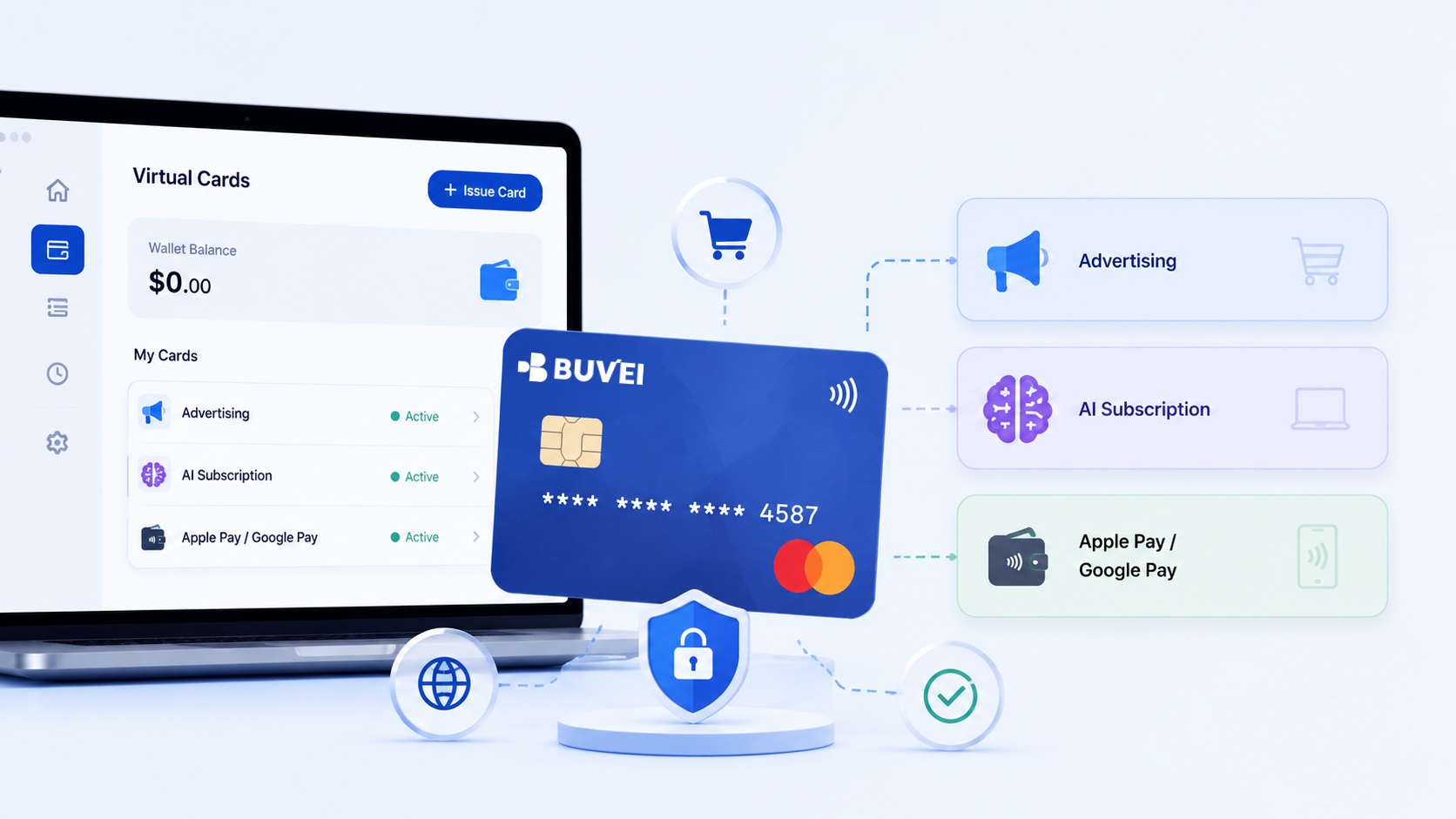
Step 3: Check the Card Settings Before Creating It
Choosing the card type is only part of the process. Before creating a card, check the settings and payment requirements that could affect the transaction.
Spending Limits
Set a spending limit that matches the expected payment. For a one-time purchase, the required limit may be relatively straightforward. For a monthly subscription or advertising campaign, however, you may need enough available spending capacity for future charges. A suitable limit can help control spending without unnecessarily blocking legitimate transactions.
Recurring Payment Support
If you are paying for a subscription, confirm that the card is suitable for recurring charges. A card designed primarily for one-time use may not be the right choice for a service that automatically charges the same payment method every month.
Merchant Compatibility
Before making a payment, check the merchant’s requirements. Depending on the service, you may need to consider:
- Card network acceptance
- Billing information
- Merchant location
- Supported currencies
- International payment requirements
- Recurring payment support
Virtual card acceptance can vary between merchants, so do not assume that a card accepted by one service will automatically work with another.
Currency and International Payments
If you regularly pay international merchants, check the supported currency and any applicable transaction or foreign exchange fees. This is particularly relevant for SaaS platforms, advertising services, cloud providers, and international e-commerce websites.
Transaction Monitoring
Transaction visibility is another useful consideration, especially for recurring and business payments. Being able to review the merchant, amount, date, and transaction status makes it easier to track expenses and identify unexpected charges.
Step 4: Create Your Virtual Card
Once you know what type of card you need and which settings to use, you can create the virtual card. The exact interface varies by provider, but the overall process is generally similar.
Open Your Dashboard
Start by opening your virtual card dashboard.
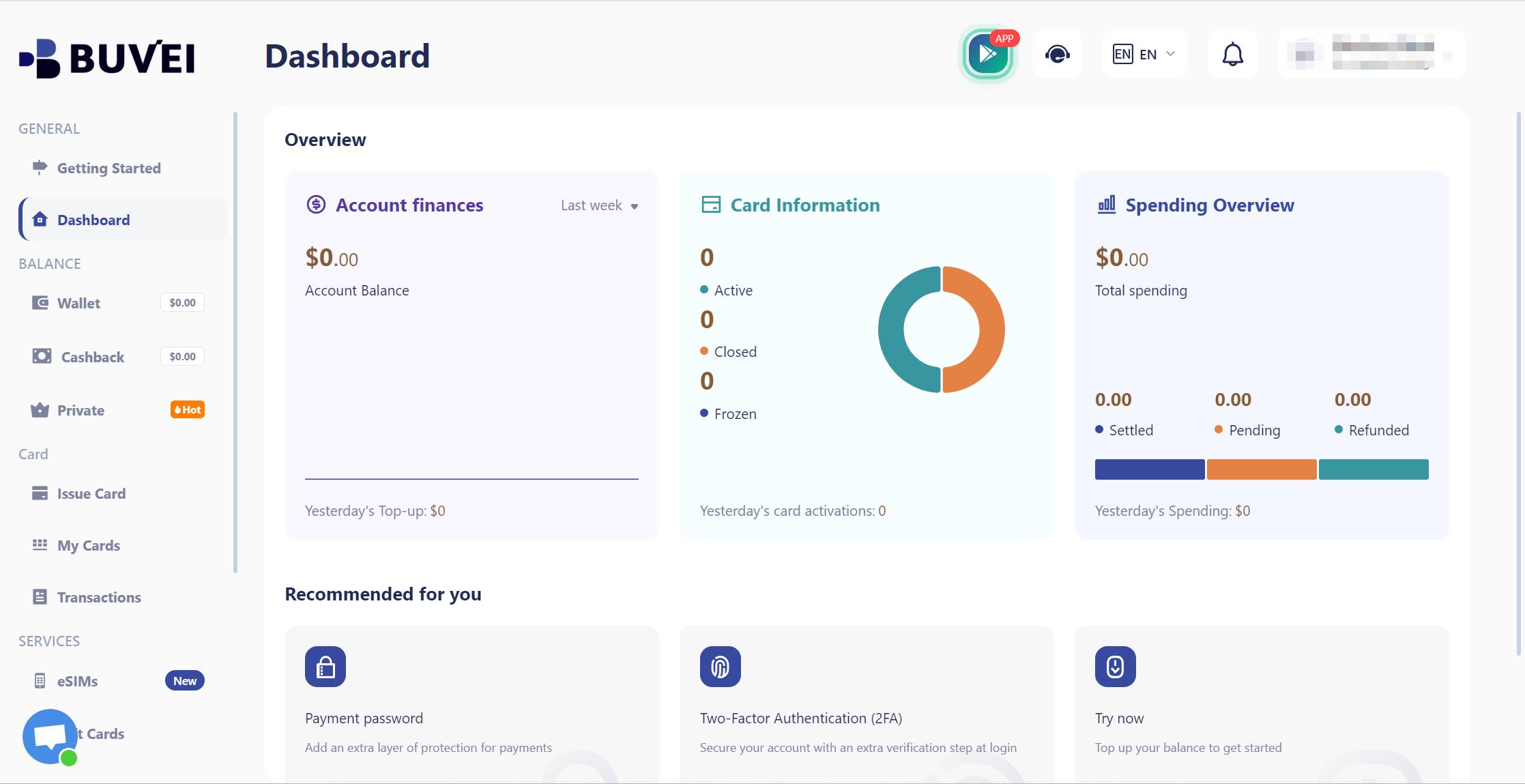
The dashboard provides access to your card management and payment-related features. If you’re using BUVEI, this is where you can begin navigating to the relevant card management functions.
Check Your Wallet
Before creating or using a card, review your available balance.
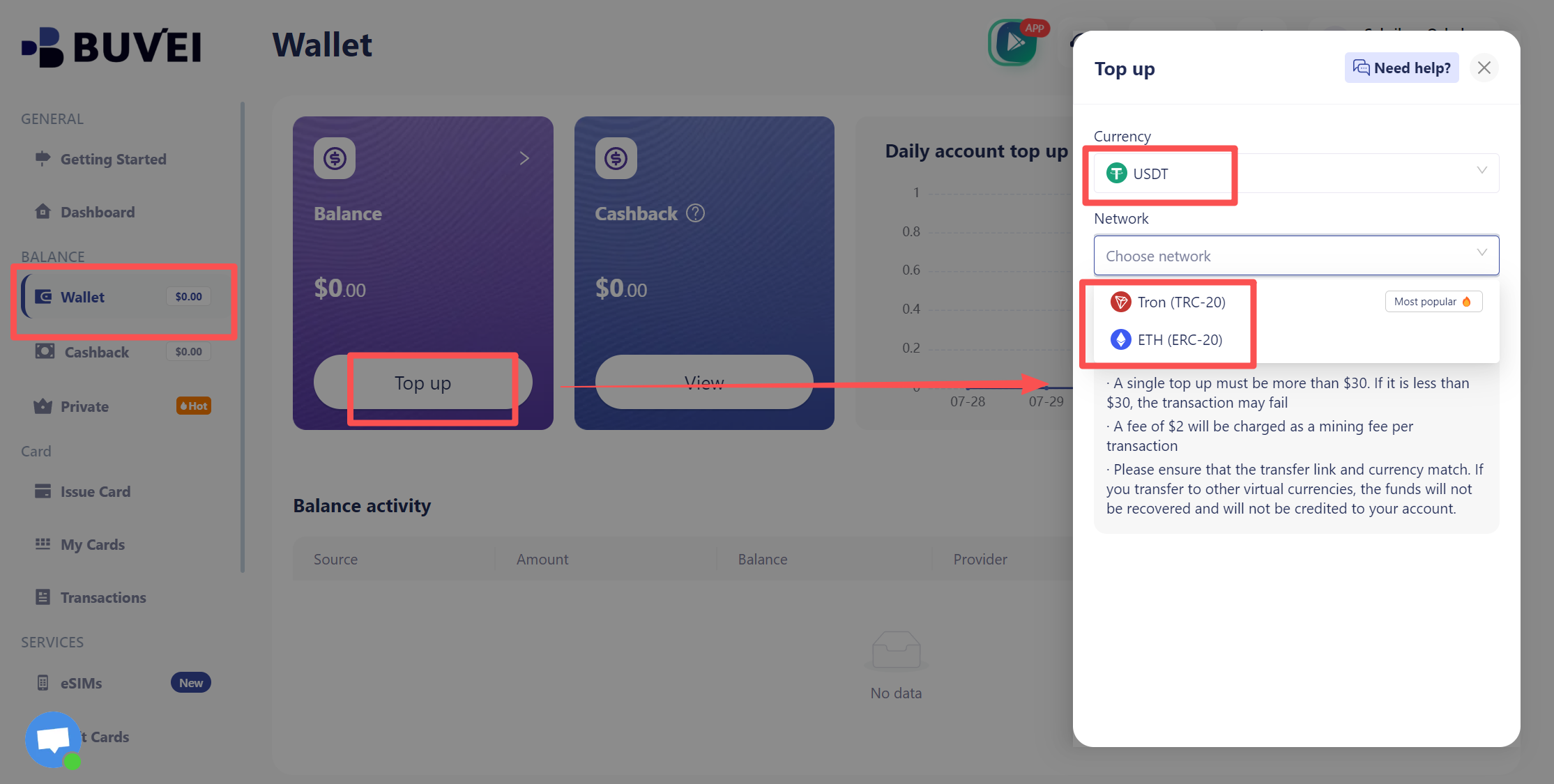
Make sure you have sufficient funds for the intended payment. If you’re setting up a card for a recurring subscription, also consider the expected future charges.
Open the Create Card Page
Next, open the card creation page.
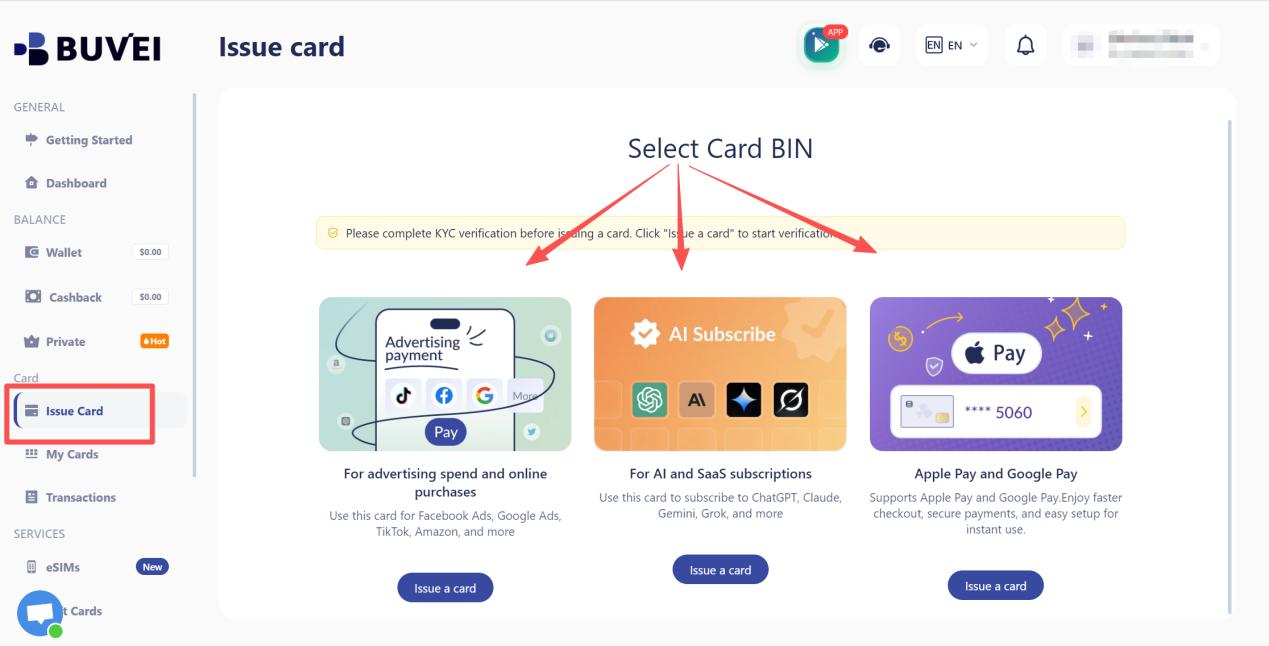
Depending on the available options, you may be able to configure settings such as:
- Card type
- Currency
- Spending limit
- Usage restrictions
- Other card-specific settings
Choose the configuration based on the payment scenario you identified in the previous steps. For example, a card created for a one-time purchase may require different settings from one intended for a recurring SaaS subscription.
Step 5: Review and Use Your Card
Creating a card does not necessarily mean it is ready for every payment. Before using it, take a moment to review the card details and confirm that the settings match your intended transaction.
Review Your Card Details
Open the My Cards or Card Details section.
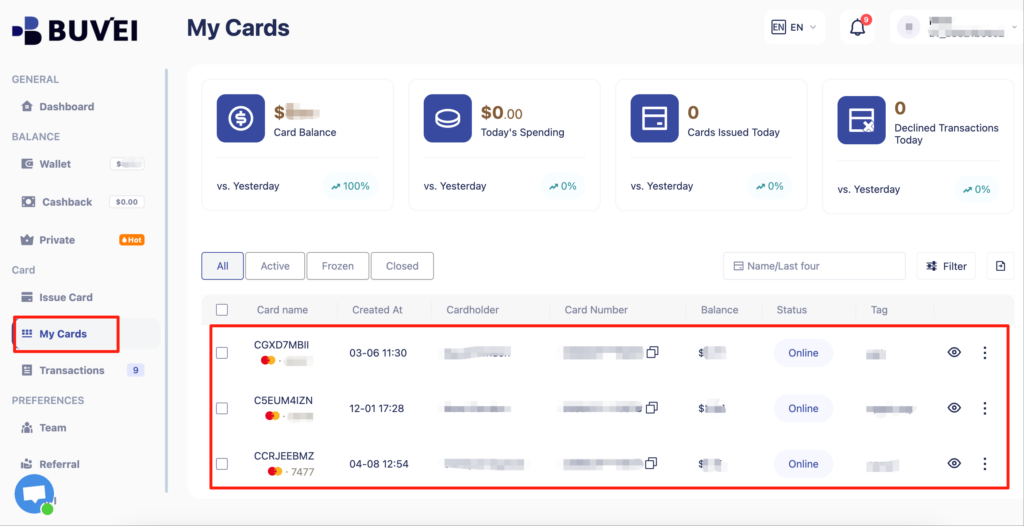
Depending on the platform, you may be able to review information such as:
- Card status
- Card details
- Spending limit
- Expiration information
- Other applicable settings
This quick check can help confirm that the card is configured correctly before you enter the details at checkout.
Tip: For recurring payments, pay particular attention to the card status, spending limit, and available usage settings.
Make the Online Payment
Once the card is ready, use it at the merchant’s checkout. The general process is:
- Open the merchant’s checkout page.
- Select card payment.
- Enter the virtual card number.
- Enter the expiration date and security code when required.
- Provide the required billing information.
- Complete any additional authentication requested by the merchant.
- Confirm the payment.
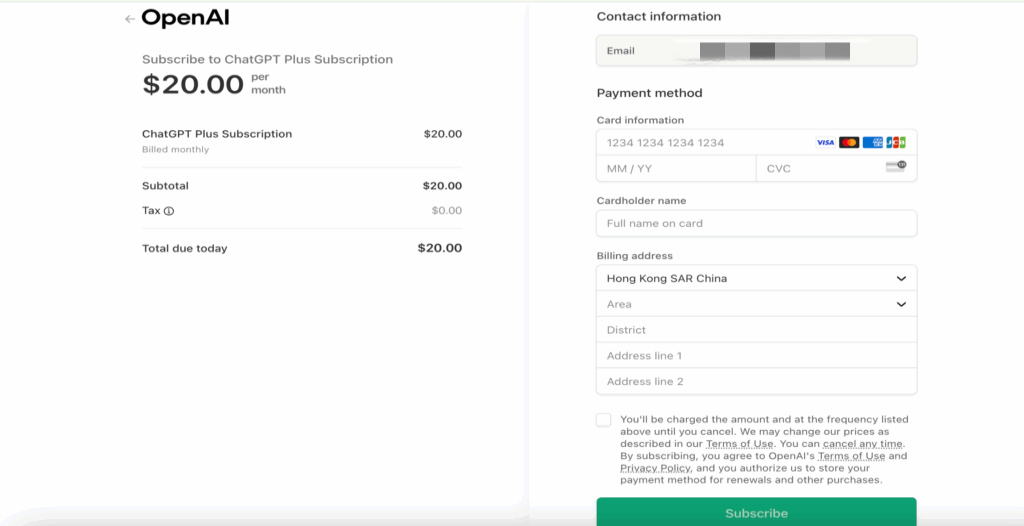
Before confirming the transaction, double-check the payment amount and billing information. If the payment is recurring, make sure the card is configured appropriately for the merchant’s recurring payment requirements.
Important: Virtual card acceptance varies by merchant. Always check the payment requirements of the service you’re using.
Step 6: Check the Transaction After Payment
After completing the payment, return to your virtual card platform and review the transaction.
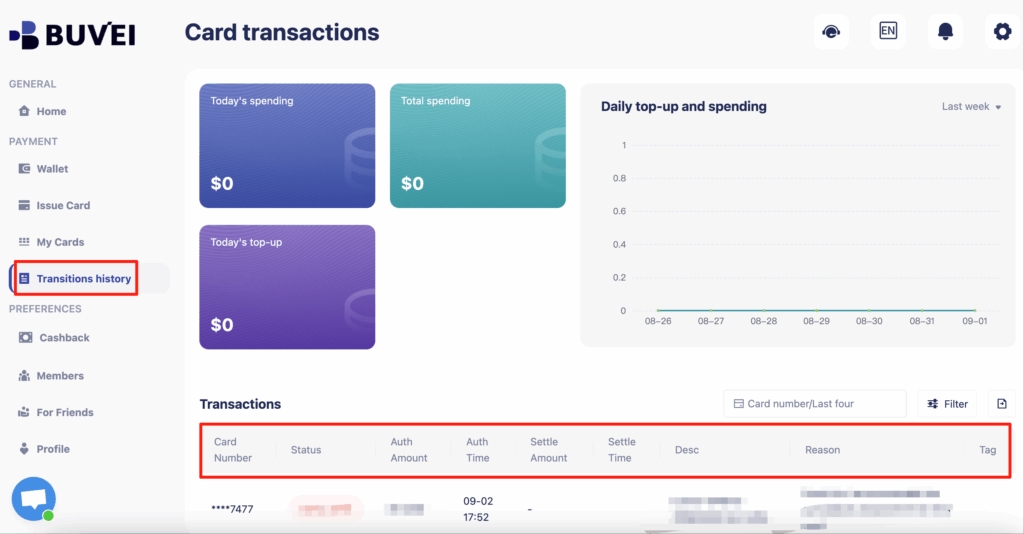
Depending on the platform, you may be able to review:
- Merchant name
- Transaction amount
- Transaction date
- Transaction status
- Payment history
Checking the transaction confirms whether the payment was processed as expected and provides a record for future reference.
For recurring subscriptions and business expenses, regular transaction monitoring can also help you identify unexpected charges and keep spending organized.
If a payment fails, the transaction details may also provide useful information when investigating issues related to the card configuration, available balance, merchant requirements, or other payment conditions.
Step 7: Check for Common Virtual Card Mistakes
Even after choosing the right card, a few common mistakes can cause unnecessary payment issues.
Using a Disposable Card for a Recurring Payment
A one-time or limited-use card may not be appropriate when a merchant needs to charge the same payment method repeatedly. For subscriptions, consider a reusable virtual card.
Setting the Spending Limit Too Low
A payment can fail if the card’s spending limit is lower than the amount required. When setting a limit, consider both the current transaction and any expected recurring charges.
Ignoring Merchant Requirements
Before paying, check whether the merchant supports the card type, network, currency, billing information, and recurring payment method you plan to use.
Using One Card for Every Expense
Using a single card for unrelated payments can make spending harder to track. For business use, dedicated cards can help separate SaaS, advertising, travel, and other expenses.
Forgetting About Recurring Charges
A subscription does not end after the first successful payment. Future charges may continue automatically. Review recurring transactions regularly and make sure the card remains properly configured and funded.
Quick Decision Guide: Which Virtual Card Should You Choose?
If you need to make a quick decision, use this simple guide:
One-time purchase
→ Disposable or limited-use card
Recurring SaaS or subscription
→ Reusable virtual card
Online advertising
→ Dedicated card + appropriate spending controls
Ongoing business expenses
→ Dedicated reusable card
Then check:
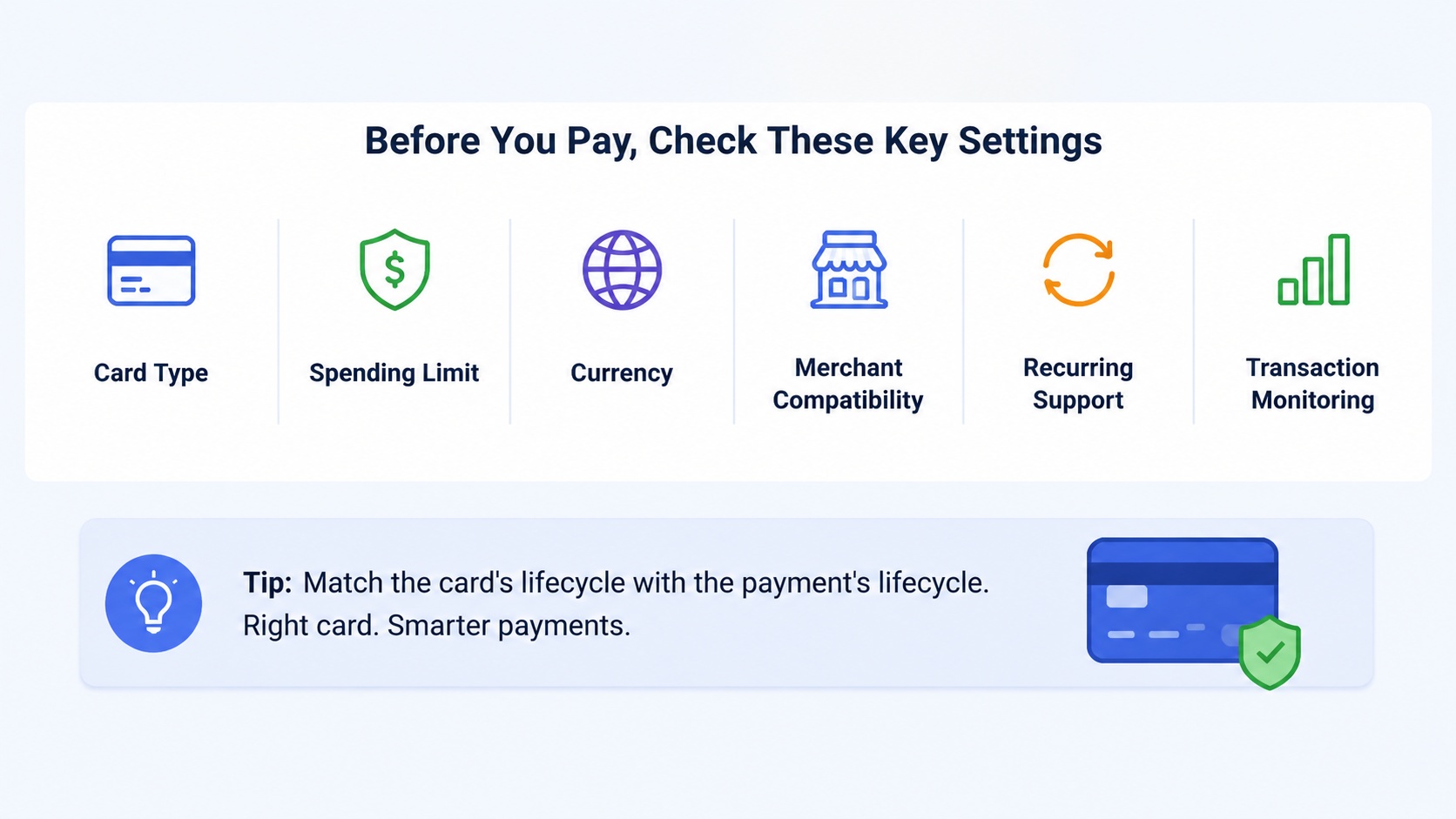
Card Type → Spending Limit → Currency → Merchant Compatibility → Recurring Support → Transaction Monitoring
This simple process helps you choose a virtual card based on the actual payment requirement rather than simply selecting the first available option.
Conclusion
Choosing the right virtual card starts with understanding how you plan to use it.
A one-time purchase, recurring SaaS subscription, advertising campaign, and ongoing business expense can all have different requirements. By matching the card to the payment type, checking the relevant settings, and reviewing transactions afterward, you can choose a virtual card that fits your specific online payment needs.
For businesses managing multiple online payments, BUVEI provides virtual card management and tools designed to support spending control and transaction monitoring from a centralized environment.
The goal is not simply to find a virtual card that works. It is to choose one that fits the way you actually pay.