Mobile and online games have become a major part of digital entertainment, and in-game purchases are now a standard feature. Many players spend on upgrades, virtual items, and premium content. For users looking for secure and flexible payment options, virtual cards are becoming an increasingly popular choice.
This guide explains how payments work in Zynga games, why some cards fail, and how virtual cards—especially solutions like buvei—can improve your gaming payment experience.
 How Zynga Game Payments Work
Zynga is a leading game developer known for popular titles such as Zynga Poker and Words With Friends. Payments within these games typically follow standard in-app purchase systems.
Depending on the platform, purchases are processed through:
-
App stores such as Apple App Store or Google Play
-
Direct online payment systems (for web-based gameplay)
Users can buy:
-
Virtual currency
-
In-game items
-
Premium features
Payments are usually linked to a card or wallet and charged instantly.

Why Some Cards Are Declined for Zynga Payments
Some players encounter payment failures when trying to make in-game purchases. Common reasons include:
International Payment Restrictions
Certain bank-issued cards may block transactions on foreign gaming platforms.
App Store Limitations
Payments processed via Apple App Store or Google Play must comply with store policies, which can restrict certain card types.
Insufficient Funds
If the card balance is too low, the purchase will be declined.
Fraud Prevention Systems
Gaming platforms and app stores may flag transactions that appear unusual, especially for cross-border payments.
Using Virtual Cards for Zynga In-Game Purchases
Virtual cards offer a practical alternative for handling gaming payments.
Improved Payment Flexibility
Virtual cards can be used for both in-app purchases and online transactions, depending on compatibility.
Better Spending Control
Players can limit how much they spend on games by assigning a fixed balance to each card.
Enhanced Security
Virtual cards reduce exposure of personal banking information and can be replaced instantly if needed.
Suitable for Global Payments
Some virtual card providers support international transactions, making them useful for accessing global gaming platforms.
Setting Up Virtual Cards for Game Payment
Using a virtual card for Zynga purchases is straightforward.
Add Card to App Store or Platform
-
Open your account settings in Apple App Store or Google Play
-
Add your virtual card details
-
Verify the card if required
Make a Purchase
-
Open your Zynga game
-
Select the item or currency package
-
Confirm payment
The transaction will be processed like a standard card payment.
 How Buvei Virtual Cards Enhance Your Gaming Experience
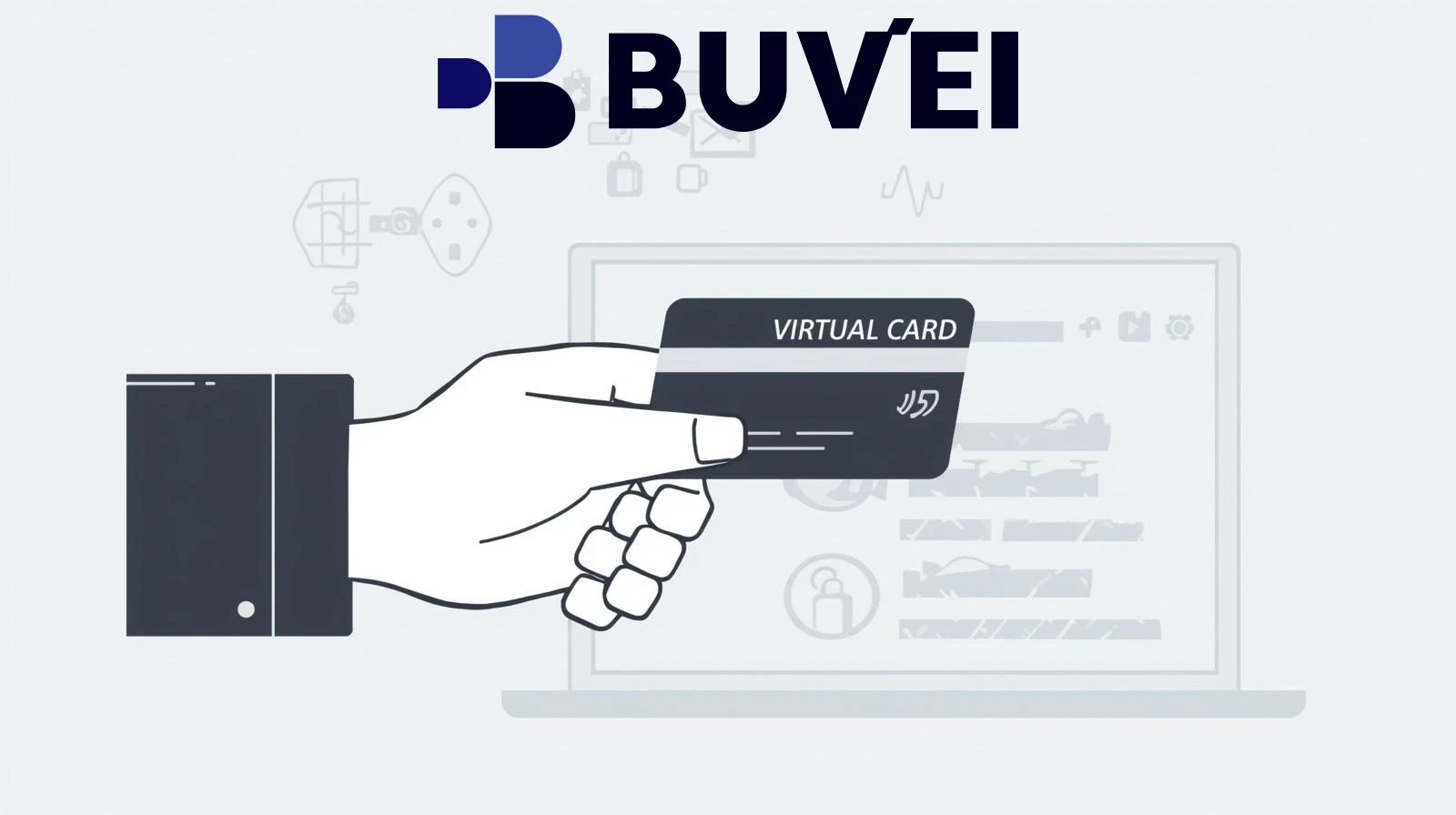
Buvei offers virtual cards designed for online payments, including gaming purchases.
Key benefits include:
-
Instant virtual card creation
-
Multiple cards for different uses
-
Spending limits for better budget control
-
Compatibility with global platforms
These features help gamers manage their in-game spending more effectively while maintaining secure payment methods.
How to Create a Virtual Card on the Buvei Platform
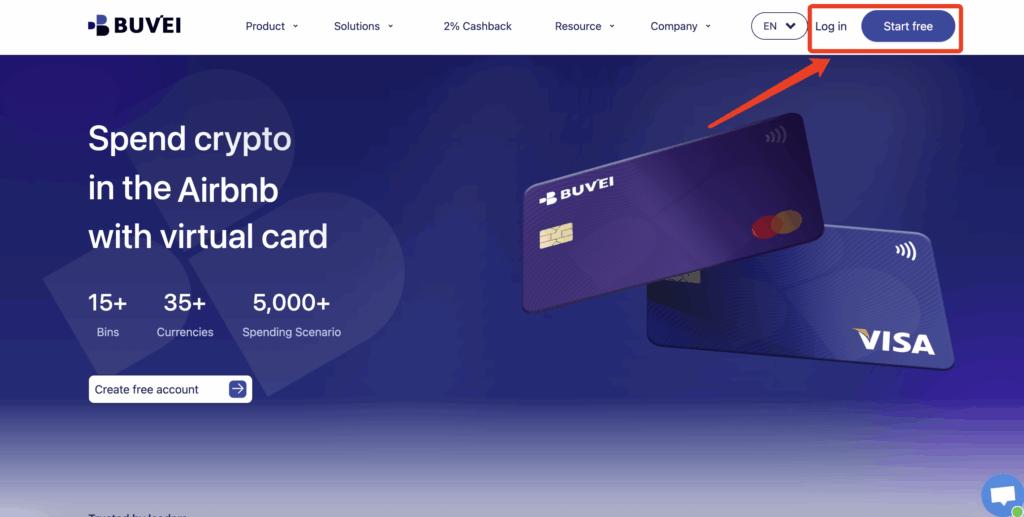
Step 1: Register a Buvei Account
Visit https://buvei.com and create a free account. Complete email verification and log in to your dashboard.
 Step 2: Fund Your Wallet
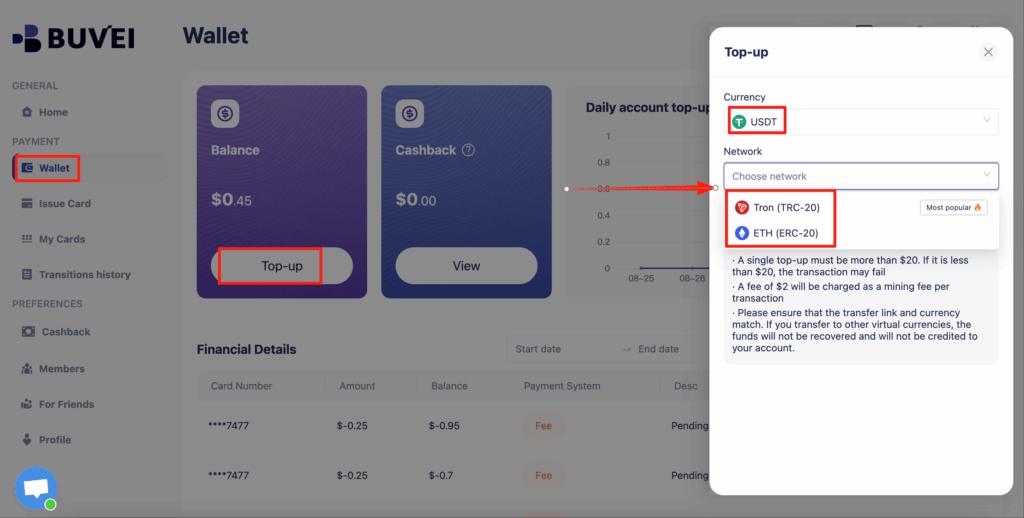
Go to the Wallet tab and top up using supported stablecoins:
-
USDT (TRC20)
-
USDT (ERC20)
Buvei provides a dedicated deposit address. Once the transaction is confirmed on-chain, your balance becomes available instantly.
 Step 3: Create a Virtual Card
Navigate to the Cards tab:
-
Select your preferred BIN region
-
Choose card type
-
Click Issue Card
Enter the card name, initial amount, and number of cards, then click Create Card.
Quick Setup for White-Label Card Programs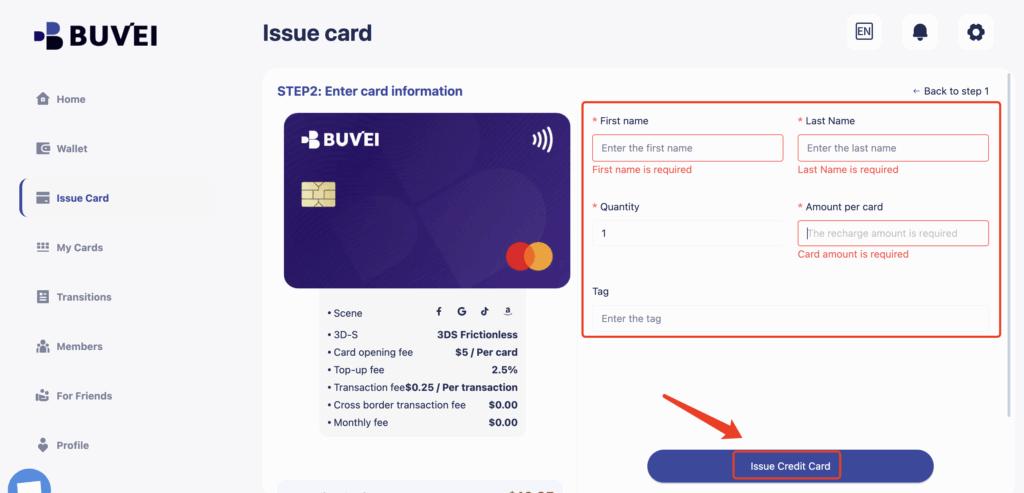 You’ll immediately see:
-
Card number
-
Expiration date
-
CVV
-
Transaction history
-
Card balance and usage
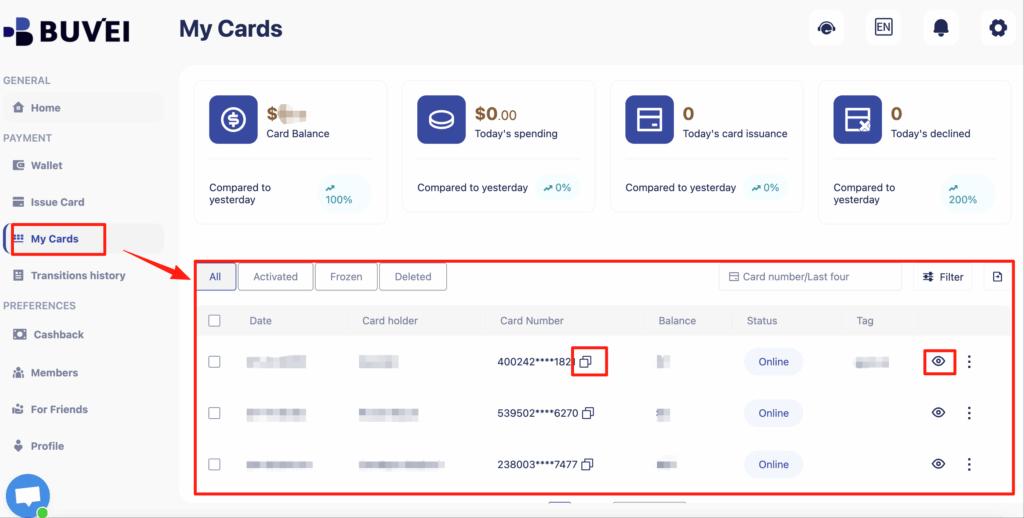
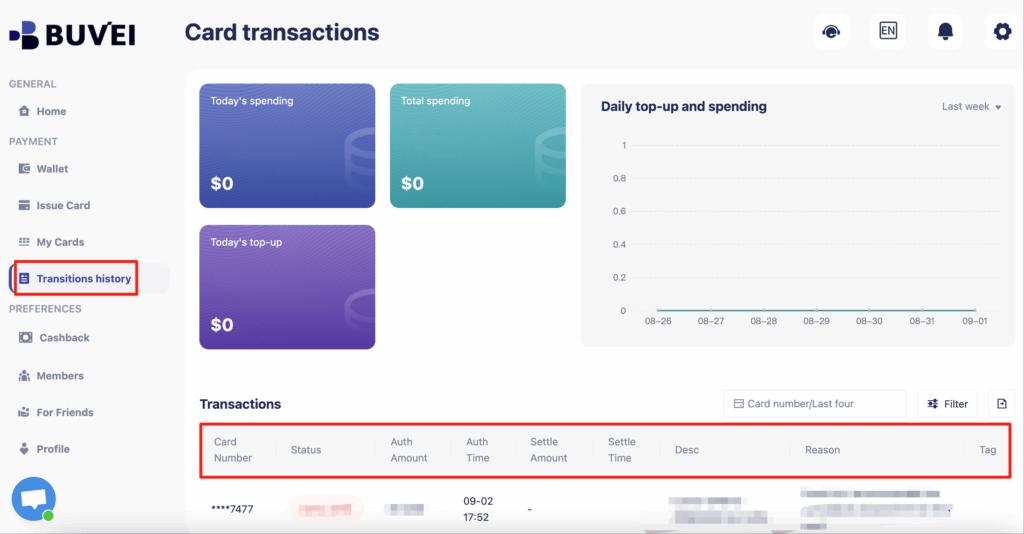
This process ensures that Buvei’s virtual cards are ideal for controlling your spending and managing online payments securely.
Conclusion
Paying for in-game content on Zynga titles is simple when you have a reliable payment method. However, traditional cards can sometimes fail due to regional restrictions or platform limitations.
Virtual cards provide a flexible and secure alternative, allowing players to control spending, reduce payment issues, and enjoy a smoother gaming experience. With solutions like buvei, users can manage game purchases efficiently while maintaining full control over their budget.