Finding the best virtual cards for App Store purchases has become increasingly important for users who want more flexibility, stronger privacy, and better control over spending. Whether you're subscribing to apps, paying for iCloud storage, or managing recurring Apple services, a reliable App Store virtual card can make the process smoother and more secure.
This guide explains how App Store payments work, why many cards fail, what features matter most, and how to set up a working virtual card step by step.
App Store Payment Requirements Explained
Apple’s App Store uses a strict billing and risk control system. To successfully process payments, your card typically needs:
-
Visa or Mastercard compatibility
-
Strong issuer reputation
-
Consistent billing region
-
Sufficient balance for verification charges
-
Successful $0 or small authorization checks
-
Stable transaction history
Apple may decline cards that appear high-risk, frequently reused, or inconsistent with the Apple ID region. That’s why choosing the right App Store virtual card matters.
Why Many Cards Fail on App Store Transactions
If you’ve seen “Payment method declined” or “Unable to complete purchase,” you’re not alone.
Common reasons include:
-
Weak or low-quality BIN regions
-
Overused prepaid cards
-
Recycled virtual cards flagged by Apple
-
Country mismatch between Apple ID and card
-
Failed authorization attempts
-
Insufficient balance for verification
-
Unstable issuing banks
These issues are why users often search for the best virtual cards for App Store instead of relying on random prepaid options.
Key Features to Look for in App Store Virtual Cards
Not all virtual cards are equal. For reliable App Store payments, look for cards that offer:
-
Strong BIN regions (US BIN often performs best)
-
Visa/Mastercard compatibility
-
Clean transaction history
-
Ability to control balances per card
-
Support for recurring payments
-
Transparent fees
-
Real-time transaction monitoring
Buvei is built around these principles, making it a practical choice for users who need a stable virtual card for Apple subscriptions and app purchases.
How to Create a Virtual Card for App Store Payments
Setting up your card correctly is key to long-term success.
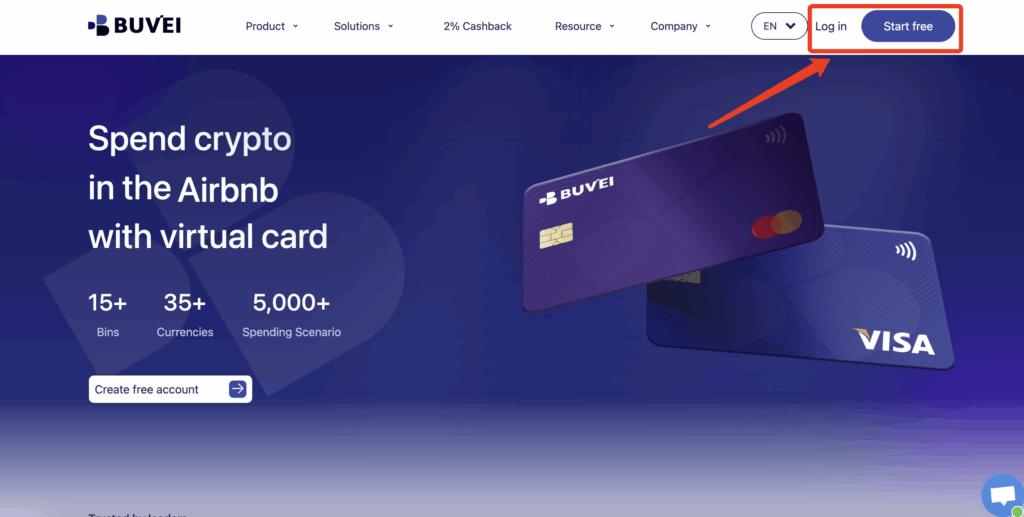
Step 1: Register a Buvei Account
Visit https://buvei.com and create a free account.
Complete email verification and log in to your Buvei dashboard.
Step 2: Fund Your Wallet
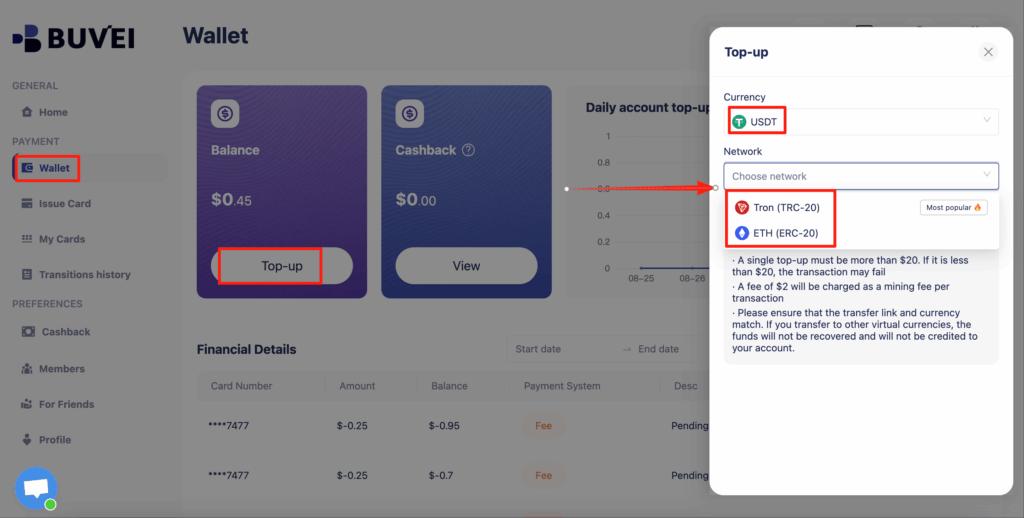
Go to the Wallet tab and top up using supported stablecoins:
-
USDT (TRC20)
-
USDT (ERC20)
You’ll receive a dedicated deposit address. After blockchain confirmation, your balance will appear in your wallet and be ready to use.
Step 3: Create a Virtual Card
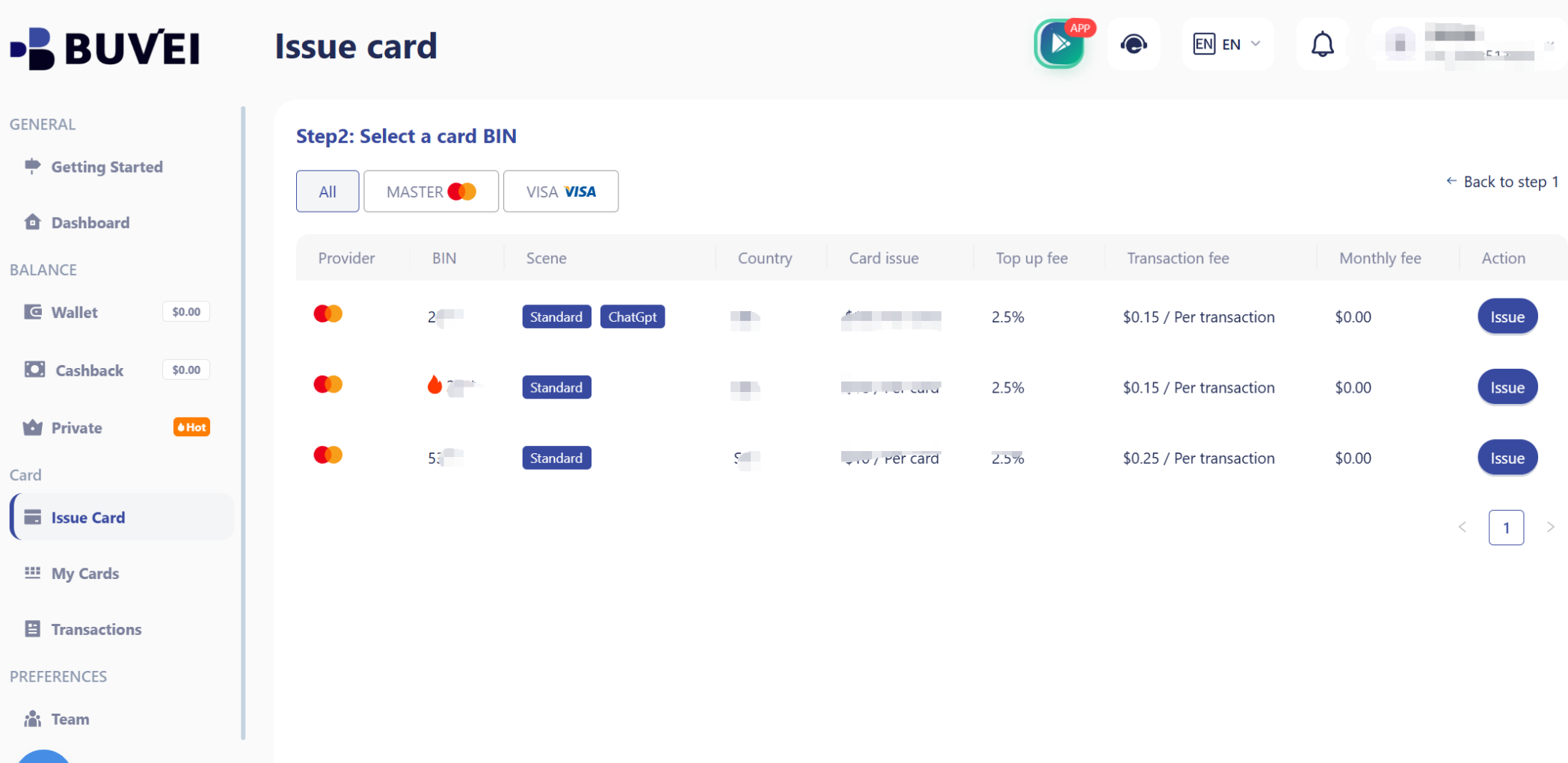
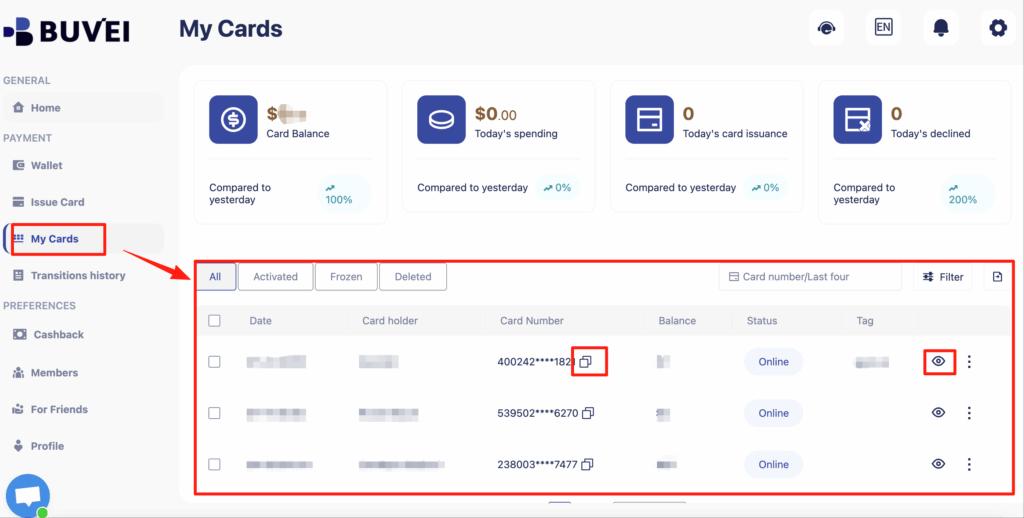
Navigate to the Cards tab:
-
Select your preferred BIN region (US BIN recommended for App Store)
-
Choose card type
-
Click Issue Card
-
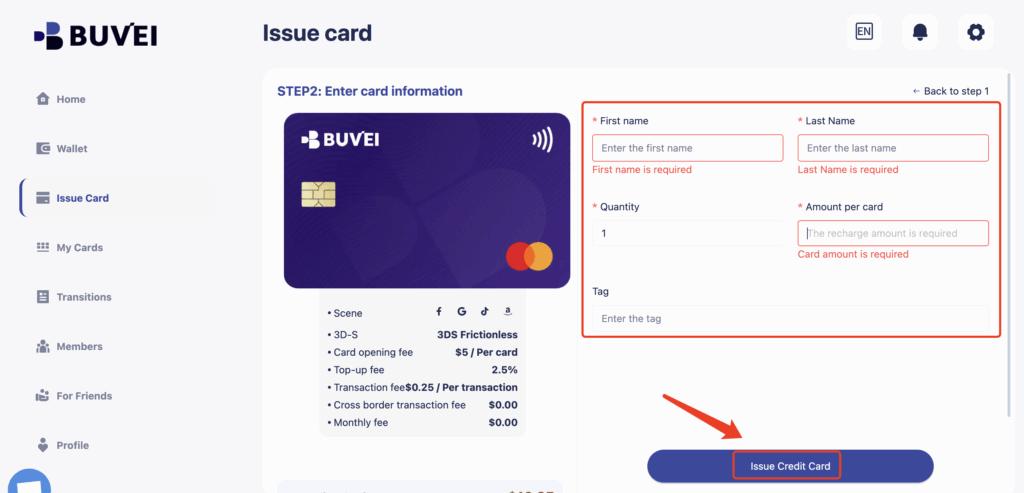
Enter card name, amount, and card quantity
-
Click Create Card
After creation, you can view:
-
Card number
-
Expiry date
-
CVV
-
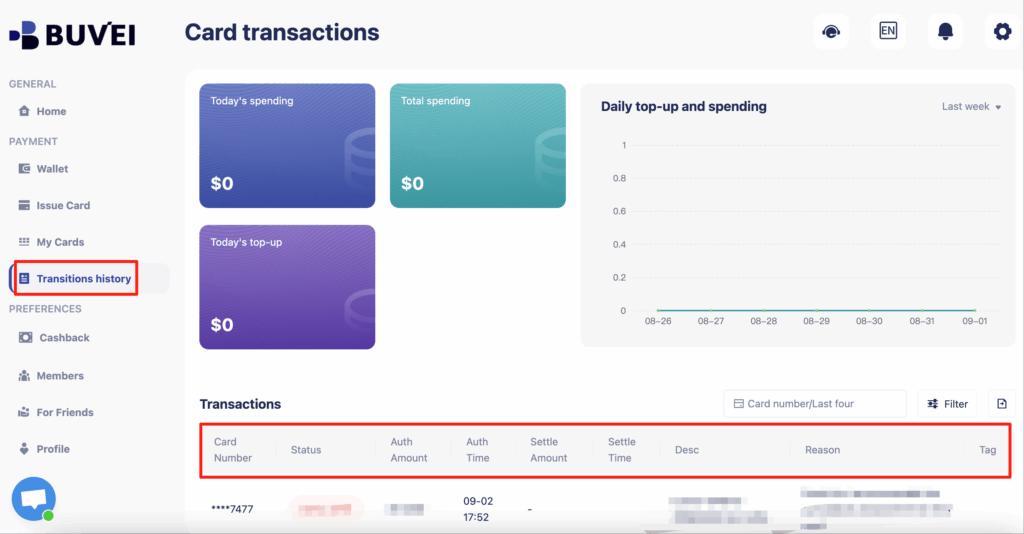
Transaction history
-
Recharge and spending overview
This setup gives you full control when using a Buvei virtual card for App Store.
Managing Subscriptions and Renewals
Using a virtual card also gives you stronger control over recurring Apple charges.
With a dedicated card, you can:
-
Assign one card only for Apple services
-
Control how much is available for renewals
-
Avoid unexpected subscription charges
-
Easily stop renewals by adjusting the card balance
-
Track all App Store spending in one place
This makes a virtual card especially useful for:
-
Managing multiple subscriptions
-
Family sharing accounts
-
Developers managing multiple Apple IDs
-
Users who want stronger privacy
Buvei’s dashboard helps by offering:
-
Real-time transaction visibility
-
Clear fee structure
-
Multiple card management
-
Flexible top-ups
-
Online customer support if issues arise
Final Thoughts
Choosing the best virtual cards for App Store payments isn’t about convenience alone—it’s about reliability, control, and long-term stability.
A well-structured App Store virtual card setup allows you to:
-
Avoid payment declines
-
Protect your privacy
-
Control subscription spending
-
Improve approval rates
-
Simplify recurring billing
With a flexible solution like Buvei, users can create stable virtual cards, manage balances efficiently, and confidently use them for App Store purchases and Apple subscriptions worldwide.