X (formerly Twitter) Ads is a key traffic source for global advertisers, but billing errors remain one of the most common reasons ad accounts get paused, limited, or permanently flagged.
In many cases, accounts are not restricted because of ad policy violations—but due to payment failures, declined cards, or billing risk controls. Understanding how X Ads billing works and how to fix these issues is critical for long-term account stability.
This guide explains the most common X Ads billing errors, why payments fail, how billing issues affect account health, and how virtual cards can be used to fix and prevent future problems.
Common X Ads Billing Error Messages
Advertisers frequently encounter the following billing-related alerts in X Ads Manager:
-
Payment failed
-
Card declined
-
Billing information could not be verified
-
Your ad account has been paused due to unpaid balance
-
Payment method rejected
-
Suspicious payment activity detected
These messages are often early risk signals. Repeated billing failures significantly increase the chance of account review or suspension.
Why X Ads Payments Get Declined or Blocked
X Ads applies strict risk controls to advertising payments. Common reasons for declines include:
-
One credit card used across multiple ad accounts
-
Card country or currency mismatch with account region
-
Insufficient balance or failed authorization holds
-
Bank-side blocks on overseas advertising charges
-
Too many retry attempts after failed payments
-
High-frequency charges in a short period of time
From X Ads’ perspective, these patterns indicate potential fraud or account abuse.
How Payment Issues Affect Ad Account Stability
Billing problems go beyond simple payment failure and can directly impact account health:
-
Ads stop running immediately
-
New campaigns or ad groups cannot be created
-
Account enters manual review
-
Trust score decreases
-
Future payment methods face higher decline rates
For advertisers running multiple accounts, a single billing issue can trigger chain reactions across the entire setup.
Using Virtual Cards to Fix X Ads Billing Errors
Compared to traditional credit cards, virtual cards offer clear advantages for X Ads billing:
-
One card per ad account, reducing linkage risk
-
Isolated balances prevent cross-account issues
-
Easier card replacement and rotation
-
Lower dependence on personal or corporate credit
-
Better control over spending and exposure
Virtual cards help solve the core problem: payment method risk concentration.
Step-by-Step: Add and Update Virtual Cards in X Ads
Using Buvei virtual cards as an example:
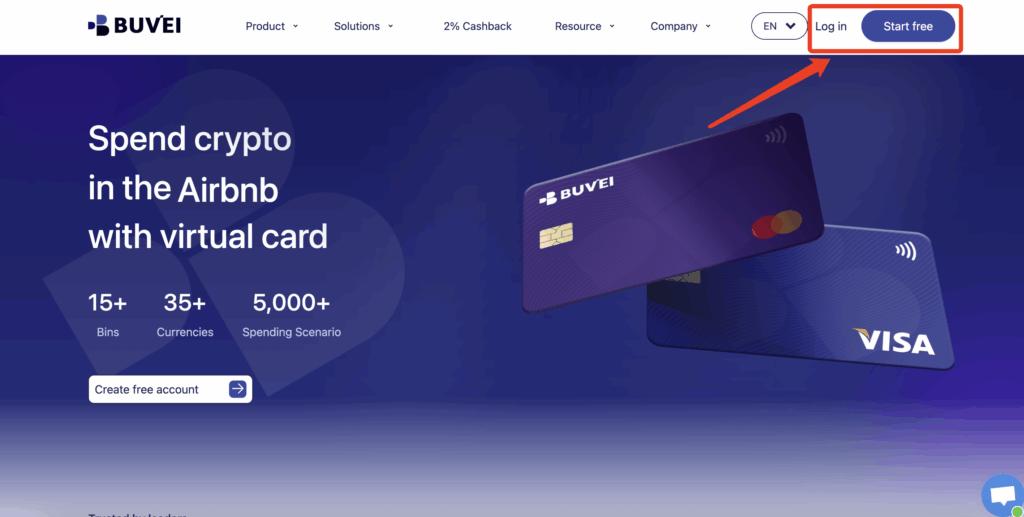
Step 1: Create a Buvei Account
Sign up and access the Buvei dashboard.
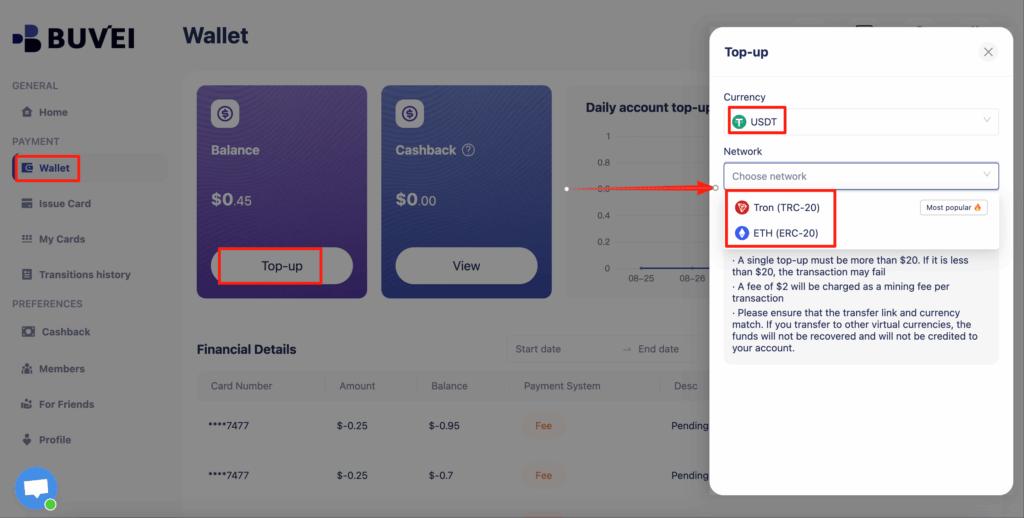
Step 2: Fund Your Wallet
Top up using USDT (TRC20 or ERC20).
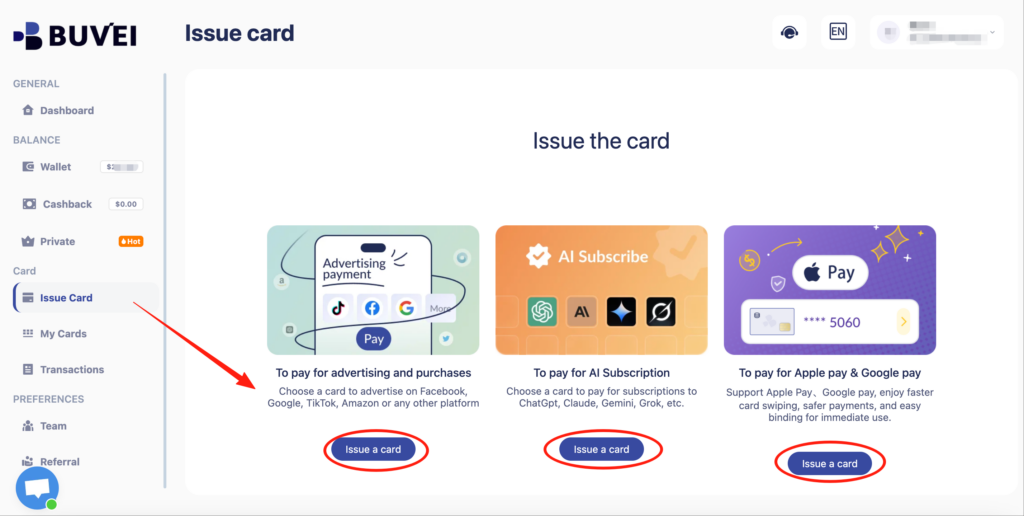
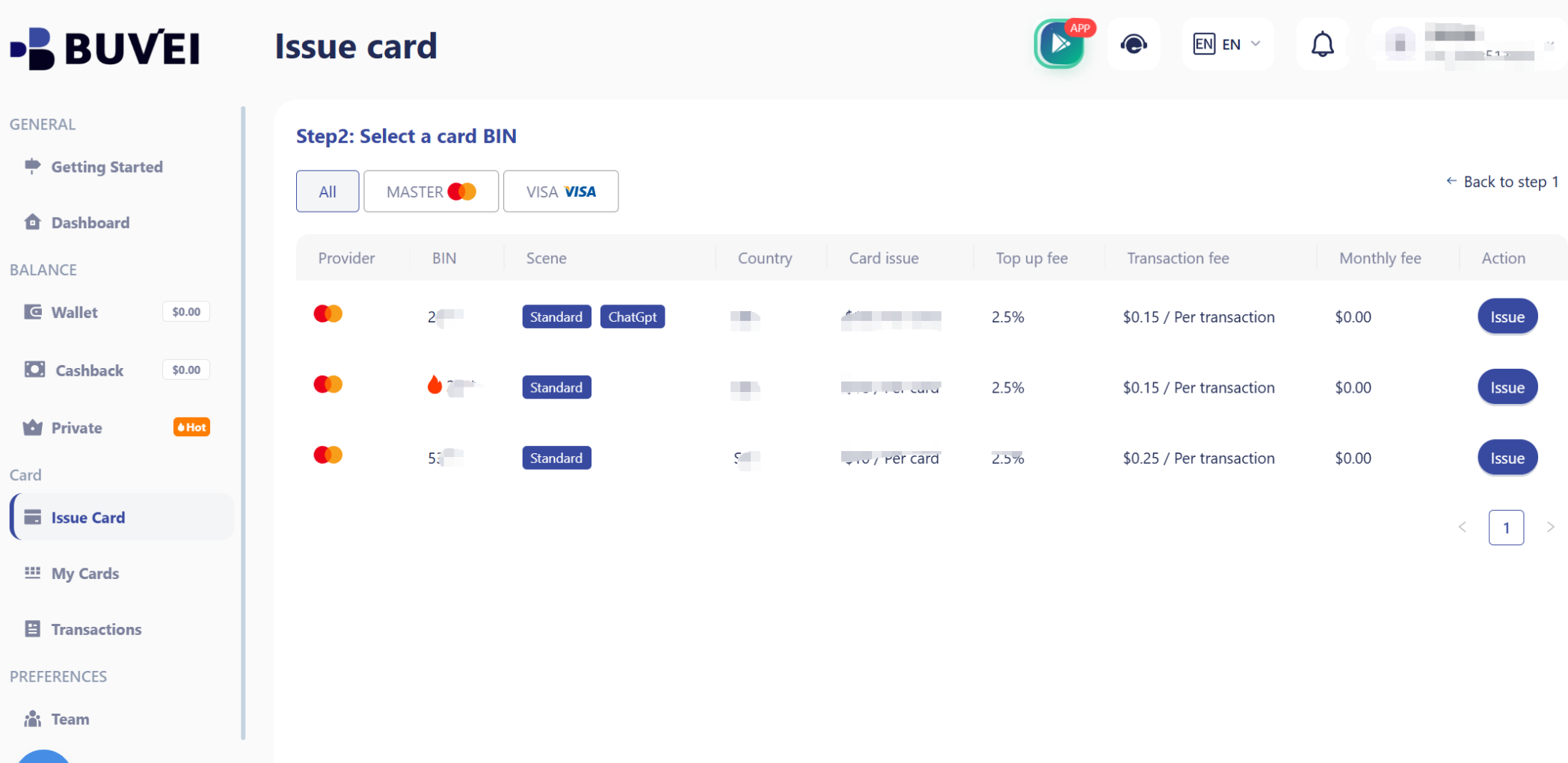
Step 3: Issue a Virtual Card
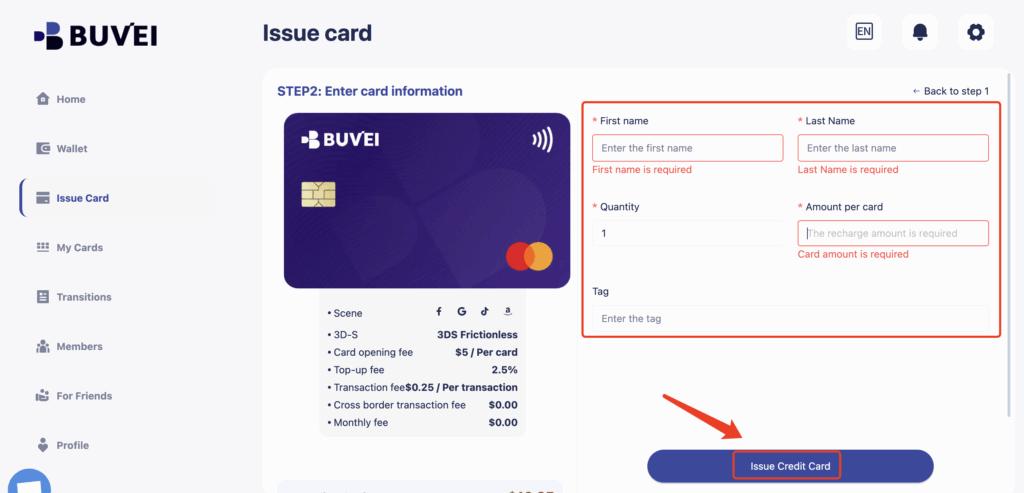
Go to Cards → Create Card:
-
Set a spending balance
-
Assign a card name (e.g., X Ads – Account 1)
-
Generate card details (number, expiry, CVV)
Step 4: Add the Card to Your Cloud Account
Use the Buvei virtual card details to complete the payment setup on your chosen cloud platform.
If an ad account receives warnings, payment retries, or early restrictions:
-
Stop using the existing card
-
Issue a new virtual card
-
Attach it only after resolving policy issues
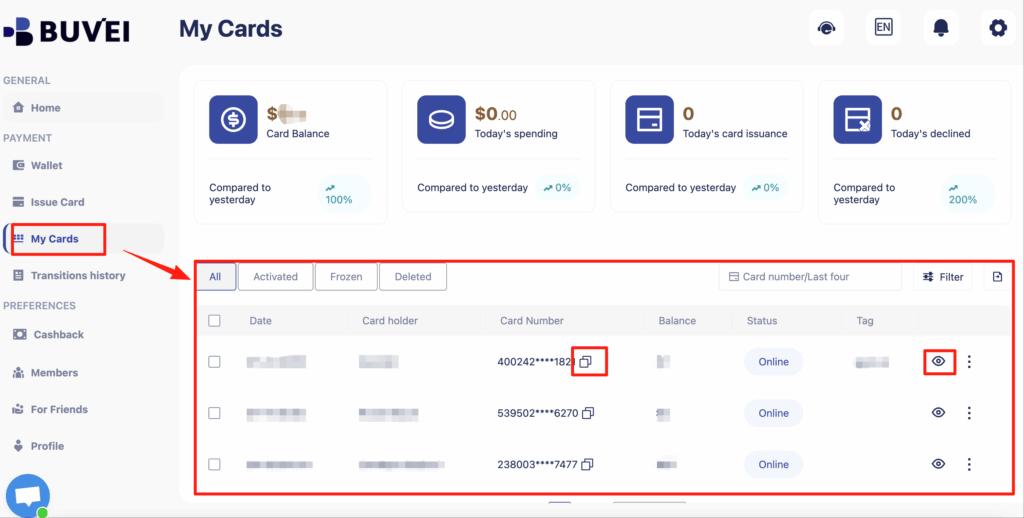
From My Cards, affiliates can monitor balances, spending activity, and transaction history—making it easier to spot early warning signs.
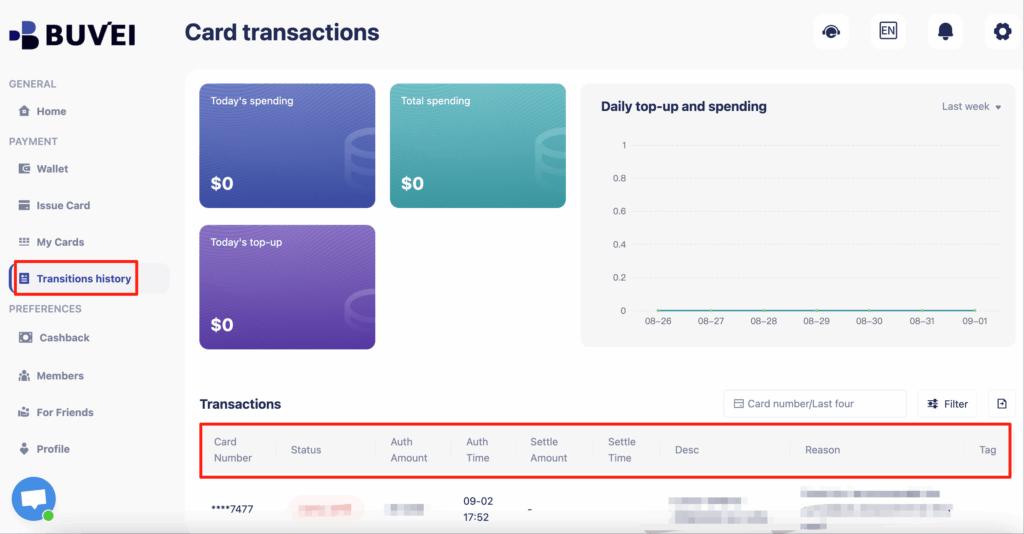
Buvei supports issuing multiple cards quickly, making it easy to match payment structure to campaign structure.
How to Prevent Future Billing Failures
For long-term X Ads stability, follow these best practices:
-
Use one virtual card per ad account
-
Keep sufficient balance for automatic charges
-
Avoid frequent removal and re-adding of cards
-
Do not repeatedly retry failed payments
-
Match account region, BIN, and IP as closely as possible
For scaled advertising operations, payment structure hygiene is often more important than creatives or targeting.

Final Thoughts
X Ads billing is not complicated—but it is extremely sensitive to abnormal payment behavior. Instead of repeatedly testing different credit cards, advertisers benefit more from building a clean, controlled virtual card system from the start.
Using virtual cards to isolate risk, manage spend, and reduce account linkage is one of the most reliable ways to keep X Ads accounts active and scalable.