
Alibaba Cloud is widely used for cloud hosting, storage, and enterprise services. However, it still does not accept cryptocurrency directly. If you hold USDT or other crypto and want to pay for Alibaba Cloud services, the most practical solution is to use a crypto-funded virtual card.
This guide explains exactly how to do that using Buvei virtual cards.

Alibaba Cloud Billing Methods Overview
Alibaba Cloud officially supports:
-
Credit cards (Visa / Mastercard)
-
Debit cards
-
PayPal (limited regions)
-
Bank transfers
There is no direct crypto payment option. That means users who hold crypto must convert their funds into a payment method Alibaba Cloud recognizes. This is where virtual cards become useful.
Using Crypto Without a Credit Card on Alibaba Cloud
Instead of using your personal bank card, you can:
-
Fund a virtual card with USDT
-
Use that virtual card like a normal Visa/Mastercard
-
Pay Alibaba Cloud safely without exposing your real banking details
Benefits include:
-
Use crypto for real-world payments
-
Better privacy and separation from your main bank
-
Easier control over spending
-
Reduced risk if a platform flags your card
How to Create a Buvei Virtual Card with Crypto
Buvei allows users to fund accounts with crypto and issue ready-to-use virtual cards.
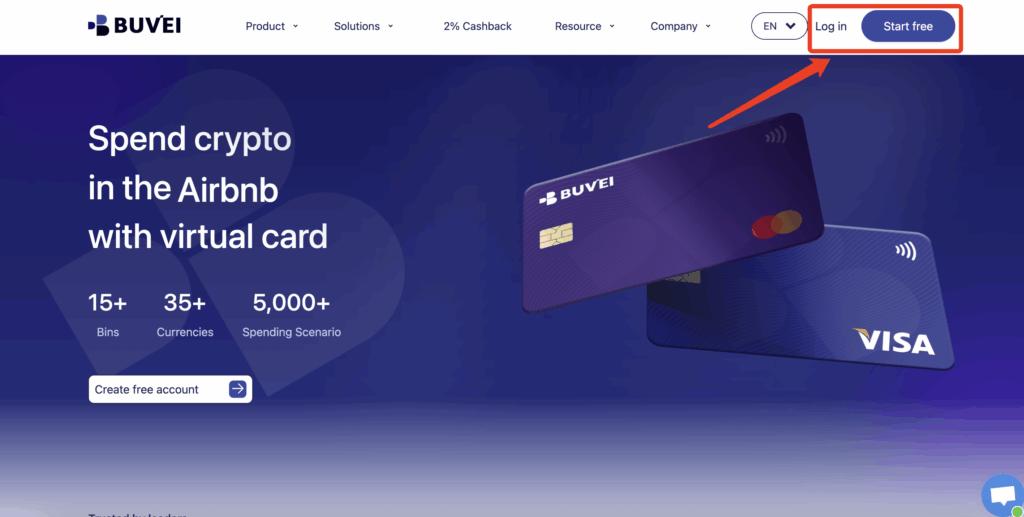
Step 1: Register a Buvei Account
Visit https://buvei.com and create a free account.
Complete email verification and log in to your Buvei dashboard.
Step 2: Fund Your Account
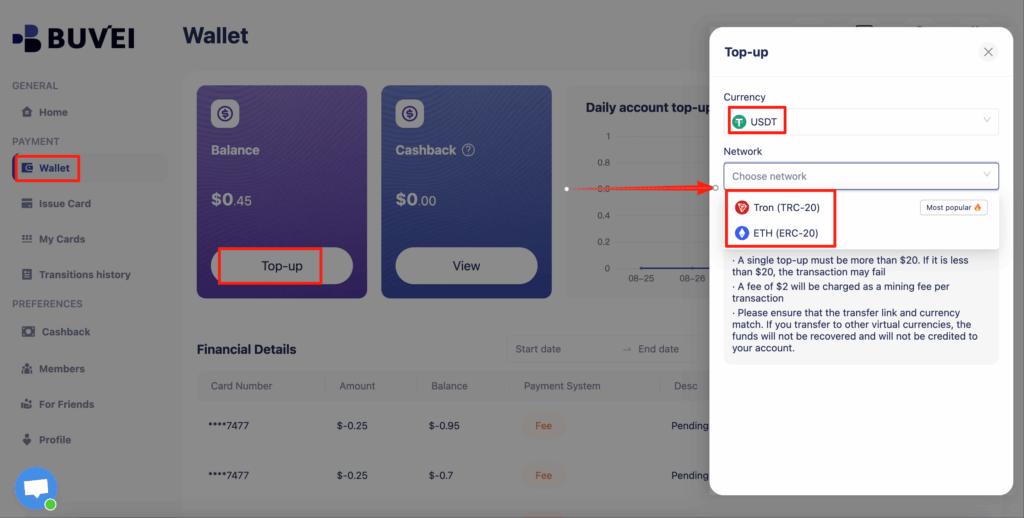
Go to the Wallet tab.
Choose USDT (TRC20 or ERC20) as your deposit method.
You will receive a unique deposit address.
Send USDT to this address.
After confirmation, your balance will appear in your wallet and be available immediately.
Step 3: Create a Virtual Card
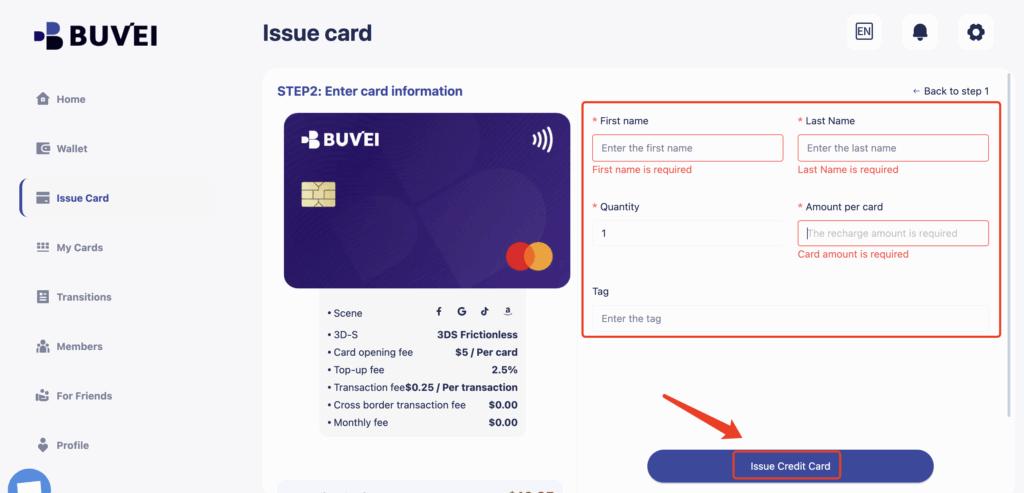
Go to the Cards tab.
Choose your preferred BIN region (US BIN is recommended for higher approval rates).
Select your card type.
Click create.

Fill in the card details:
-
Card name
-
Amount
-
Number of cards
Click issue card.
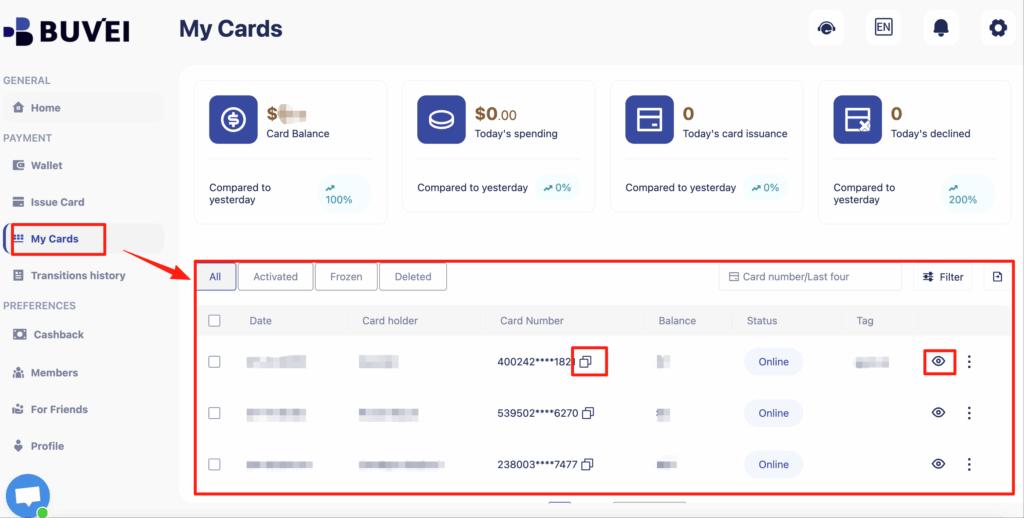
After creation, go to My Cards to view:
-
Card number
-
Expiry date
-
CVV
-
Card balance
-
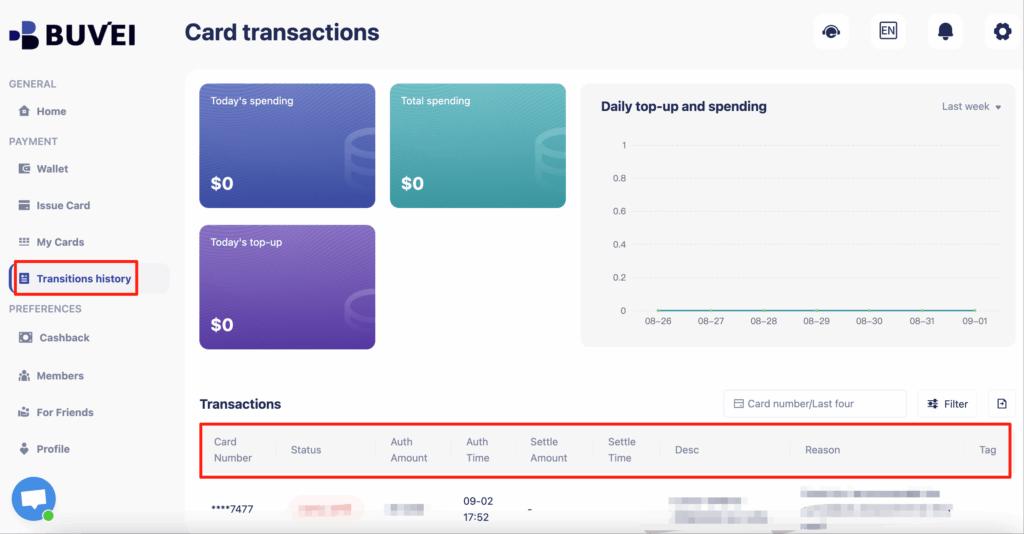
Transaction history
Preventing Account Suspension Due to Billing Issues
Cloud platforms monitor billing behavior closely. To avoid problems:
-
Always keep enough balance on your virtual card
-
Avoid frequent failed payment attempts
-
Use one card per account if managing multiple services
-
Do not constantly change payment methods
Buvei makes this easier because you can create separate cards for different services, which improves stability.

Best Practices for Long-Term Cloud Payments
If you plan to use Alibaba Cloud long-term:
-
Create a dedicated virtual card only for Alibaba Cloud
-
Top up gradually instead of large irregular payments
-
Track spending using Buvei’s transaction history
-
Use multiple cards if managing multiple Alibaba Cloud accounts
This structure provides better organization, cleaner billing history, and stronger account safety.