Microsoft Azure is widely used for cloud computing, hosting, AI, and enterprise workloads. However, Azure billing is still heavily card-centric, which creates problems for users who don’t have access to traditional credit cards or whose local bank cards are frequently declined.
This guide explains Azure’s payment requirements, why local cards often fail, and how virtual cards—especially Buvei virtual cards—can be used as a practical alternative for Azure billing, while maintaining cost control.

Azure Payment Requirements Explained
Azure primarily supports the following payment methods:
-
Credit cards (Visa, Mastercard)
-
Debit cards with international online payment enabled
-
In limited regions: invoices or enterprise agreements
For most individual users and small teams, a valid international card is mandatory. Azure uses card verification not only for billing, but also for:
-
Account identity validation
-
Fraud prevention
-
Usage authorization for pay-as-you-go services
This makes Azure less flexible than some other cloud providers.
Why Many Users Can’t Use Local Bank Cards
Users outside North America and Western Europe often face repeated payment issues on Azure.
Common reasons include:
-
Local debit cards blocked for international or recurring payments
-
Banks declining cloud services as “high-risk merchants”
-
Card BIN country mismatches with Azure account region
-
Strict 3D Secure requirements that fail silently
-
Low authorization limits on local cards
Even valid cards may work temporarily and then fail during renewals or usage spikes.
Using Virtual Cards as an Alternative Payment Method
Virtual cards can function as stand-ins for traditional credit cards, provided they meet Azure’s expectations.
A virtual card suitable for Azure should:
-
Be issued under Visa or Mastercard
-
Support recurring and variable billing
-
Have a stable BIN reputation (US BINs are preferred)
-
Allow sufficient balance and authorization flexibility
-
Not be overly restricted at the transaction level
When properly configured, virtual cards can work just as reliably as physical cards for Azure pay-as-you-go billing.
How to Open a Buvei Virtual Card for Azure Billing
Buvei is commonly used for cloud and SaaS payments because it supports fast issuance, crypto funding, and flexible card management.
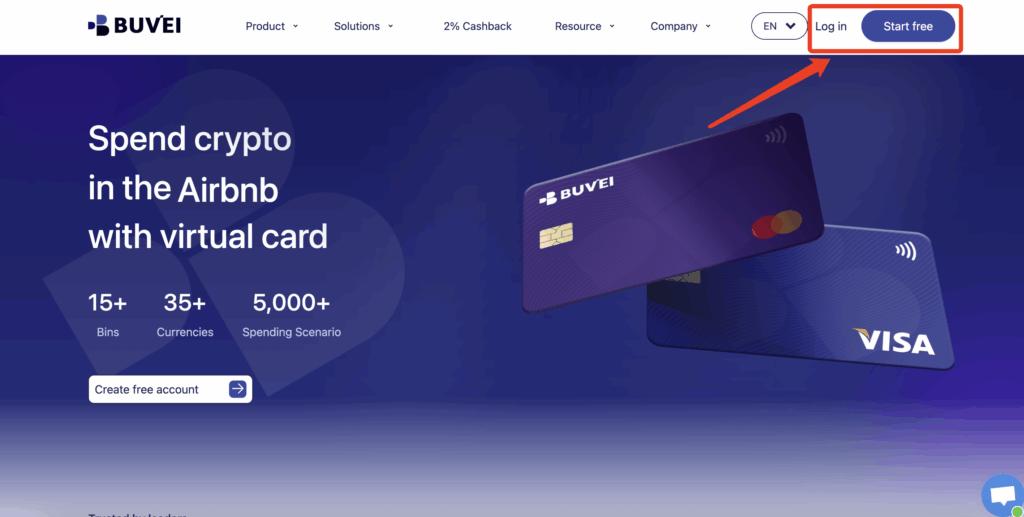
Step 1: Register a Buvei Account
-
Visit https://buvei.com
-
Create a free account
-
Complete email verification
-
Access the Buvei dashboard
Step 2: Fund Your Buvei Wallet
-
Go to the Wallet section
-
Choose USDT (TRC20 or ERC20) as your funding method
-
Copy your dedicated deposit address
-
Send funds to that address
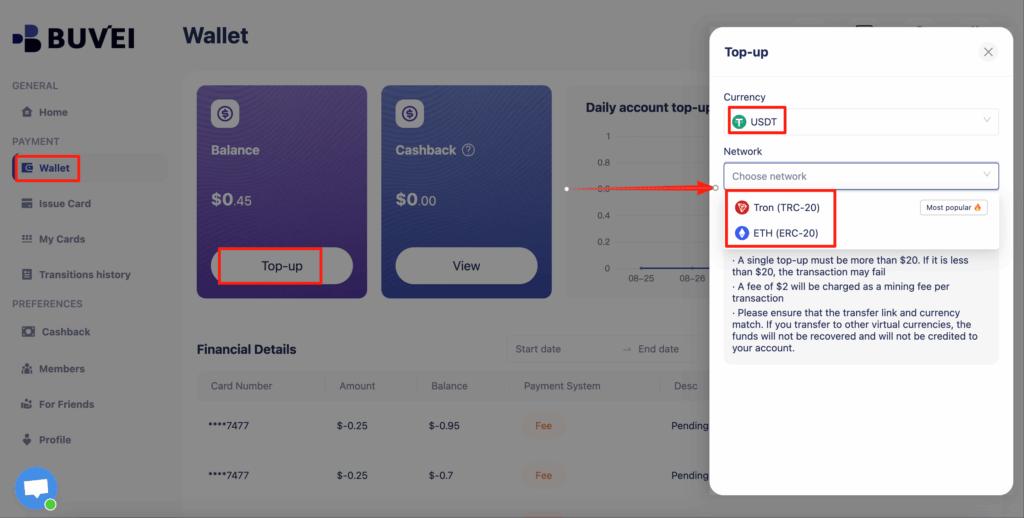
Once the transaction is confirmed, your balance becomes available immediately.
Step 3: Create a Virtual Card
-
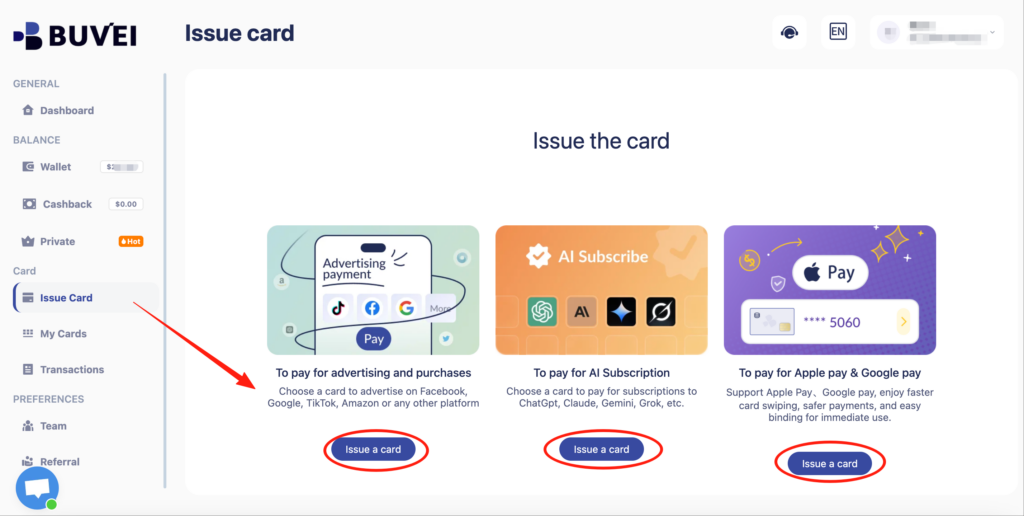
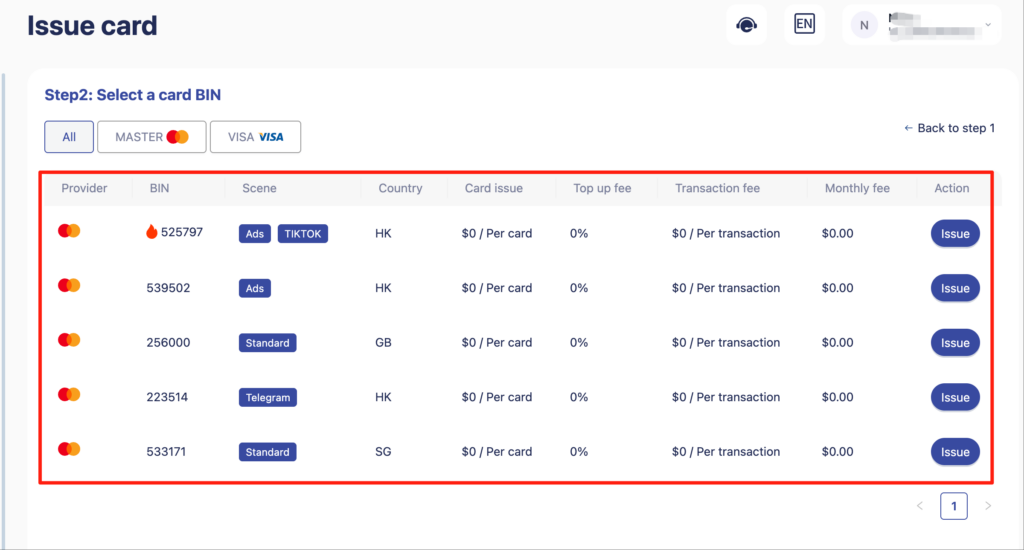
Navigate to Cards → Create Card
-
Configure:
-
BIN region (US BIN recommended for Azure)
-
Card type (Visa or Mastercard)
-
Card balance (based on expected Azure usage)
-
-
Click Issue Card
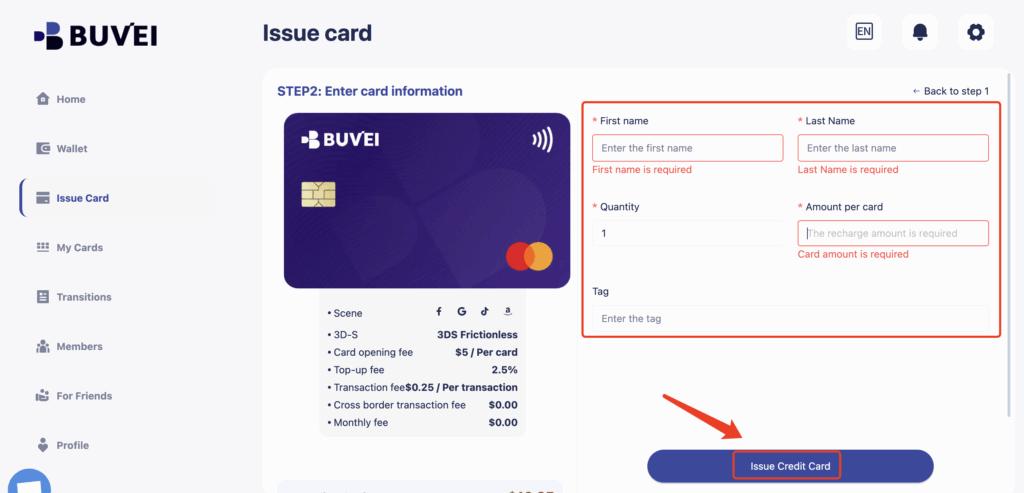
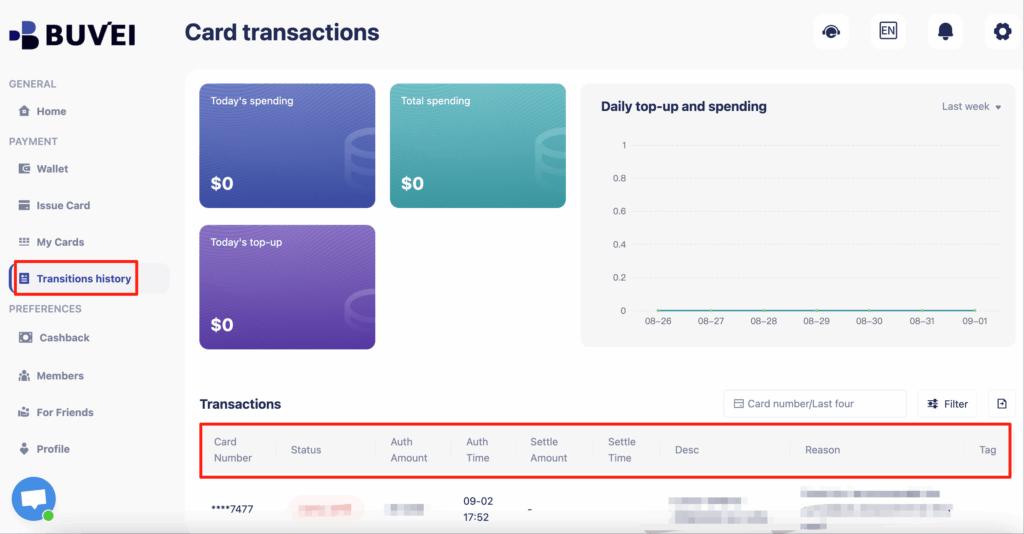
After issuance, go to My Cards to view your card number, expiration date, CVV, and current balance. From the same page, you can track spending activity and transaction history.
Step 4: Add the Card to Azure
Use the Buvei virtual card details to complete the payment method setup in your Azure billing profile.
-
Go to My Cards to view your card number, expiration date, and CVV
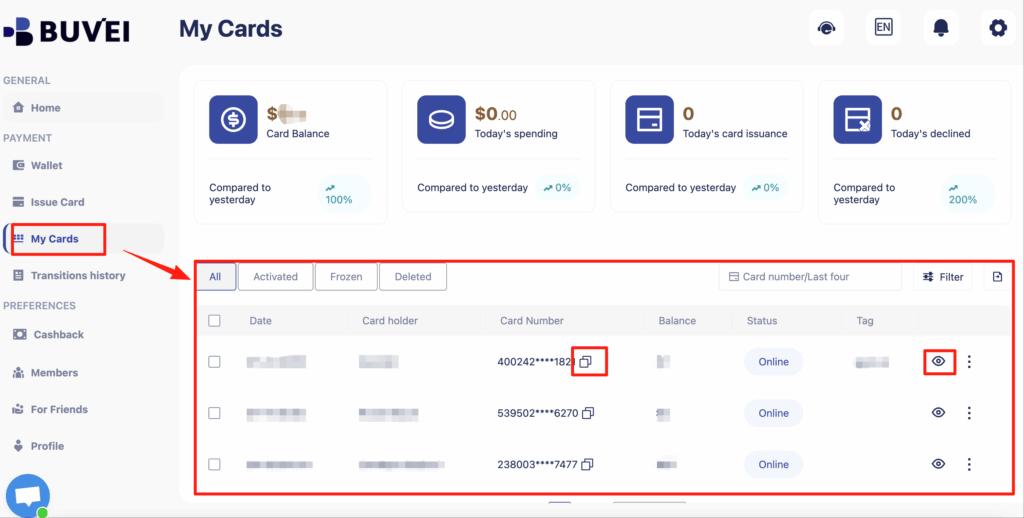
- From the same page, you can monitor balances, top-ups, and all transaction activity for long-term subscription management
Managing Cloud Costs with Card Limits
Azure charges are usage-based, which means costs can grow quickly if resources are misconfigured.
Using virtual cards helps you control risk:
-
Fund only what you’re willing to spend
-
Use one card per Azure subscription or project
-
Let payments fail gracefully if limits are reached
-
Avoid unexpected overages during scaling or testing
For startups and developers, card balance becomes a natural cost cap, adding a layer of financial safety.

Final Thoughts
Paying for Azure without a traditional credit card is challenging—but not impossible. Virtual cards provide a flexible alternative for users facing local banking restrictions, declined payments, or limited card access.
With Buvei virtual cards, you can fund Azure using stablecoins, issue US BIN cards suitable for cloud billing, and maintain clear cost control over your cloud infrastructure. For developers, founders, and global teams, virtual cards offer a practical way to stay operational without relying on traditional credit systems.