Shopee has become one of the largest e-commerce platforms in Southeast Asia and Latin America, attracting millions of online buyers and sellers. However, many users face difficulties when trying to pay for orders or ads due to card restrictions, currency limitations, or failed international transactions.
With Buvei Virtual Cards, you can make secure, fast, and reliable Shopee payments — whether for shopping, seller ads, or cross-border purchases — all with multi-BIN Visa/Mastercard cards that support USDT top-ups and instant issuance.
Why Shopee Payments Often Fail
If you’ve ever seen “payment declined” or “card not supported” on Shopee, it’s often due to:
-
Regional restrictions — some local banks block international Shopee transactions.
-
Unsupported BIN ranges — Shopee doesn’t accept all virtual or prepaid cards.
-
Insufficient balance — cards must have small pre-authorized funds to verify.
-
Risk control triggers — high-frequency transactions or mismatched billing info.
Buvei addresses all of these issues by providing verified global BINs and fintech-grade risk controls that maximize approval rates.

Step-by-Step Guide: How to Pay on Shopee with Buvei
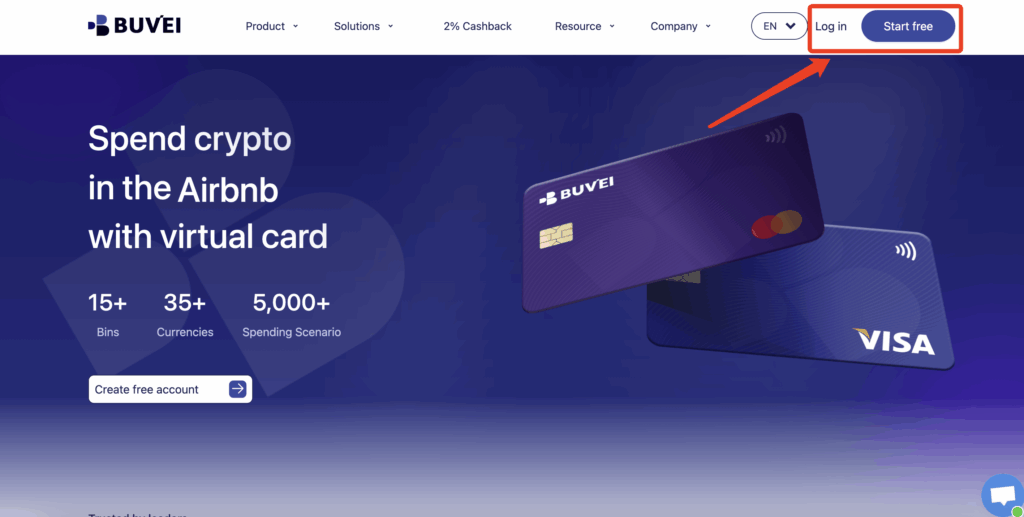
Step 1. Create and Top Up Your Buvei Account
- visit https://buvei.com and create a free account.
- After email verification, log in to access the Buvei dashboard.
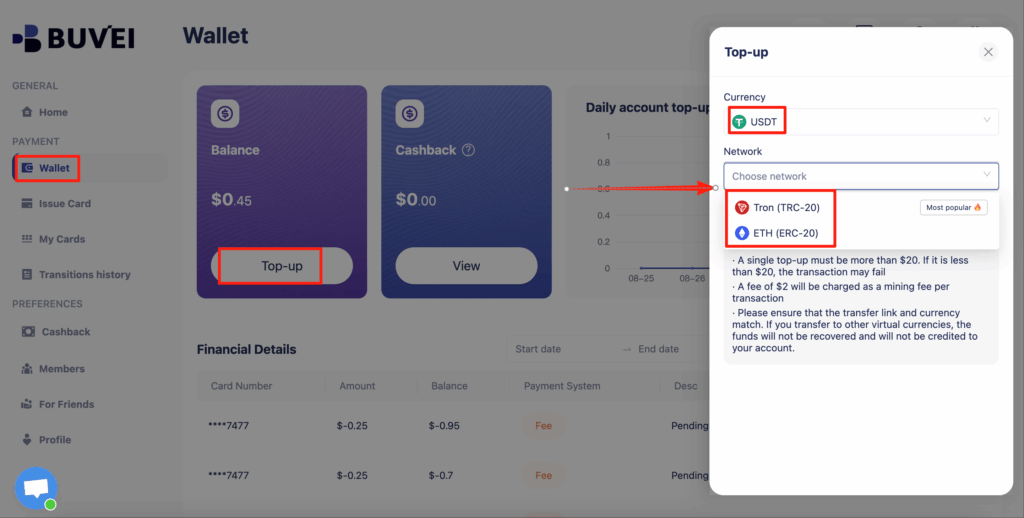
- Navigate to the Wallet tab and top up using supported stablecoins like USDT (TRC20/ERC20). You’ll receive a unique address—copy it and send your funds.
- Once confirmed, your balance will appear in the wallet for immediate use.
- Create a Virtual Card
-
Go to the Card tab
-
Choose your preferred BIN region ,(recommends using US BIN)
-
Select your card type
-
Click Issue
-

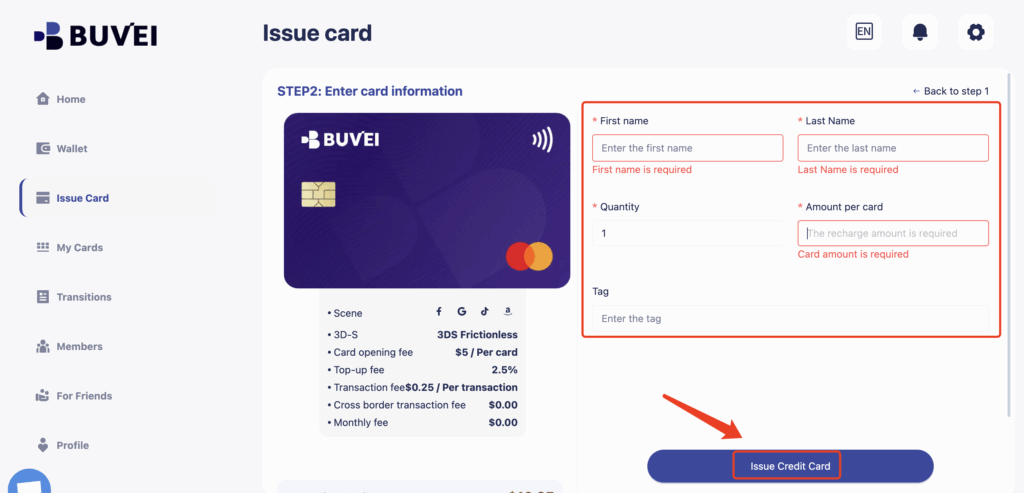
- Fill in the virtual card details, including name, amount, and number of cards.
-
Click Issue Card
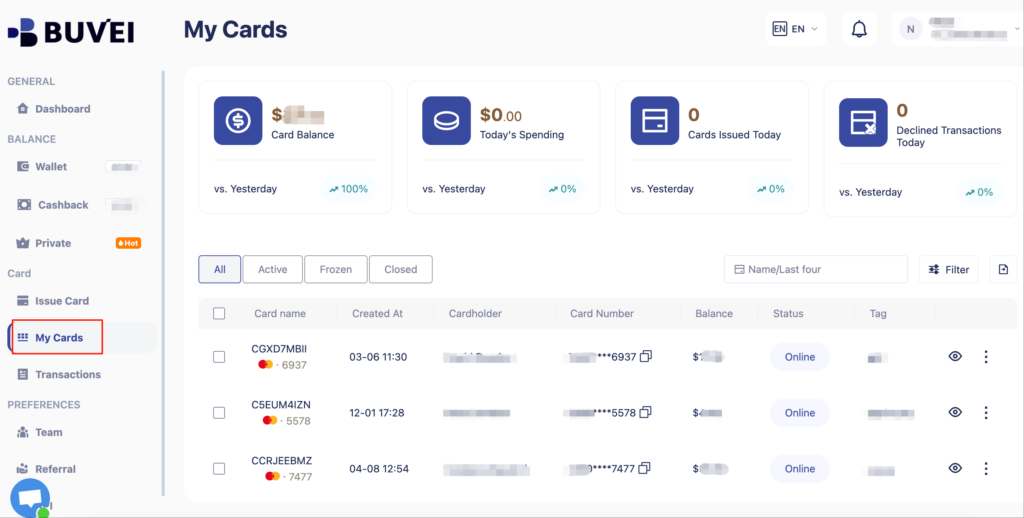
- Once created, navigate to My Cards to access your card details:
-
Card Number
-
Expiration Date
-
CVV
-
Step 2. Add the Card to Shopee
-
Open the Shopee app or website.
-
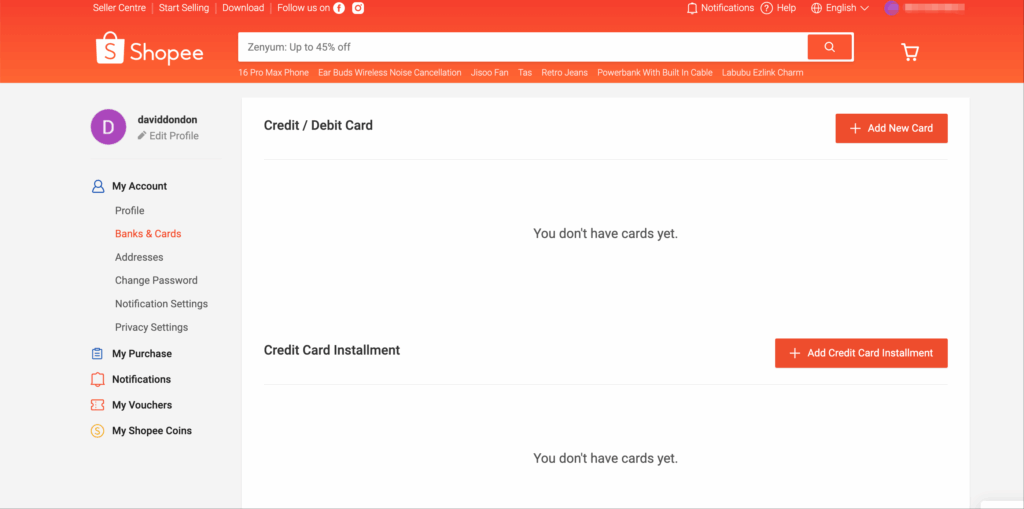
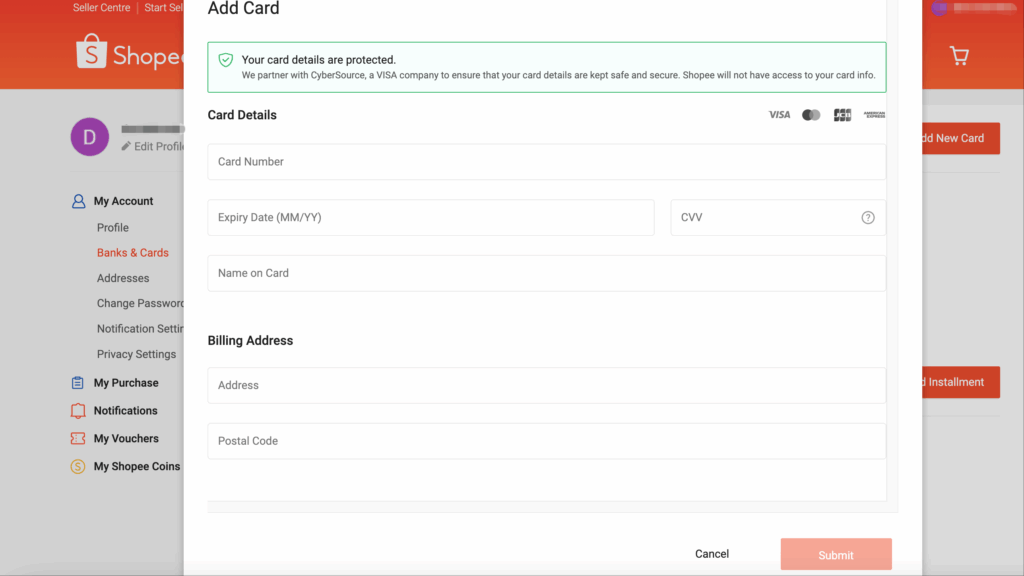
Go to “My Account → Banks & Cards → Add New Card.”
-
Enter your Buvei virtual card details.
-
Billing address: choose the same country as the BIN region.
-
Shopee will make a small pre-authorization (usually < $1) to verify.
-
Once verified, your card is ready for purchases or ad payments.
Step 3. Make a Purchase or Pay for Ads
-
Select items or top up Shopee Ads.
-
Choose your Buvei virtual card as the payment method.
-
Confirm payment — transactions process instantly.
Tips for Smooth Shopee Payments
✅ Always keep a minimum balance of $3–5 USD to avoid verification failures.
✅ Use consistent billing address and BIN region (e.g., Hong Kong BIN → HK address).
✅ Avoid adding too many cards to one account.
✅ For frequent advertisers, create a dedicated card per Shopee store for better tracking.
Why Choose Buvei for Shopee
Buvei is built for global entrepreneurs, e-commerce sellers, and digital nomads who need flexible, borderless payments:
-
Multi-BIN virtual cards — HK, US, UK, SG BINs optimized for ad platforms and e-commerce.
-
USDT top-ups — seamless deposits via TRC20 / ERC20 networks.
-
Instant issuance — get a working card in seconds.
-
High success rate — advanced risk control and verified BINs reduce payment failures.
-
Business & personal dashboards — manage multiple cards, budgets, and teams.
Conclusion
Whether you’re shopping, managing a Shopee store, or running ads, Buvei gives you the easiest and safest way to handle payments without regional restrictions or card rejections.
Start today — issue your Buvei virtual card in seconds and enjoy seamless Shopee transactions anywhere in the world. Get Your Buvei Virtual Card Now