Creating an account with Amazon Web Services (AWS) typically requires adding a valid credit or debit card during registration. Even if you plan to use the Free Tier, AWS uses card verification to confirm identity and enable billing for usage beyond free limits.
For users who do not have a traditional credit card, virtual cards can serve as an alternative payment method — provided they meet AWS billing requirements.
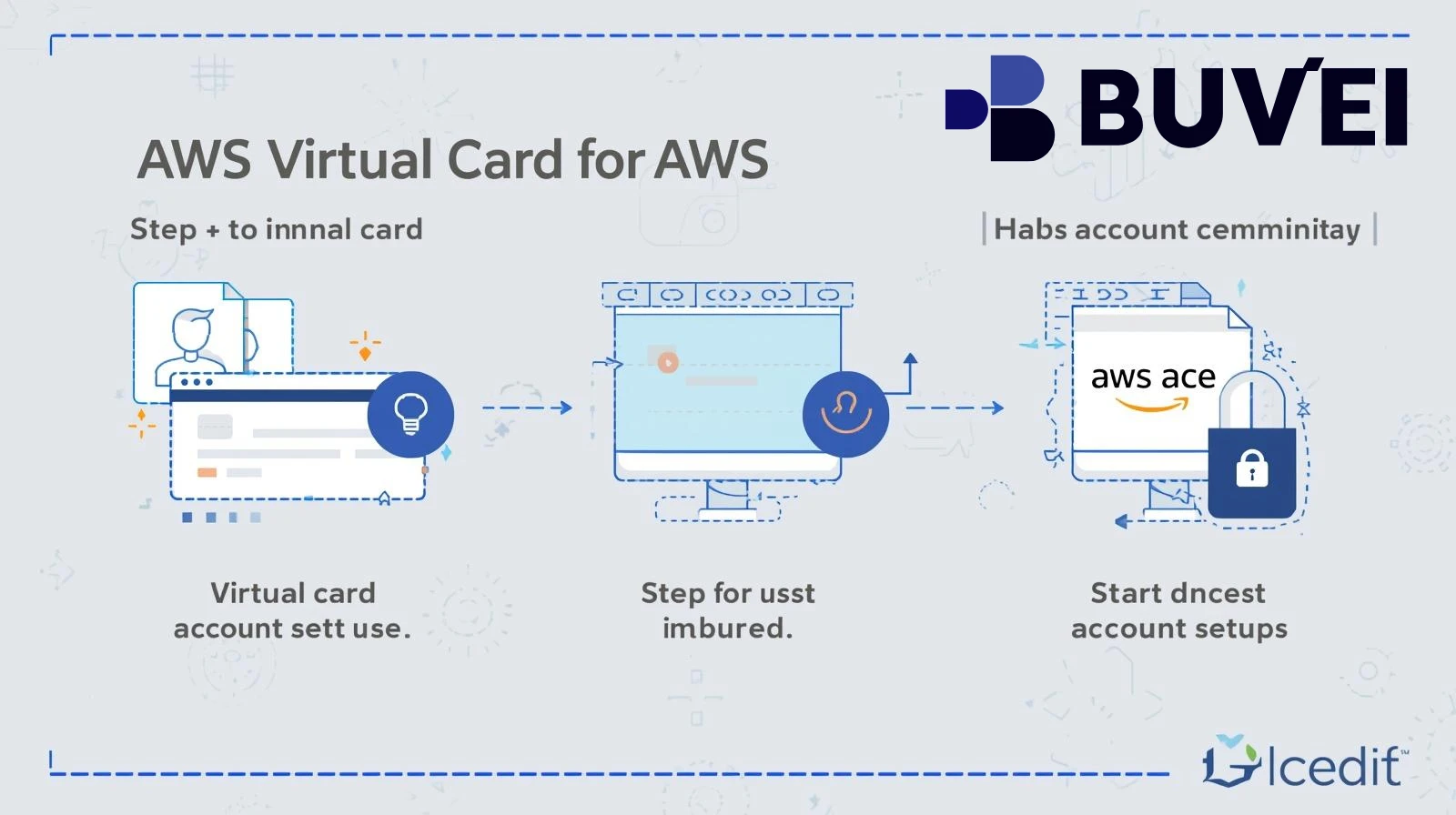
This guide explains how virtual cards can be used for AWS account creation and how to set them up correctly.
Why AWS Requires Credit Card Information for Account Creation
AWS collects payment details during sign-up for several reasons:
🔹 Identity Verification
Card authorization helps confirm account authenticity.
🔹 Billing Coverage
Charges may apply if usage exceeds Free Tier limits.
🔹 Fraud Prevention
Valid payment methods reduce abuse of cloud resources.
Even if you do not plan to incur charges immediately, a valid card is required for account activation.
How Virtual Cards Solve AWS Account Creation Without a Credit Card
Virtual cards function like standard Visa or Mastercard debit cards but are issued digitally.
They can help in scenarios where:
-
You do not have a physical credit card
-
You prefer not to link your main bank account
-
You need spending control for cloud costs
-
You want a dedicated card for AWS billing
As long as the virtual card supports:
-
International online payments
-
Card verification authorization
-
Sufficient balance for temporary holds
It may be used as a billing method during AWS registration.
Best Virtual Cards for AWS Account Setup Without Credit Cards
When selecting a virtual card for AWS:
✔ International Authorization Support
Cloud services often process cross-border transactions.
✔ Adjustable Spending Limits
Helps control cloud costs.
✔ Reliable Authorization Success Rate
Important for passing initial verification.
✔ Transparent Fees
Review currency conversion and transaction charges.
✔ Fast Issuance
Useful when immediate setup is needed.
Cards backed by major payment networks generally offer broader compatibility.
Common Issues with AWS Payments — and How Virtual Cards Help
🔹 Card Declined During Verification
Some banks block international online transactions.
Solution: Use a virtual card configured for global online payments.
🔹 Insufficient Funds
Temporary holds fail due to low balance.
Solution: Maintain sufficient funds before registration.
🔹 Billing Suspension
Unpaid charges may pause services.
Solution: Use a dedicated card and set billing alerts.
🔹 Unexpected Overages
Free Tier limits exceeded.
Solution: Set spending limits on the virtual card.

How to Get a Virtual Card from Buvei for AWS Billing
For users seeking structured digital payment management:
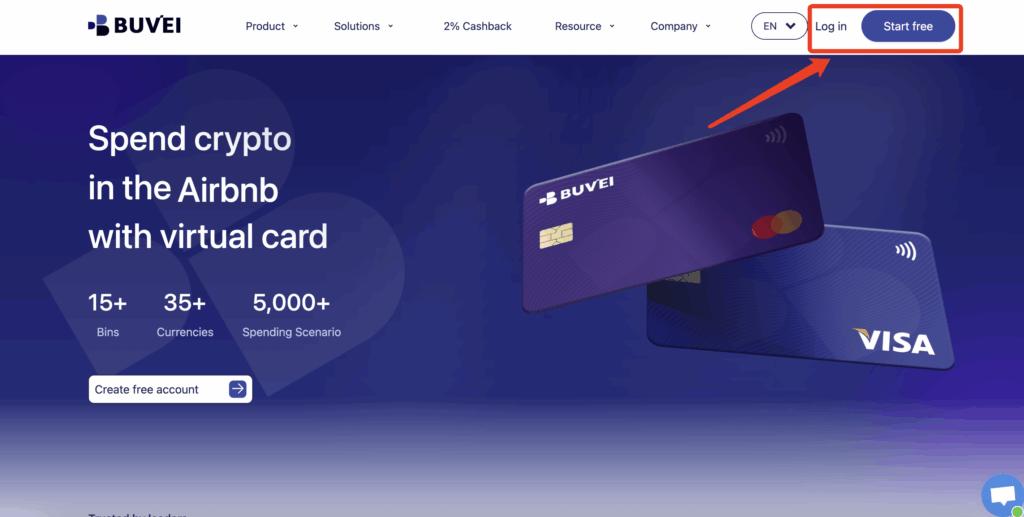
Step 1: Register
-
Visit https://buvei.com
-
Create a free account
-
Verify email
-
Access dashboard
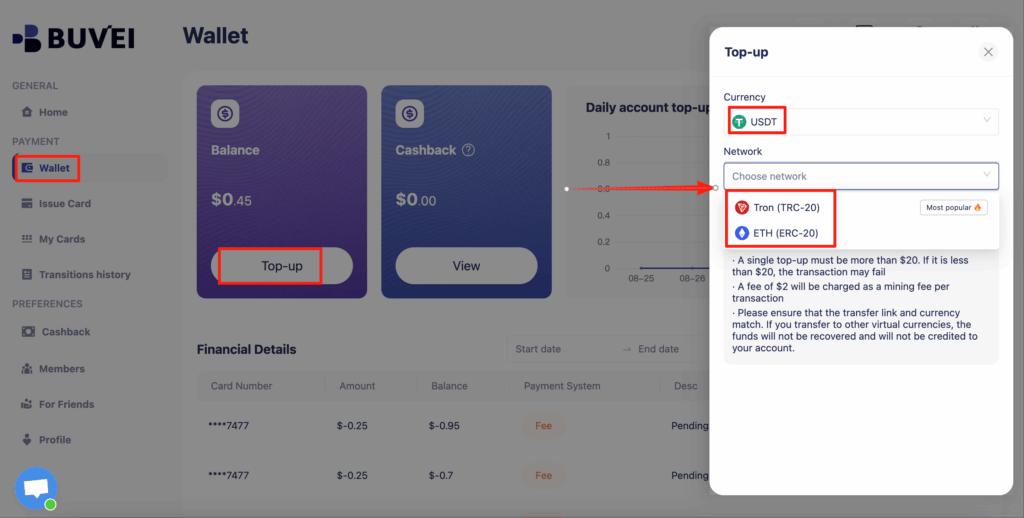
Step 2: Deposit USDT
-
Go to Wallet
-
Select USDT (TRC20 or ERC20)
-
Copy deposit address
-
Transfer funds
-
Wait for confirmation
Step 3: Issue a Virtual Card
-
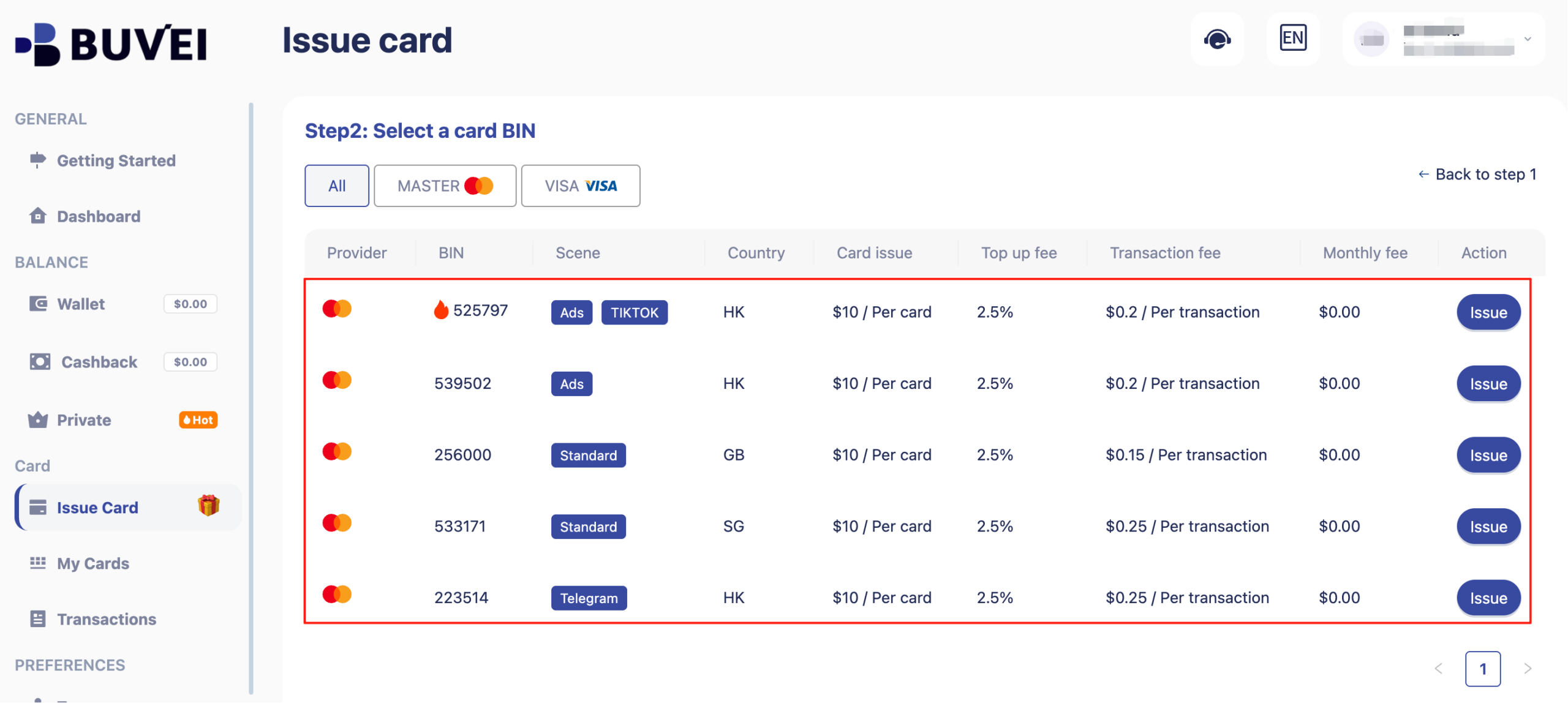
Navigate to Cards
-
Choose region and card type
-
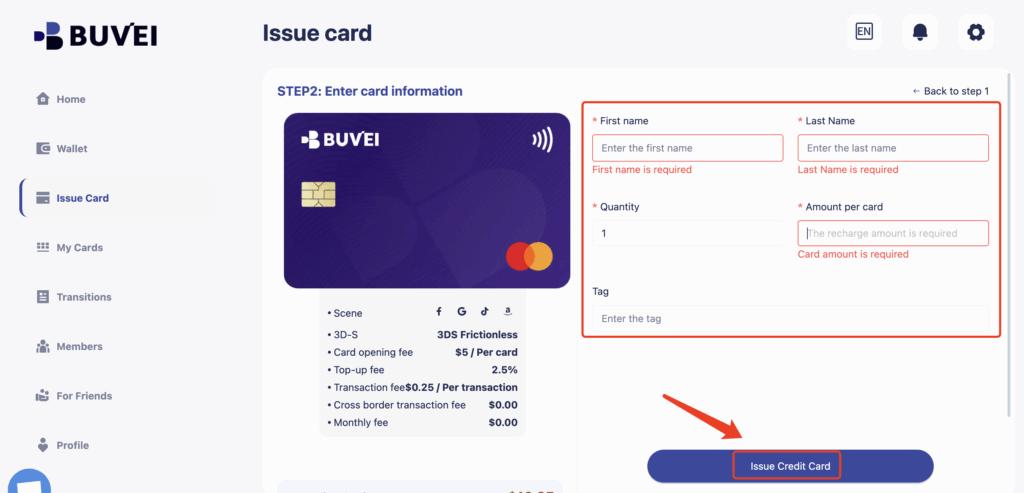
Set spending limit
-
Click Issue Card
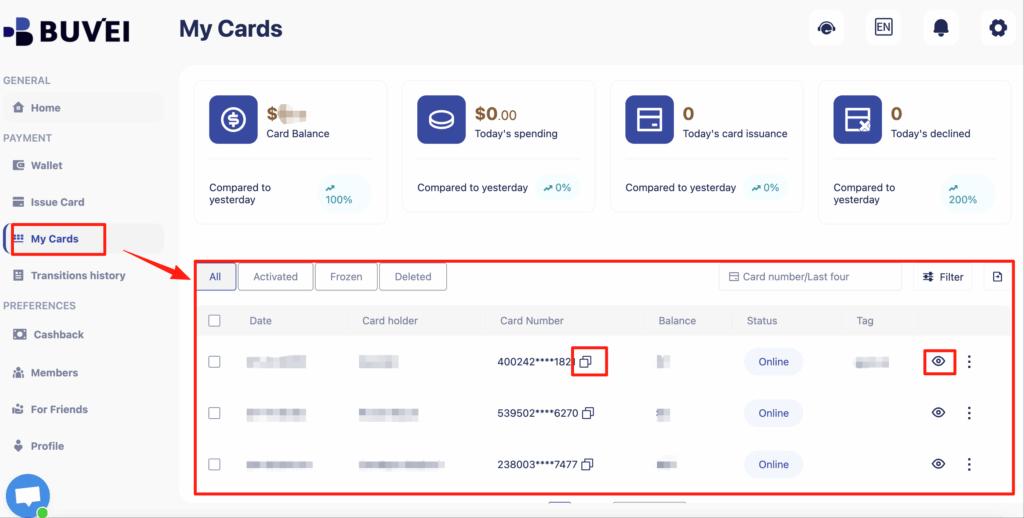
Once issued, add the card details during AWS account registration.
-
Card number
-
Expiration date
-
CVV
-
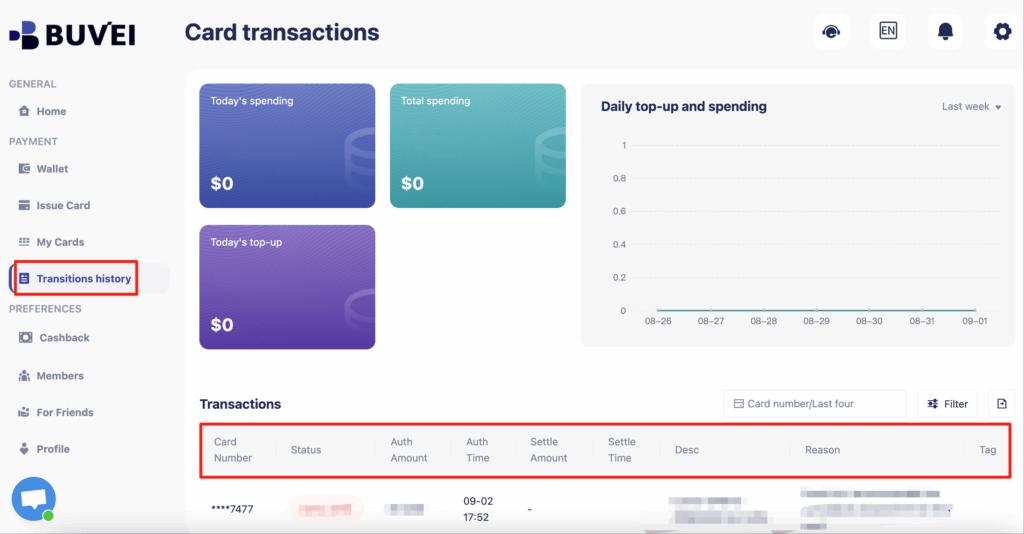
Transaction history
Best Practices for AWS Payment Stability
To maintain uninterrupted service:
-
Keep sufficient balance
-
Set AWS billing alerts
-
Monitor monthly usage
-
Use separate cards for different projects
-
Avoid repeated failed authorization attempts
Structured payment management reduces account suspension risks.
Conclusion
AWS requires a valid payment method during account creation, even for Free Tier usage. For users without traditional credit cards, virtual cards can serve as an alternative when properly configured.
By selecting compatible virtual cards, maintaining sufficient balance, and monitoring billing activity, users can create and manage AWS accounts securely and efficiently.