
As cloud adoption accelerates, developers and startups increasingly look for flexible ways to pay infrastructure bills — especially without relying on traditional credit cards. While Google Cloud crypto payments aren’t supported natively, virtual card technology now makes it possible to fund cloud services using stablecoins like USDT.
This guide explains how Google Cloud billing works, why crypto isn’t directly accepted, and how to pay Google Cloud without a credit card using crypto-funded virtual cards — safely and step by step.

Google Cloud Billing Requirements Explained
Google Cloud operates on a structured billing model designed to reduce service disruption while ensuring payment reliability.
Typical billing requirements include:
-
A valid card attached to the billing profile
-
Automatic charges based on usage
-
Threshold billing (charged after spending reaches a set amount)
-
Monthly invoicing for qualified accounts
Because cloud resources scale dynamically, Google prioritizes payment methods that support automatic recurring transactions.
Without a reliable payment method, services can be restricted quickly — sometimes with minimal warning.
Why Google Cloud Doesn’t Accept Direct Crypto Payments
Despite broader institutional adoption of blockchain payments, most hyperscale cloud providers still avoid direct crypto acceptance.
Primary reasons include:
Regulatory Complexity
Crypto regulations vary globally.
Price Volatility
Even stablecoins require compliance oversight.
Accounting Standards
Fiat billing simplifies enterprise reporting.
Fraud Prevention
Card networks provide built-in dispute frameworks.
However, this doesn’t mean crypto users are locked out.
Instead, many teams use crypto-funded virtual cards as a bridge between blockchain assets and traditional payment rails.
How Crypto-Funded Virtual Cards Work
A crypto virtual card functions exactly like a standard payment card — except the balance originates from digital assets.
The process is simple:
-
Fund your wallet with USDT or supported stablecoins
-
Convert funds into card balance
-
Pay merchants normally
From Google Cloud’s perspective, the transaction looks identical to any Visa or Mastercard payment.
Why this approach is gaining traction:
-
Eliminates dependency on bank-issued credit cards
-
Enables faster global payments
-
Supports startups in crypto-native ecosystems
-
Improves spending control
Providers like Buvei are increasingly used by SaaS operators, agencies, and developers managing international infrastructure costs.
Step-by-Step: Paying Google Cloud Without a Credit Card
Below is a complete walkthrough to start paying Google Cloud using crypto-funded virtual cards.
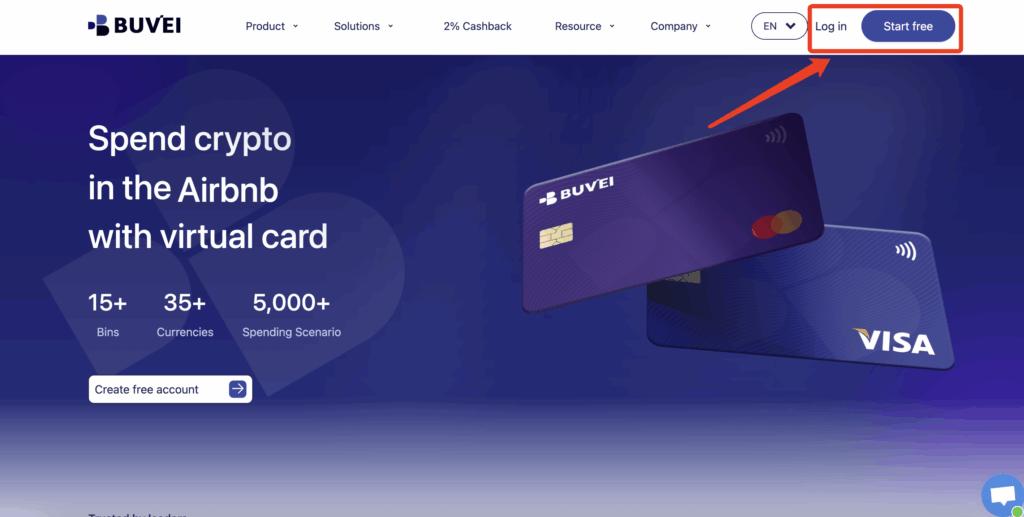
Step 1: Register a Buvei Account
-
Visit https://buvei.com
-
Create a free account
-
Verify your email
-
Log in to the Buvei dashboard
Step 2: Fund Your Wallet
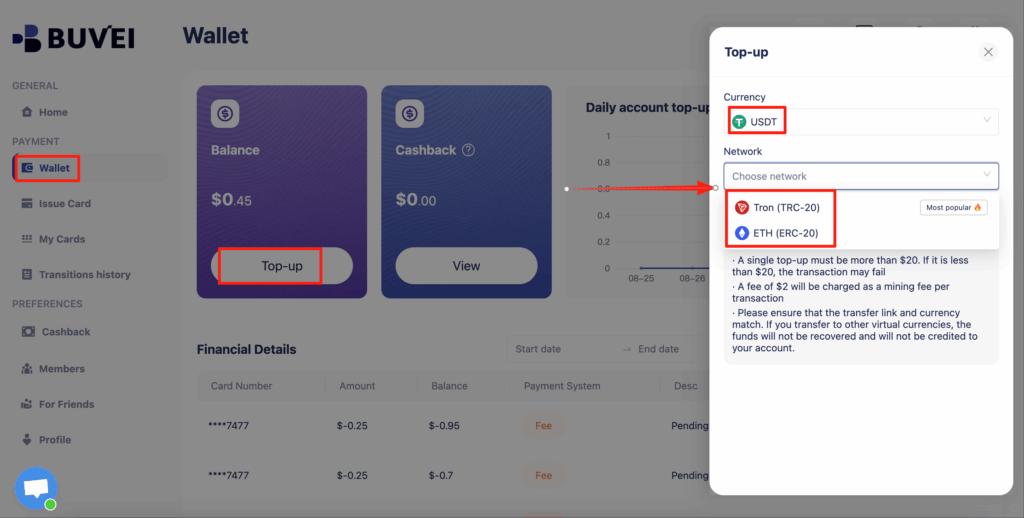
-
Navigate to the Wallet tab
-
Select USDT (TRC20 / ERC20)
-
Copy your unique deposit address
-
Transfer funds
-
Once confirmed, your balance is available immediately
Stablecoin funding helps avoid international wire delays and unnecessary banking fees.
Step 3: Create a Virtual Card
-
Open the Cards tab
-
Choose your preferred BIN region (U.S. recommended for cloud platforms)

-
Select card type
-
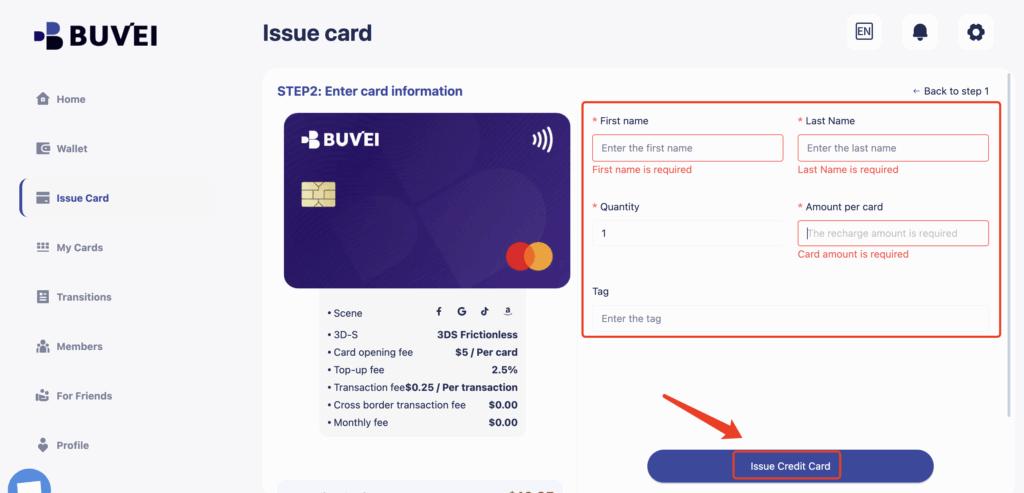
Click Issue Card
-
Enter:
-
Card name (e.g., “Google Cloud Billing”)
-
Card amount
-
Number of cards
-
-
Confirm issuance
Virtual cards are generated almost instantly — no complex onboarding required.
Step 4: View Card Details
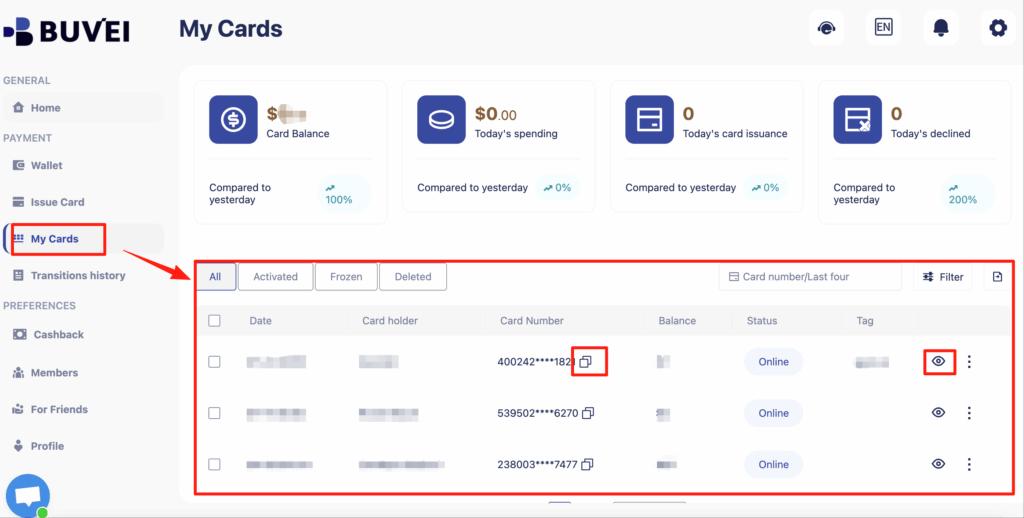
Go to My Cards to access:
-
Card number
-
Expiration date
-
CVV
-
Transaction overview
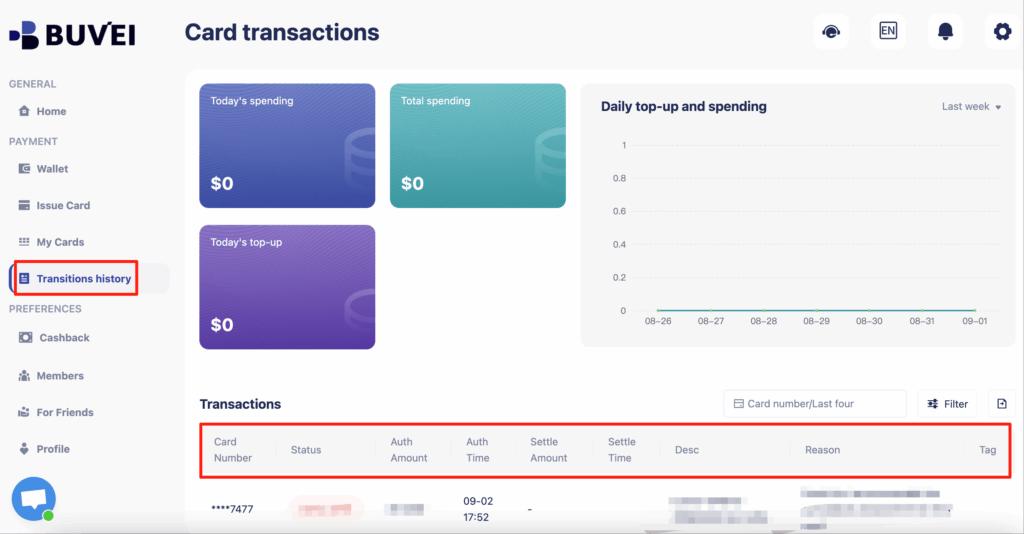
-
Spending history
Your card is now ready for cloud billing.
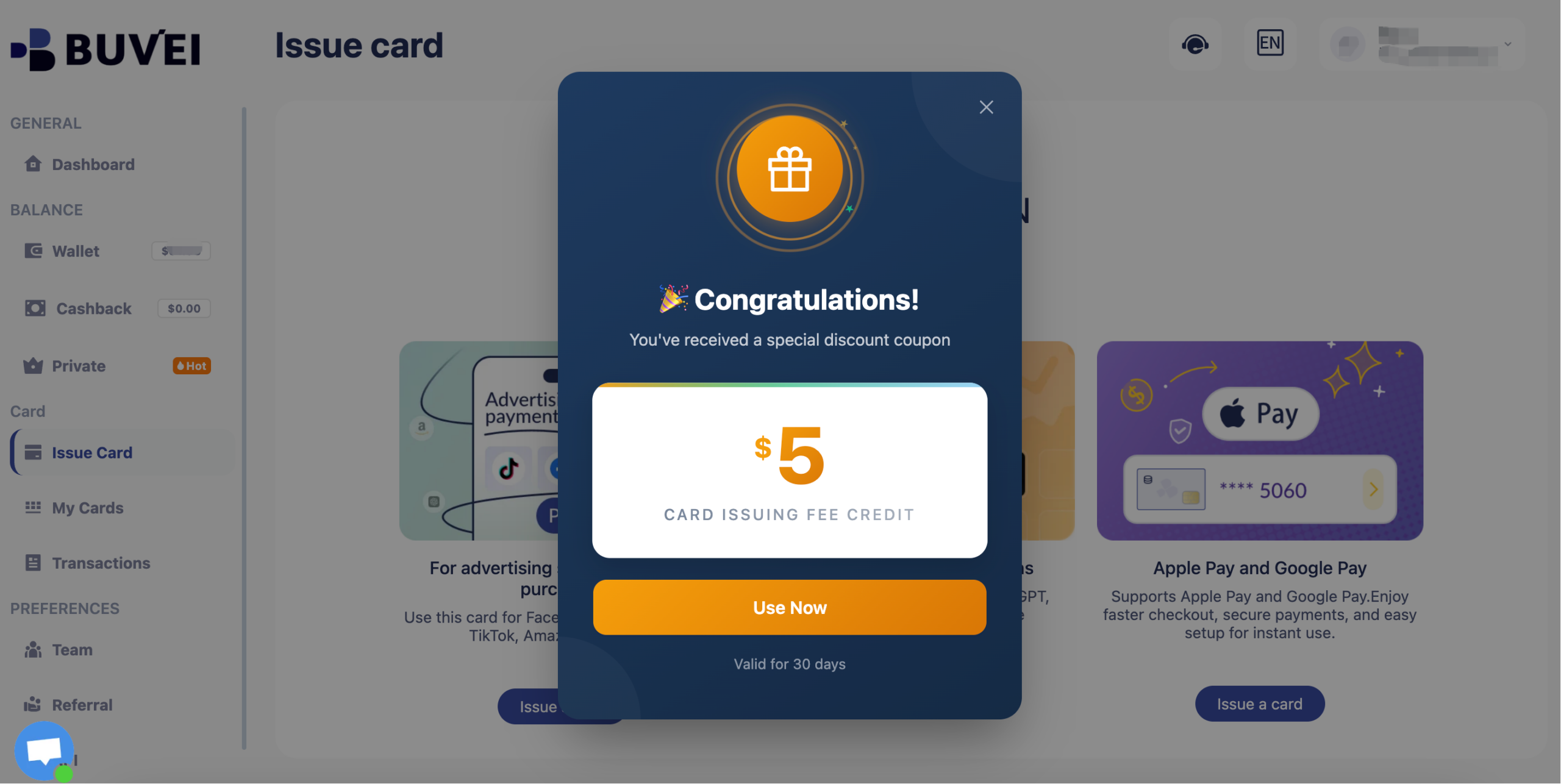
New users receive a $5 virtual card issuance coupon upon registration.
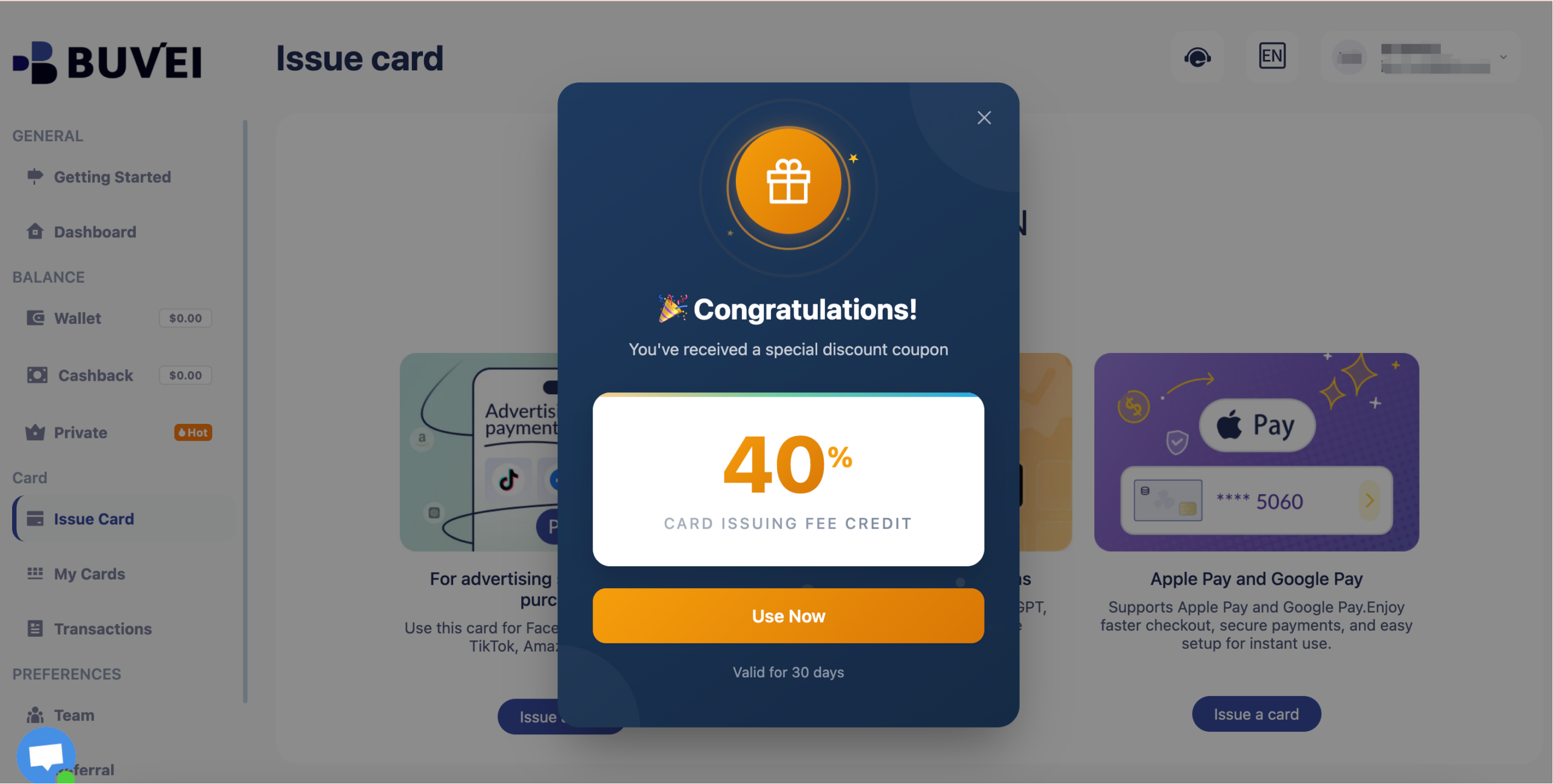
Inactive users may receive discount coupons of up to 40%, reducing operational costs even further.
Step 5: Add the Card to Google Cloud
-
Open Google Cloud Console
-
Navigate to Billing → Payment Methods
-
Click Add Payment Method
-
Enter your virtual card details
-
Save and set it as the primary payment method
Once added, charges will process automatically.

Managing Recurring Cloud Billing Safely
Cloud spending is rarely static — making proactive payment management essential.
Recommended practices:
Maintain a Balance Buffer
Avoid service interruptions by keeping extra funds available.
Use Dedicated Cards
Assign one card per project or environment.
Monitor Billing Thresholds
Unexpected scaling can trigger faster charges.
Enable Alerts
Track usage before invoices hit.
Separate Risk Across Cards
If one card encounters an issue, your entire infrastructure isn’t affected.
Buvei supports multi-card management, allowing teams to issue and control multiple cards from a single dashboard — a practical advantage for growing cloud environments.
Avoiding Account Suspension Due to Payment Failure
Payment failures are one of the fastest ways to trigger cloud service restrictions.
Common causes include:
-
Insufficient funds
-
Card authorization failures
-
Cross-border transaction blocks
-
Expired cards
-
Fraud flags
Conclusion
Although Google Cloud crypto payments are not directly supported, virtual cards offer a reliable path for teams that prefer operating outside traditional credit systems.
By funding cards with stablecoins and attaching them to your billing profile, you can pay Google Cloud without a credit card, maintain infrastructure uptime, and gain tighter control over cloud spending.
With instant issuance, multi-BIN support, transparent fees, strong payment compatibility, and real-time support, Buvei virtual cards provide a practical solution for modern cloud operators navigating a crypto-enabled financial stack.
For startups, developers, and globally distributed teams, the future of cloud billing is increasingly flexible — and virtual cards are leading that shift.