Running ads on X (formerly Twitter) is increasingly attractive for performance marketers, affiliates, and brands—but scaling multiple X Ads accounts comes with significant payment risk. Many advertisers encounter sudden payment blocks, account reviews, or billing failures once they start running multiple campaigns.
This guide explains why X Ads billing is sensitive, how virtual cards support multi-account advertising, and how to safely run multiple X Ads accounts using Buvei virtual cards without triggering payment-related restrictions.
Why X Ads Accounts Face Payment Risks
X Ads uses automated risk detection systems to monitor advertiser behavior, including payment patterns. Accounts may be flagged when the platform detects:
-
Multiple ad accounts linked to the same payment source
-
Repeated payment method changes
-
Failed authorization attempts
-
Sudden spend increases
-
Cross-region billing inconsistencies
When payment risk signals accumulate, X may pause ads, block cards, or require manual review—often without detailed explanations.
Common Billing Issues When Scaling X Ads
Advertisers managing multiple X Ads accounts frequently face:
-
Card declined during ad spend scaling
-
“Payment method not supported” errors
-
Automatic payment method removal
-
Account-level spending freezes
-
Ads paused due to billing verification failures
These issues are especially common when using one physical card across multiple ad accounts.
How Virtual Cards Support Multi-Account Advertising
Virtual cards allow advertisers to separate payment risk across accounts, which is critical when running multiple X Ads profiles.
Key advantages include:
-
One virtual card per X Ads account
-
Isolated spend and authorization history
-
Easier troubleshooting when a card fails
-
Reduced linkage between ad accounts
-
Faster card replacement without account disruption
By isolating payment methods, virtual cards help prevent one billing issue from affecting all your ad accounts.
Step-by-Step: Running Multiple X Ads Accounts Safely
To scale X Ads without triggering payment flags, follow this structured approach:
-
Create separate X Ads accounts for each brand, campaign, or region
-
Assign one unique virtual card to each account
-
Avoid reusing the same card across multiple ad accounts
-
Start with low daily spend limits and scale gradually
-
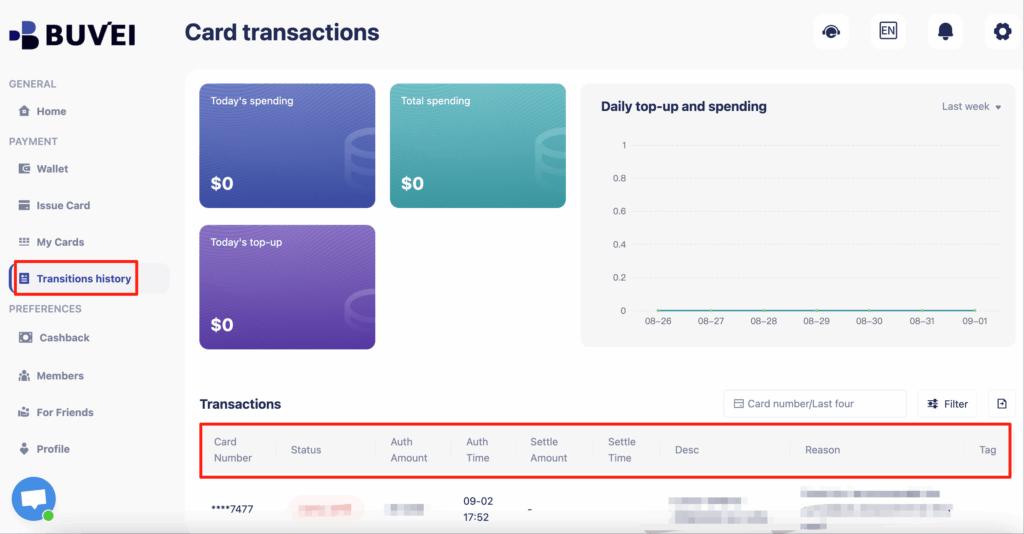
Monitor billing status and payment notifications daily
This setup reduces cross-account linkage and lowers overall payment risk.
How to Create and Rotate Virtual Cards Using Buvei
Buvei makes it easy to issue, manage, and rotate virtual cards for advertising use cases.
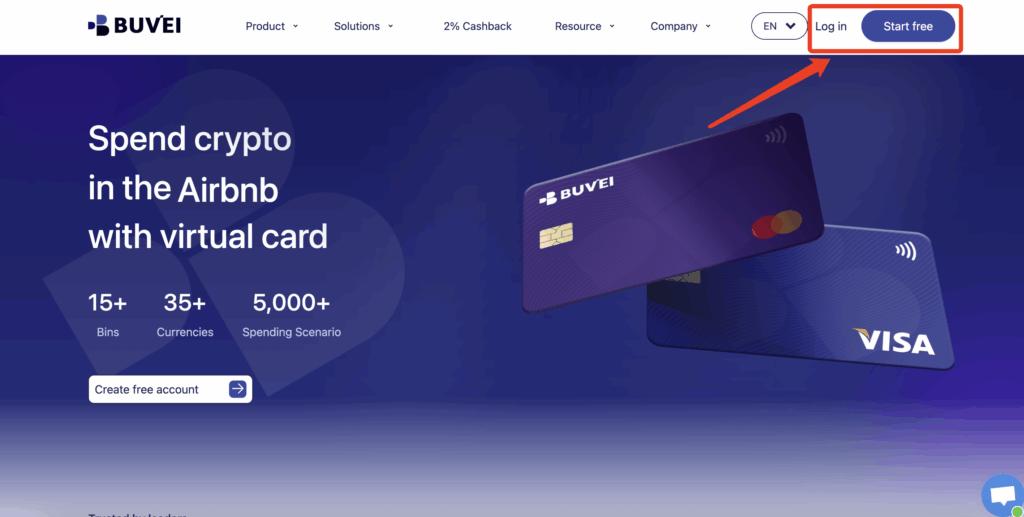
Step 1: Register a Buvei Account
-
Visit https://buvei.com
-
Create a free account
-
Complete email verification
-
Log in to access the Buvei dashboard
Step 2: Fund Your Buvei Wallet
-
Go to the Wallet section
-
Select USDT (TRC20 or ERC20) as your funding method
-
Copy the dedicated deposit address
-
Transfer funds to the address
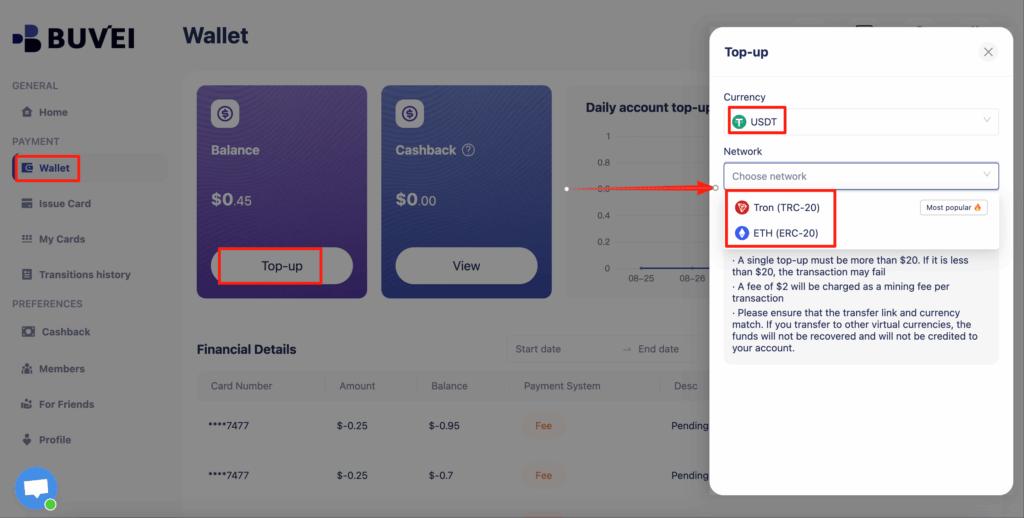
Once confirmed on-chain, your balance becomes available immediately.
Step 3: Create Virtual Cards for X Ads
-
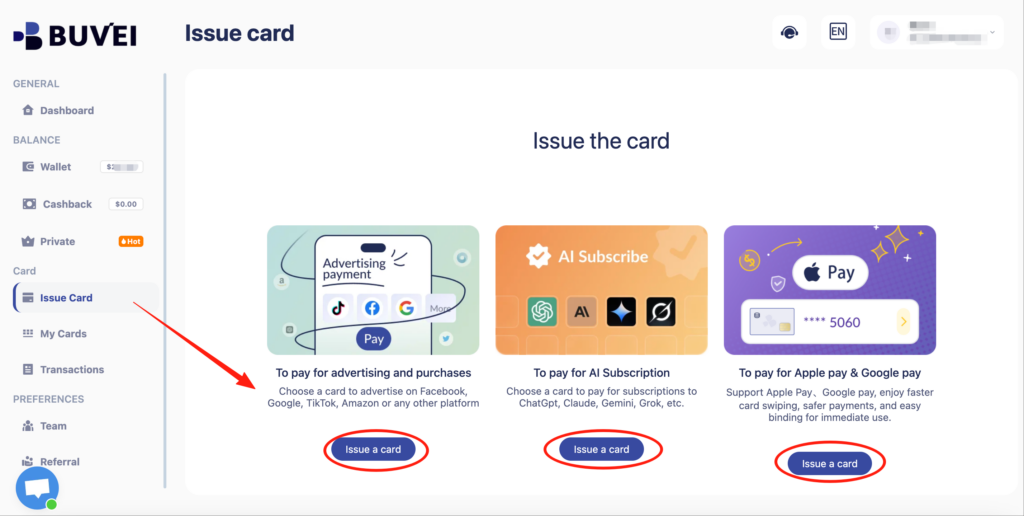
Navigate to Cards → Create Card
-
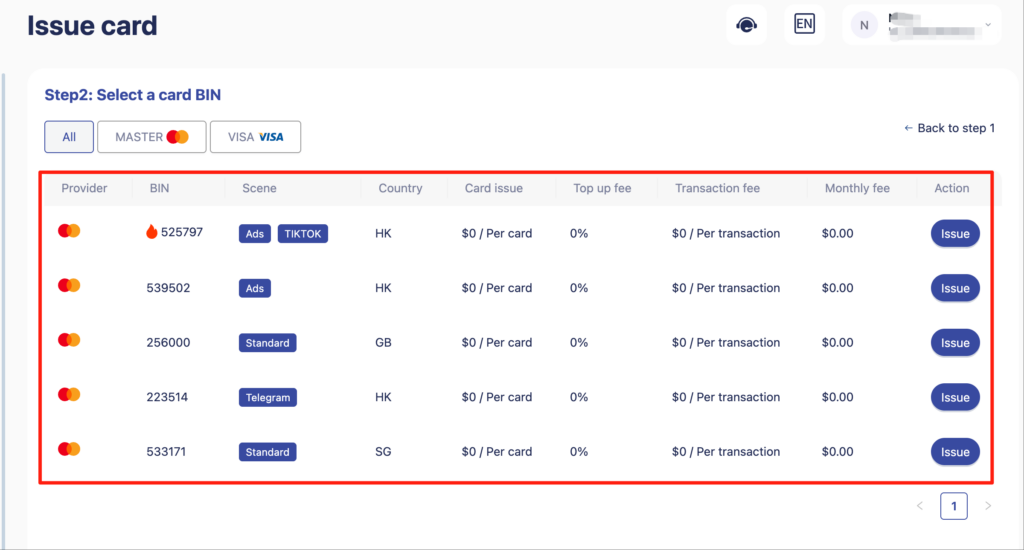
Configure:
-
BIN region (US BIN recommended for X Ads)
-
Card type (Visa or Mastercard)
-
Card balance (based on daily or monthly ad budget)
-
-
Click Issue Card
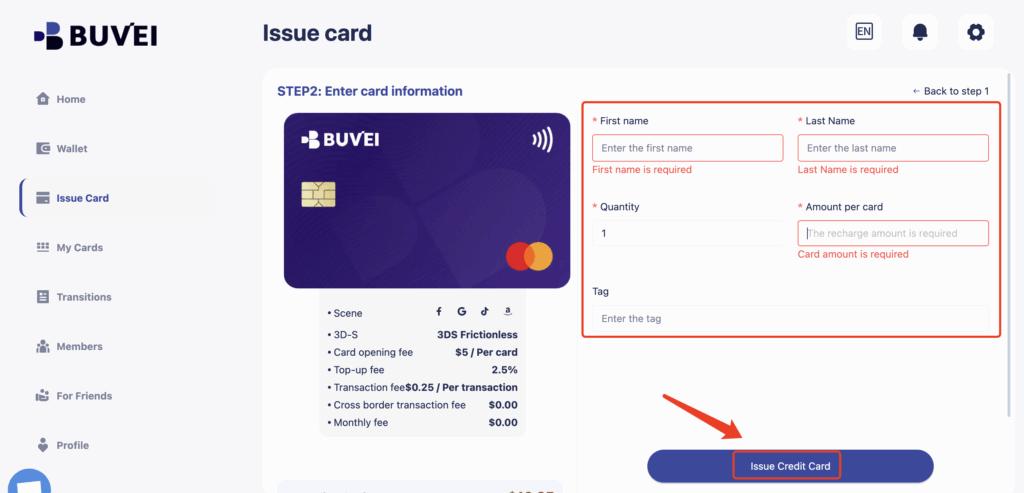
Each card can be assigned to a specific X Ads account.
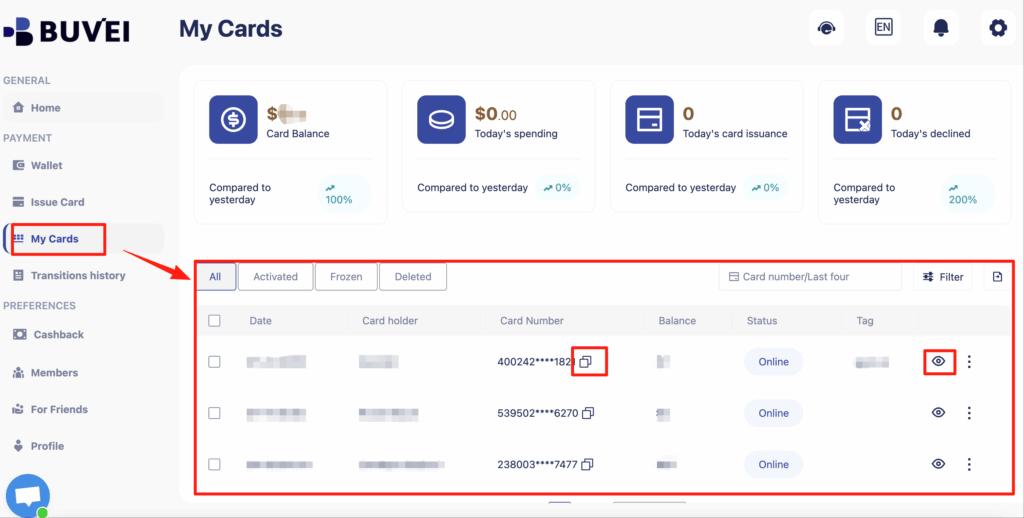
Step 4: Rotate Cards When Needed
If a card fails or is flagged:
-
Pause ads temporarily
-
Issue a new virtual card
-
Replace the payment method in X Ads
-
Resume campaigns with minimal downtime
This process is significantly faster than dealing with bank-issued card replacements.
Best Practices to Avoid Payment Blocks
To keep your X Ads accounts stable:
-
Never reuse one card across multiple ad accounts
-
Avoid frequent card changes unless necessary
-
Maintain sufficient balance for authorizations
-
Use consistent account regions and billing details
-
Scale ad spend gradually, not suddenly
Virtual cards work best when combined with disciplined spend management and account hygiene.

Final Thoughts
Scaling multiple X Ads accounts without proper payment isolation is risky. Virtual cards provide a clean, flexible solution for advertisers who need to manage multiple campaigns without exposing all accounts to the same billing risk.
With Buvei virtual cards, you can issue dedicated cards, fund them with stablecoins, rotate payment methods quickly, and maintain better control over X Ads spending. For affiliates, agencies, and growth teams, virtual cards are an essential tool for safe multi-account advertising.